Adobe Style Color Input is a Blender add-on for setting colors with RGB and CMYK controls in the same panel. It is aimed at artists and designers who work across Blender and Adobe apps. The listing describes color entry and material application inside Blender; it does not document an Adobe app extension or file transfer.
RGB and CMYK controls in one panel
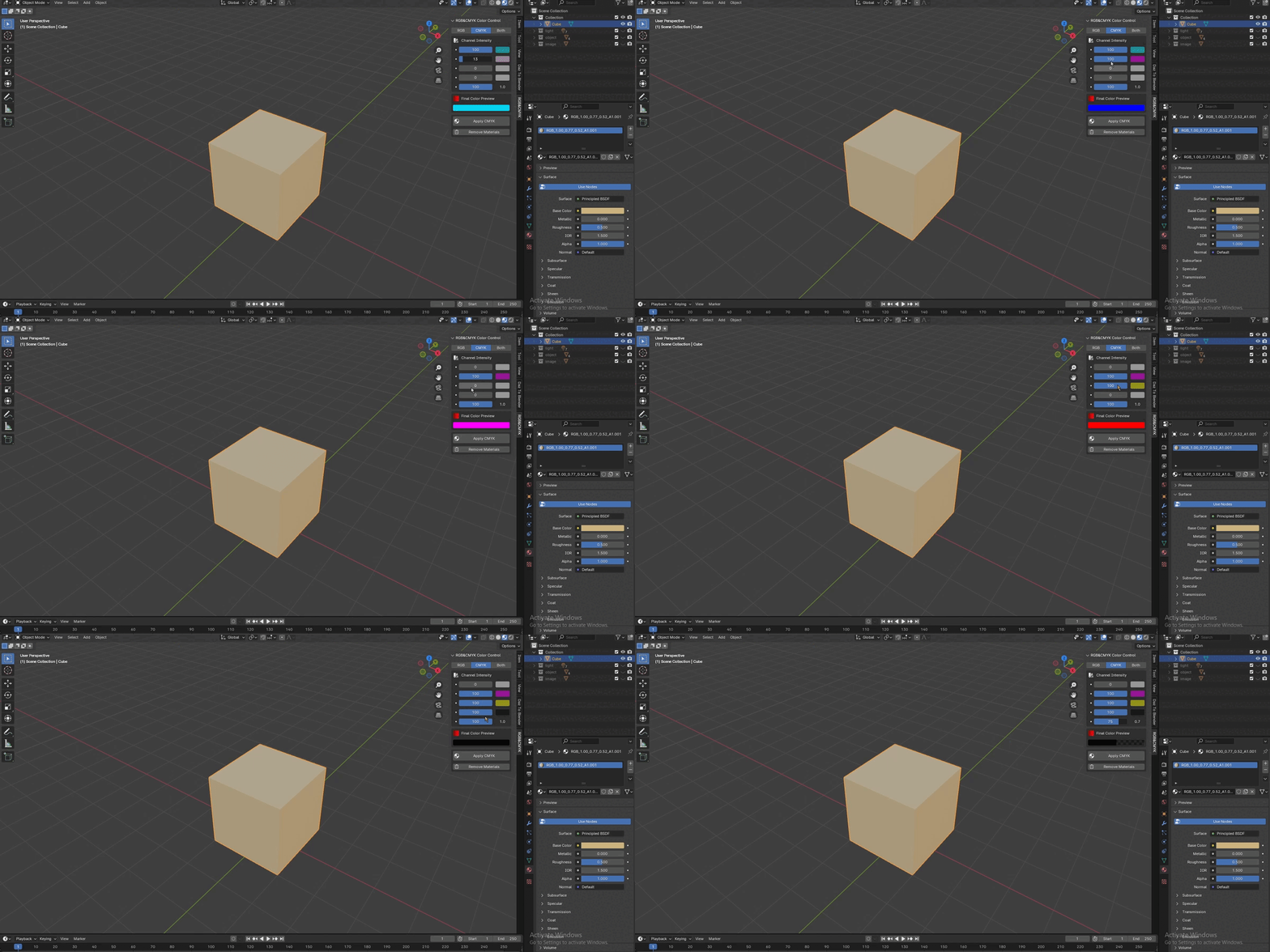
The RGB&CMYK panel in Blender's 3D View sidebar offers RGB-only, CMYK-only, and side-by-side views. The listed ranges are RGB 0–255 and CMYK 0–100%, with automatic conversion between modes. Live channel previews show individual components, and a final swatch displays the combined color with alpha support.
The Superhive listing describes the add-on as useful for digital and print-oriented work. It does not specify ICC profiles or printer-specific proofing, so the listing alone does not establish color-matched print output.
Apply colors to objects, faces, and lights
Select objects, faces in Edit Mode, or lights, then apply a color with one button. The add-on creates materials or updates existing ones. It also includes a Remove Materials command for selected objects, with undo and redo support for its operations. The listing names both Cycles and Eevee as supported render engines.
Using the add-on
- Open the RGB&CMYK panel in the 3D View sidebar.
- Select the objects, faces, or lights you want to change.
- Set values with the sliders or use the color picker.
- Choose Apply RGB or Apply CMYK. Use Remove Materials to clear materials from selected objects.
Compatibility and availability
The Superhive product listing identifies Adobe Style Color Input as an add-on, marks it Blender Extension compatible, and lists Blender 2.8 through 4.5. It also lists the GPL license. AnyPlugins lists it as free. Check the product listing for current compatibility and license details before installing, especially when using a newer Blender release.