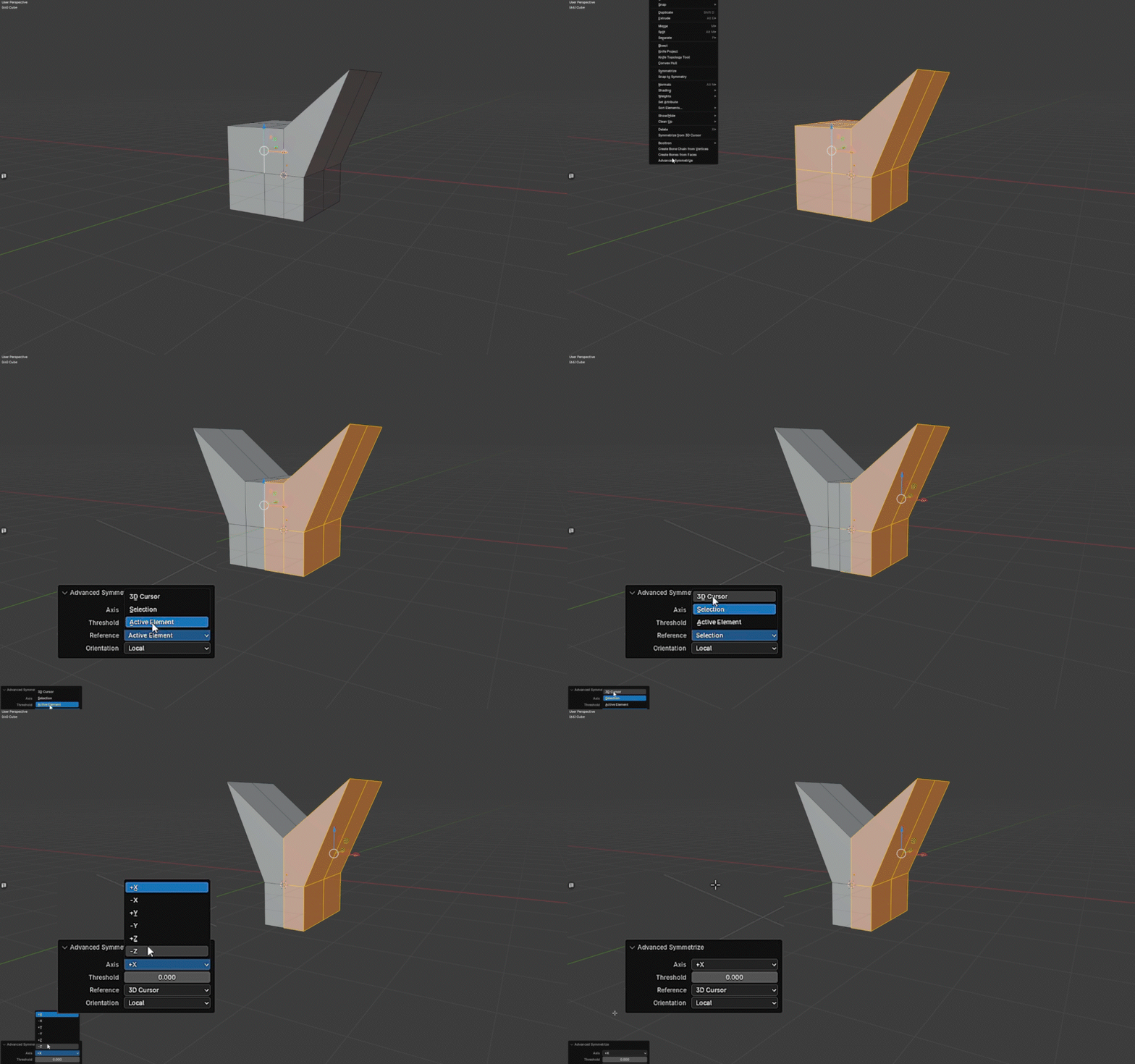
Advanced Symmetrize is a Blender add-on for mesh modeling that extends the standard symmetrize tool with more choices for setting the symmetry reference. You can use the 3D cursor, the center of the current selection, or an active vertex, edge, or face. The object origin does not need to move when you change the reference point. That can help when the origin affects the object’s rotation or modifiers that depend on it.
The standard tool is described as relying on the object origin. Advanced Symmetrize is useful when the origin is not where you want symmetry centered, for example when working from a selected area or a particular active element. The reference point and orientation are separate controls: one sets the point used for symmetry, while the other determines whether the operation follows the object or world axes.
Choose a reference point and orientation
Use the 3D cursor when it marks the point you want to use. The selection center provides a reference based on the current selection, while the active-element option uses the active vertex, edge, or face.
Local orientation respects the object’s orientation. Global orientation aligns symmetry with the world axes. The product listing also shows a Cursor orientation option as coming soon. That is distinct from choosing the 3D cursor as a reference point, which is listed as an available reference.
Set the threshold and clean up the symmetry plane
The adjustable threshold controls which vertices the operator treats as symmetrical, letting you fine-tune matching for the selected mesh. The listing does not specify a default value or numeric range, so check the current product documentation if you need those details.
Advanced Symmetrize also automatically removes duplicate faces on the symmetry plane. This cleanup is part of the described operation and does not require a separate cleanup step in the basic workflow.
Basic workflow in Blender
- Enter Edit Mode and select the mesh elements to symmetrize.
- Open the operator from the mesh edit menu.
- Choose the axis, reference point, and orientation.
- Adjust the threshold if needed, then execute the operator.
If you are deciding between reference points, use the selection center for a reference based on the current selection, or the active-element option when a specific vertex, edge, or face should define it.
Compatibility and license
The Superhive listing names Blender versions 3.1, 3.2, 3.3, 3.4, 3.5, 3.6, 4.0, 4.1, 4.2, and 4.3. It identifies Francisco Meneses as the creator and lists the add-on under the GPL license. The listing does not state an add-on version. Check the current Advanced Symmetrize listing for its documentation and compatibility details before installing.