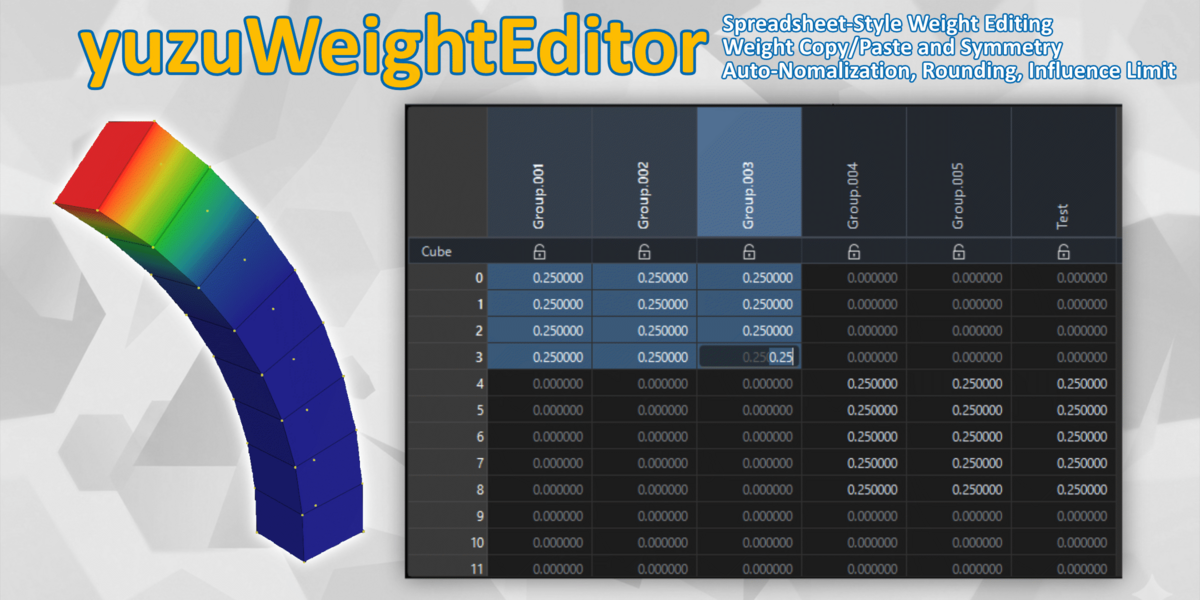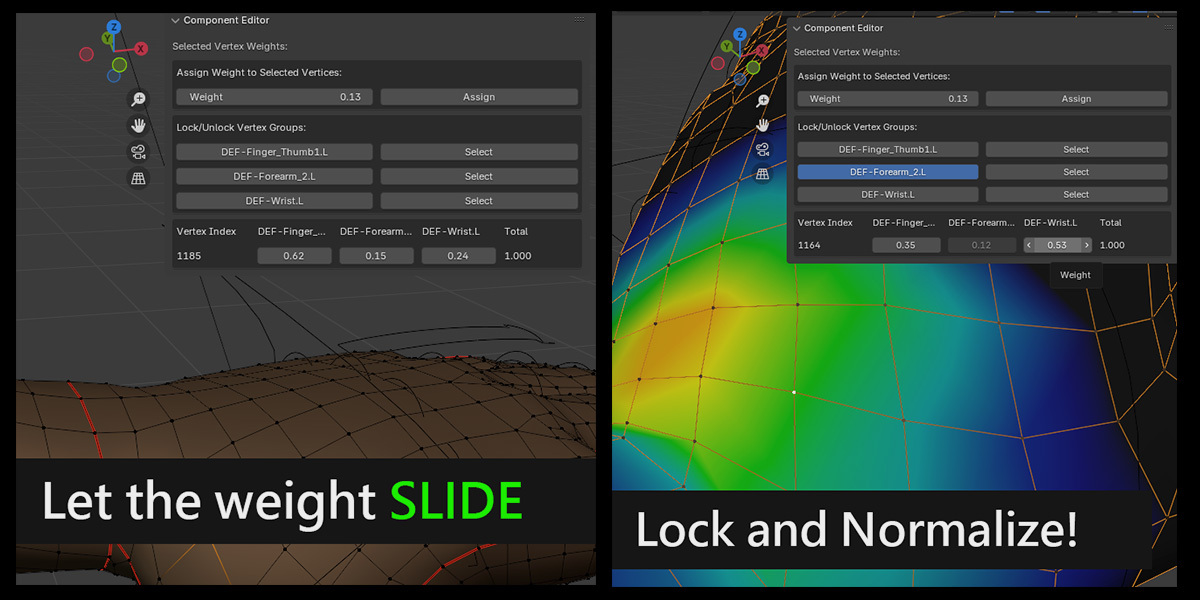
Advanced Weight Slider is a Blender add-on for adjusting vertex weights on rigged meshes. Its table in Blender's sidebar shows bone influences for selected vertices alongside real-time totals.
Inspect and adjust vertex weights
Use the table to see how weights are distributed, assign exact values to selected vertices, and watch changes appear in the panel and viewport. The add-on automatically normalizes vertex groups after adjustments so the weights sum to 1.0. You can lock critical groups to keep their values unchanged during normalization.
Fit it into a rigging workflow
The add-on is aimed at character riggers, animators, and game developers who need precise control over skin weights. Its workflow is inspired by Maya's Component Editor. It appears in Blender's N-panel and supports meshes with an Armature modifier in both Edit Mode and Object Mode. The listing's example flow selects the rigged mesh, enters Edit Mode, selects vertices, opens the panel, and then selects Weight Paint Mode; vertex-selection mode is optional.
Requirements and included materials
The product description states that Blender 4.2.0 or newer is required, while the marketplace details list Blender versions 4.2 to 5.0. Check the Superhive product listing for current compatibility details, especially for later Blender releases. The package includes its full source code, documentation in English and Traditional Chinese, and lifetime updates for this major version. The listing identifies the license as GPL and says support is available through Blender Market messages or the documentation.