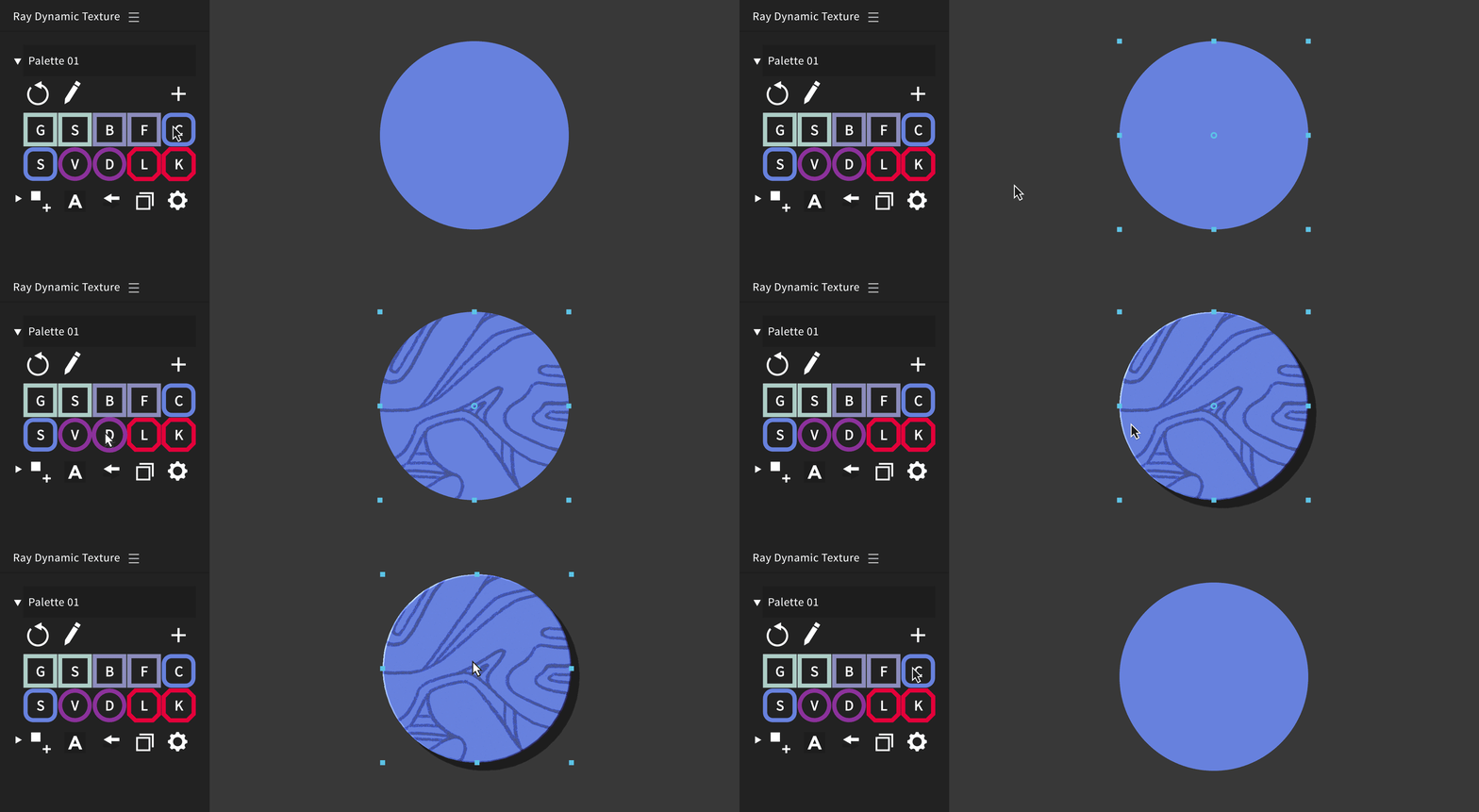
Ray Dynamic Texture by Sander van Dijk is an After Effects script for saving reusable texture setups and applying them to layers. A palette can store a texture with its layer settings, effects, keyframes, expressions, and layer styles. Once a palette is set up, select a layer and apply a texture from the panel.
Build a reusable palette
Create your own palettes and add textures, effects, shapes, or expressions from the timeline. The product also includes tools to create a master controller for a property, make an exact clone of a layer, and replace a texture with one click. These options let you keep reusable elements together for later use in an After Effects project.
You can work with textures already in a project as well as create a palette for new work. Ray supports texturing multiple objects at once. Its matte options include Alpha Matte and Luma Matte, and the product page notes that the Set Matte effect can be used for texturing.
Swatch and matte shortcuts
- Shift-click a texture swatch to parent the texture to the selected layer.
- Alt-click a texture swatch to replace the selected layer with a different texture.
- Alt-Shift-click a texture swatch to remove it from the palette.
- Alt-click the Alpha Mode button to invert the Track Matte.
Check the effect-value limitation
The product listing says custom values in effects are not supported. Its examples include Histogram in Levels, Curves Graph, Hue Saturation Channel Range, and Particular Size over Life. The listing says other effect values are supported and that the author is looking for a workaround for the custom-value limitation. Check the current product support information if one of those parameters is central to your setup.
Getting started
The product page links to a 14-minute manual covering palette setup, texturing, effects, shapes, and expressions. It also links to free texture palettes. See the Ray Dynamic Texture product page for those resources and the full feature details.