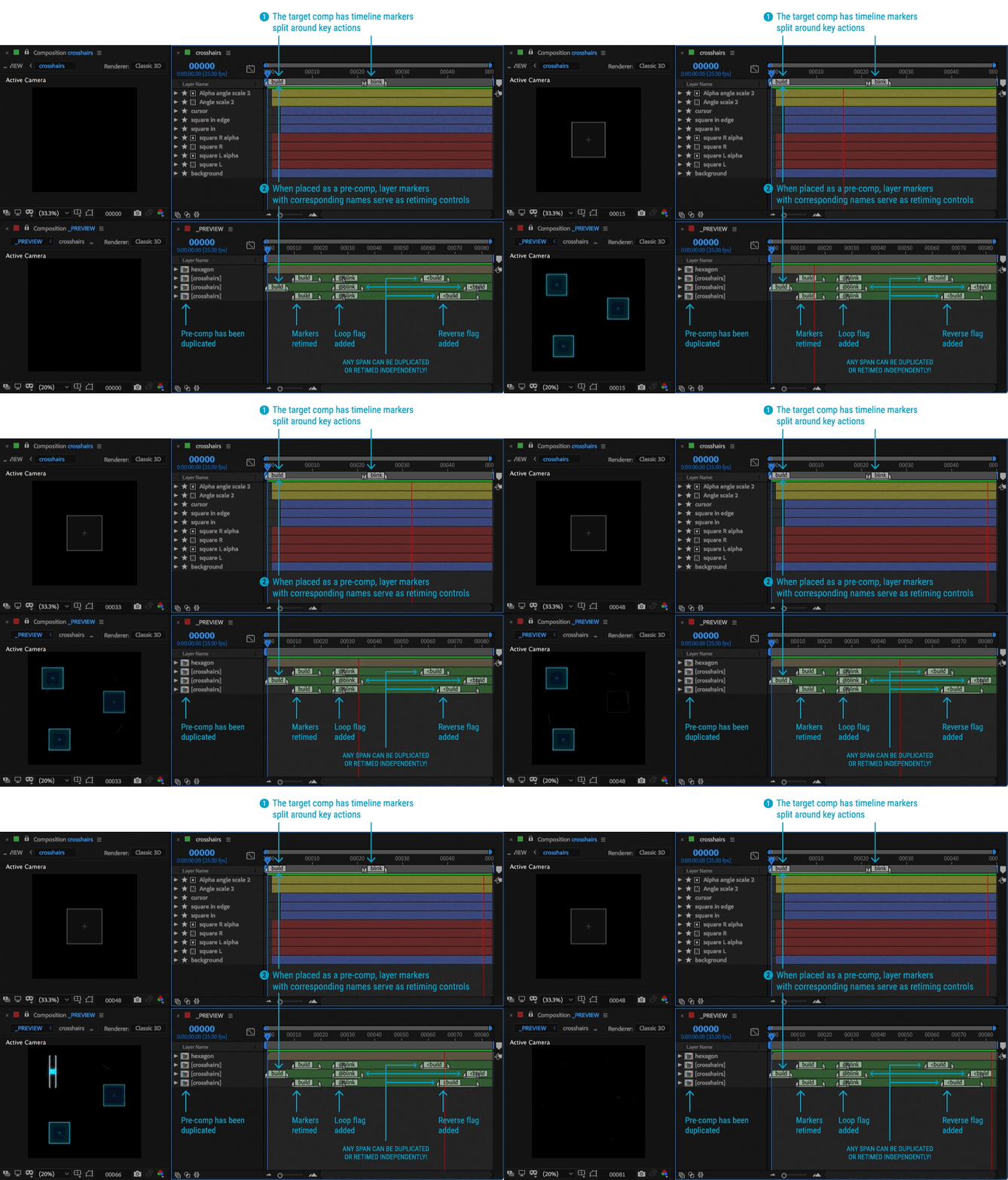
Marker Remap is an After Effects panel for marker-based retiming and marker management. It suits motion designers who reuse precompositions at different timings, trigger nested sequences in a new order, or revise timing without rebuilding long sets of time-remapping keyframes. Retiming uses split markers in the source composition and corresponding markers on its layer in the parent composition.
Retime a precomposition with markers
- Add markers to the source composition timeline at the boundaries around the actions you may want to retime.
- Place that composition in a parent composition, select its layer, then click Enable Retiming. The panel enables Time Remapping and adds an expression to the layer.
- Adjust the layer markers to change the timing of their corresponding source segments. You can move, remove, rearrange, or change their duration. Marker flags can set segments to loop, reverse, ping-pong, use range mapping, or apply easing.
This setup lets a precomposition play segments in a different order, repeat or hold segments, and fit the same animation to a different timeline. The source composition needs corresponding timeline markers for the layer markers to control its timing.
Manage marker sets
The Marker Manager tools also work separately from retiming. Use them to extract all or selected composition markers, copy and paste marker sets between layers and compositions, shift markers, or cut, paste, and delete individual markers or ranges. With no layer selected, panel buttons act on the composition timeline; with a layer selected, they act on that layer.
Project handoff, trial, and compatibility
After you enable retiming, the expressions remain in the project, so someone opening a configured file does not need the Marker Remap panel for those layers to work. Another script or plug-in that controls Time Remapping on a layer can prevent Marker Remap from controlling that layer.
The listing marks After Effects CC 2017 through 2026 as compatible. The free trial lasts seven days, with Copy, Paste, Delete, and Shift functions disabled. The displayed EULA grants one copy for use on one computer at a time; additional copies or users require appropriate separate licensing.