Retime an After Effects comp
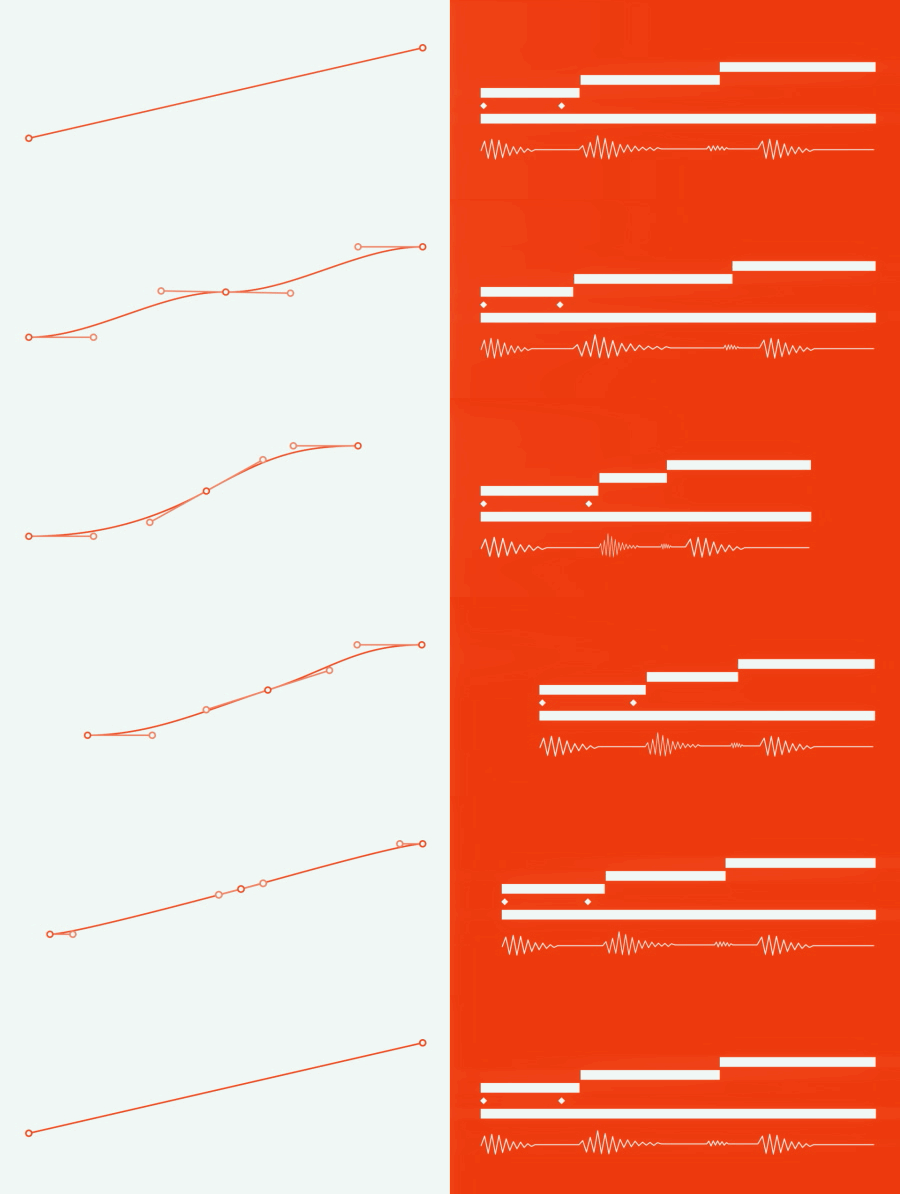
foxRetimer applies After Effects' built-in time remapping to a composition, so retiming can carry through its layers and keyframes. It suits animators changing the pace of an existing animation, especially when the composition includes nested comps, without manually moving layers and adjusting each keyframe.
Reverse, mirror, or loop animation
Reverse a complete animation, or mirror it to create an outro. When reversing, foxRetimer adjusts layers, moves keyframes, and flips animation curves. It can also duplicate layers and keyframes when needed to extend a loop.
Control what changes
- Adjust In and Out changes each layer's start time and in and out points. When the selected curve loops or mirrors, this option also duplicates layers automatically.
- Adjust Keyframes moves existing keyframes and curves. For looping or mirroring inside a curve, it can mirror or duplicate the affected keyframes or part of the curve.
- Retime Nested Layers retimes layers to match the original timing in a comp with nested precomps or footage layers. It creates a separate retiming curve for each layer.
- Add inbetween keys inserts keyframes at retiming points to represent the retimed curve more closely.
Compatibility, licensing, and curve accuracy
The product page lists compatibility with After Effects 2026, 2025, 2024, 2023, 2022, 2021, 2020, CC 2019, CC 2018, CC 2017, CC 2015.3, CC 2015, CC 2014, CC, and CS6. The listing has a license-type selector. A Single User License does not require the Floating License Server; Floating licenses require it on your network and allow one active user per license at a time.
Some time-remapped curves may differ slightly from the original because of Bezier math limitations.