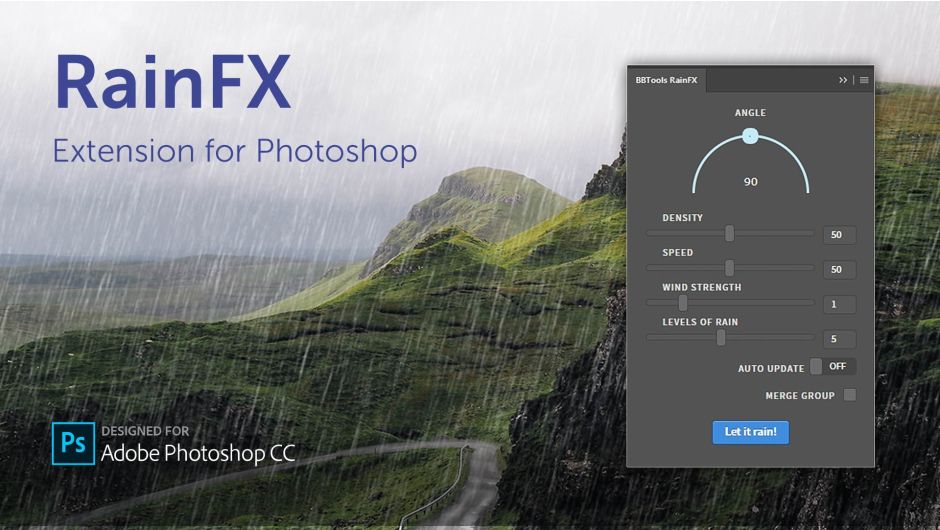
RainFX is a Photoshop extension by Bogdan Bogdanovic for creating rain effects on an image. Its panel lets you adjust the rain's direction, density, apparent speed, wind and depth, then generate the effect with the "Let it rain" button. The workflow is useful when you want to tune the look from a set of controls instead of building the rain effect by hand.
Adjust the rain effect
Five controls shape the result. Angle (0 to 180) sets the rain direction. Density (1 to 100) controls how much rain appears, while Speed (1 to 100) adds motion blur to simulate faster-moving rain. Wind strength (0 to 5) scatters the rain more at higher values. The Levels of rain setting (1 to 10) controls the number of rain layers used for depth.
Density and speed work together, so adjusting both balances the amount of rain against its motion.
Refine the layers in Photoshop
The Auto update option refreshes the effect when you change a parameter, making it easier to compare adjustments as you work. The Merge group option combines the current rain effect parameters into one layer. Changing the parameters and merging the group again can add variation.
With Merge group turned off, layers inside the rain_FX group can be switched on and off. This leaves the individual rain layers available for further adjustment.
Photoshop versions listed
The compatibility section names Photoshop 2024, 2023, 2022, 2021, 2020, CC 2019, CC 2018 and CC 2017 on the RainFX product listing.