How Blend handles layer animation
Blend is an After Effects script for animating a chosen number of objects between two property states. Set the start and end controllers, and Blend spreads the difference between their states across the objects. Both controllers support position, rotation, scale and opacity. Use Add Property to include trim paths, fill or stroke colors, and other keyframeable properties.
This setup suits multi-layer motion and shape animation where elements need to transition between defined states. Blend supports parented and 3D layers. Depending on the artwork, center layer anchor points before creating a blend system.
Adjust timing and stroke width
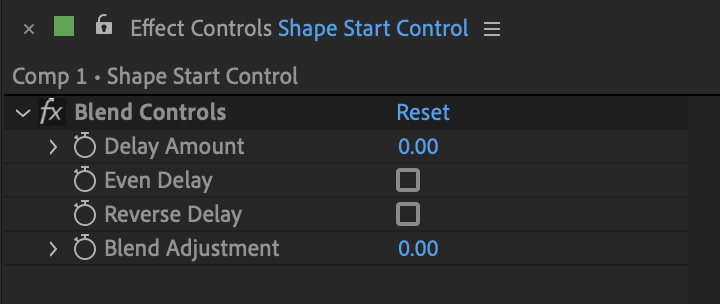
The Blend Controls Effect adds delay to a Blend system. Its Even and Reverse Delay options change how that delay is applied. The Blend Adjustment slider moves blended objects toward the start or end controllers; animating the slider lets you animate the blend itself. A separate checkbox maintains consistent stroke widths.
Trial, compatibility and licensing
The listed compatibility range is After Effects CC 2019 through After Effects 2026. It does not specify operating-system requirements.
The trial supports a basic blend system, but adding extra properties requires a licensed system. If you license Blend, recreate systems made during the trial to unlock the additional properties. The product EULA allows one copy on one computer at a time. Use across multiple computers or users requires the appropriate license for each copy and user.