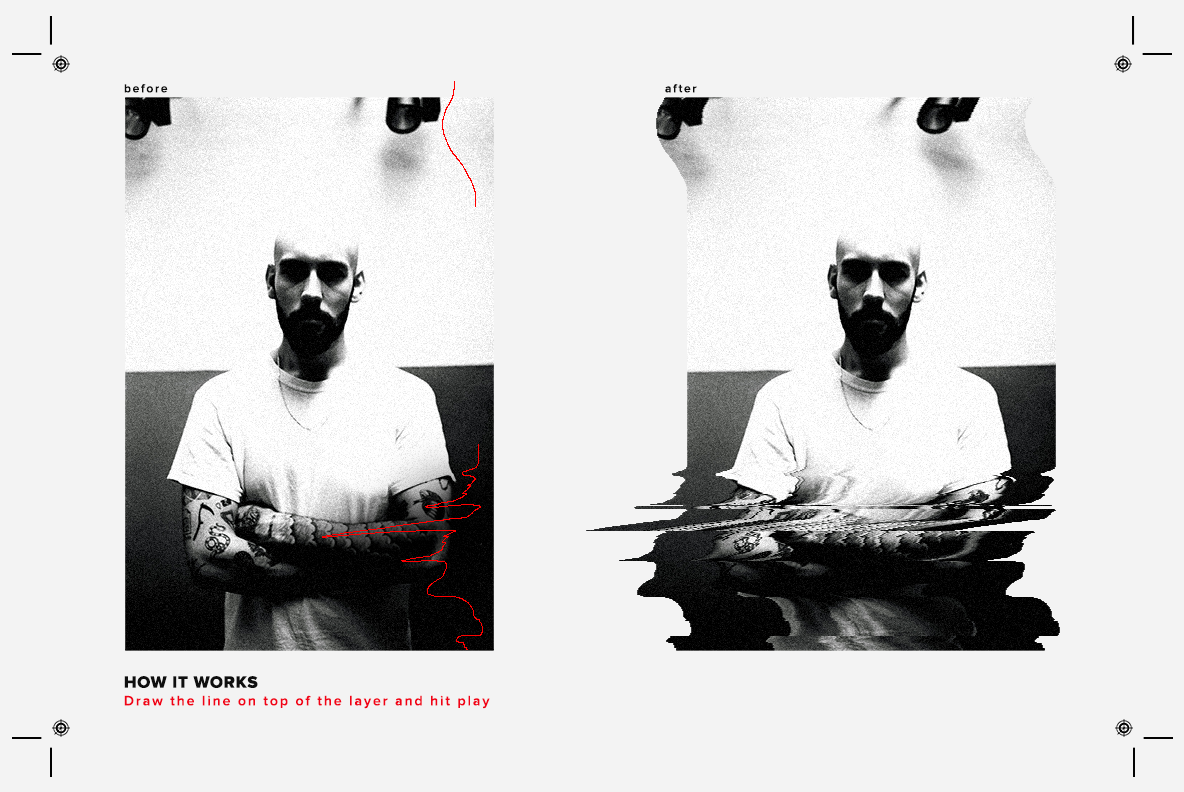
StretchMatic creates distorted motion collages in Photoshop with slit-scan and pixel-stretch effects. It works with flattened images and separate layers, including text, and lets you shape the effect through canvas selections and layer movement.
Control the stretch on the canvas
Interactive Auto Render lets you draw selections on the canvas, drag layers, and see results as you work. Moving the end layers creates different combinations, while custom stretch directions let you choose where the distortion extends. The feature list also names Intelligent Optimization, though the product page does not explain its controls.
Use it with images and text
StretchMatic can stretch text and images. That makes it useful for pixel-stretched image treatments, distorted typography, or a layered composition using both. It accepts a flattened image or individual layers, so you can work with the format your Photoshop document already uses.
Compatibility and included files
The aescripts listing names Photoshop 2027 through 2020, plus CC 2019, CC 2018, CC 2017, CC 2015.5, and CC 2015. The package includes one ZXP file and one illustrated PDF guide. Check the StretchMatic product listing for current compatibility, pricing, and trial details.