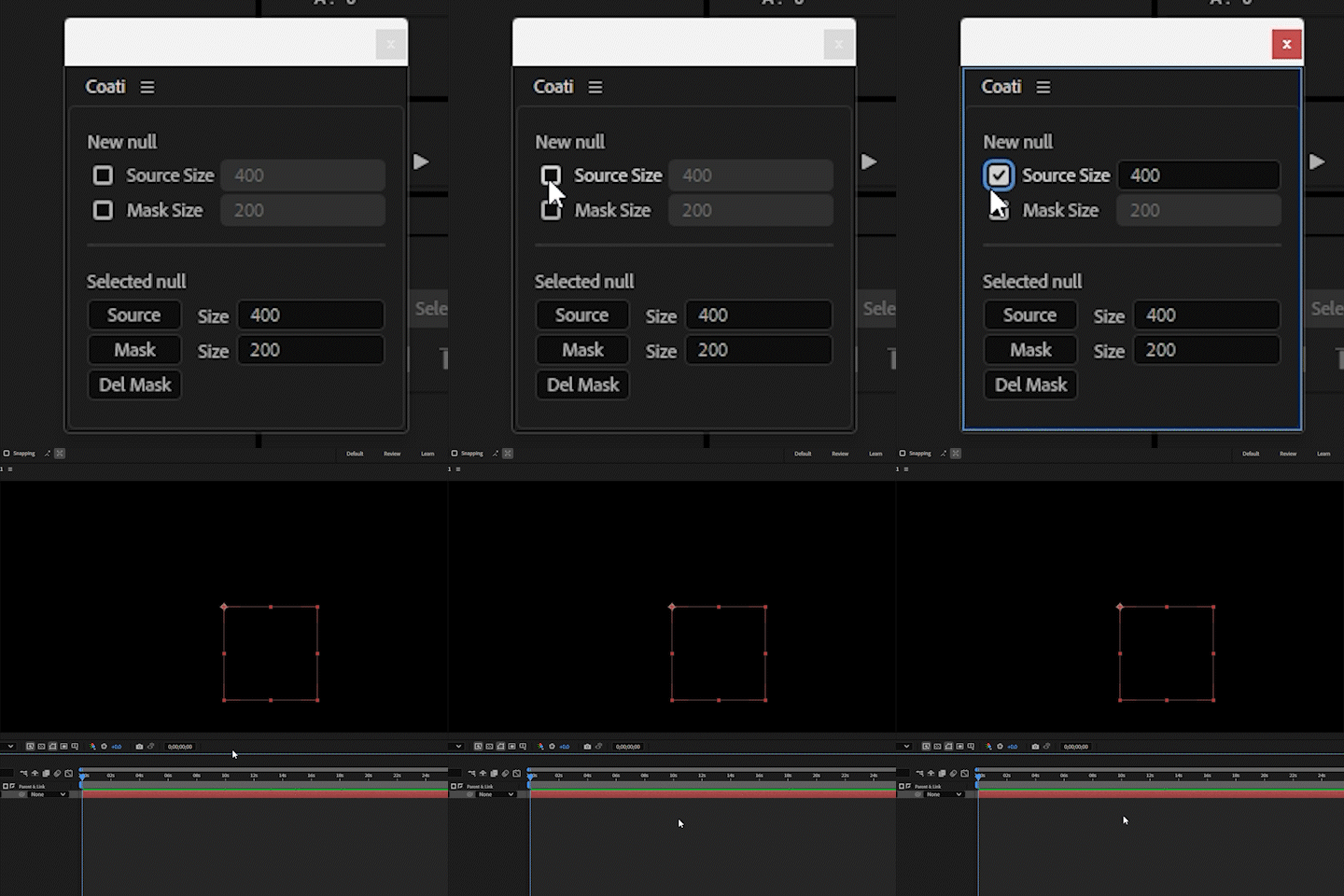
Coati changes the source size of new nulls in After Effects and resizes nulls you have selected. It helps when null controls are hard to see in large compositions or appear too large in small ones.
Set the size of new nulls
Enable Source Size and enter a size before creating nulls. The Auto setting uses 100 at a composition width of 1920, scaling the source size with composition width. For example, it sets the size to 200 in a 4K composition.
Enable Mask Size to add a mask to each new null. Its Auto setting matches the mask size to the source size. A mask changes the null's apparent size without changing its keyframe animation; changing source size or scale can affect that animation.
Resize selected nulls
Select multiple nulls to change their source sizes together. For selected nulls, Auto source size scales with composition width, and Auto mask size matches the source size. Coati can also add masks to the selection, resize existing masks, or delete the selected nulls' masks.
Compatibility and license
The product listing reports compatibility with After Effects 2020 through 2026. Its trial has no functional restrictions. The license permits one copy for one user on one computer at a time; additional users or computers require appropriate separate licenses.