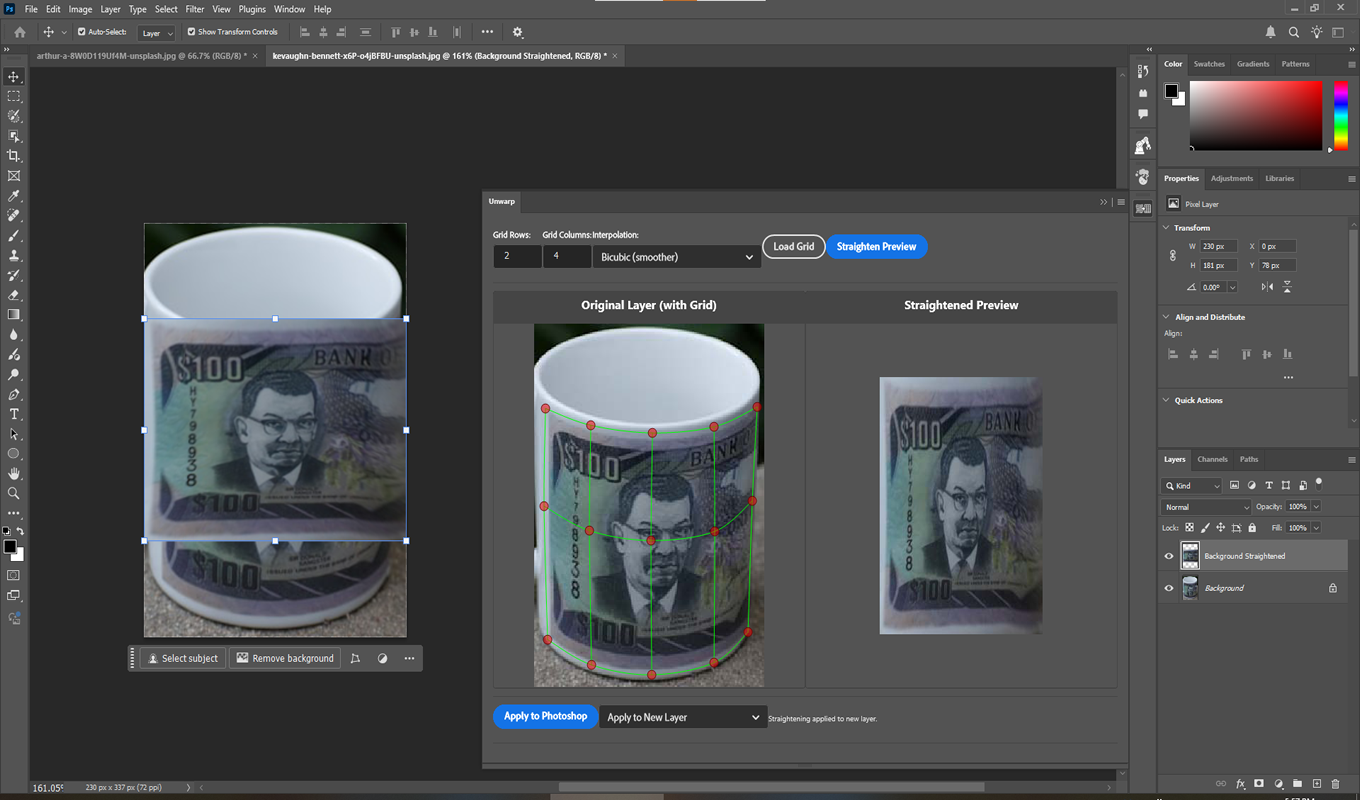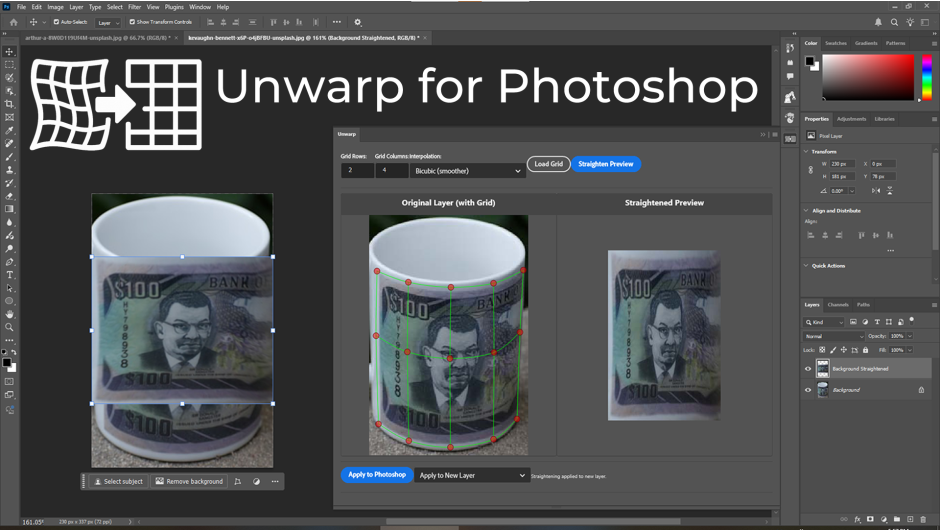
Medicraft’s Unwarp for Photoshop straightens curved or warped images by aligning a grid to the image’s curvature. Adjust the gridlines to follow the bend, then press Straighten to snap the grid back to its original position and straighten the image. The product listing describes the tool as a reverse of Photoshop’s Warp tool, with a workflow similar to Perspective Warp for curvature.
This grid-based approach is intended for images where the distortion follows a curve that you can trace with the grid. You can change the number of rows and columns to fit the image’s shape.
Align the grid to the image
- Set the grid’s row and column count to suit the curve.
- Drag the gridlines to match the image’s curvature. Moving a border point also moves internal grid points; internal points you have already moved stay in place.
- Press Straighten. The grid returns to its original position and the image straightens with it.
Changing the grid resolution does not reset its position, so you can adjust the number of rows or columns while keeping your current alignment.
Choose an interpolation method
Unwarp offers bilinear and bicubic interpolation. Bilinear is faster. Bicubic is slower with larger images but produces a smoother result. Choose based on whether processing speed or smoothness matters more for the image you are correcting.
Bit depth and Photoshop compatibility
The product supports regular 8-bit images as well as 16-bit and 32-bit images. The listing names Photoshop 2023, 2024 and 2025 under compatibility. Check the current product listing if you need compatibility information for a later Photoshop release.