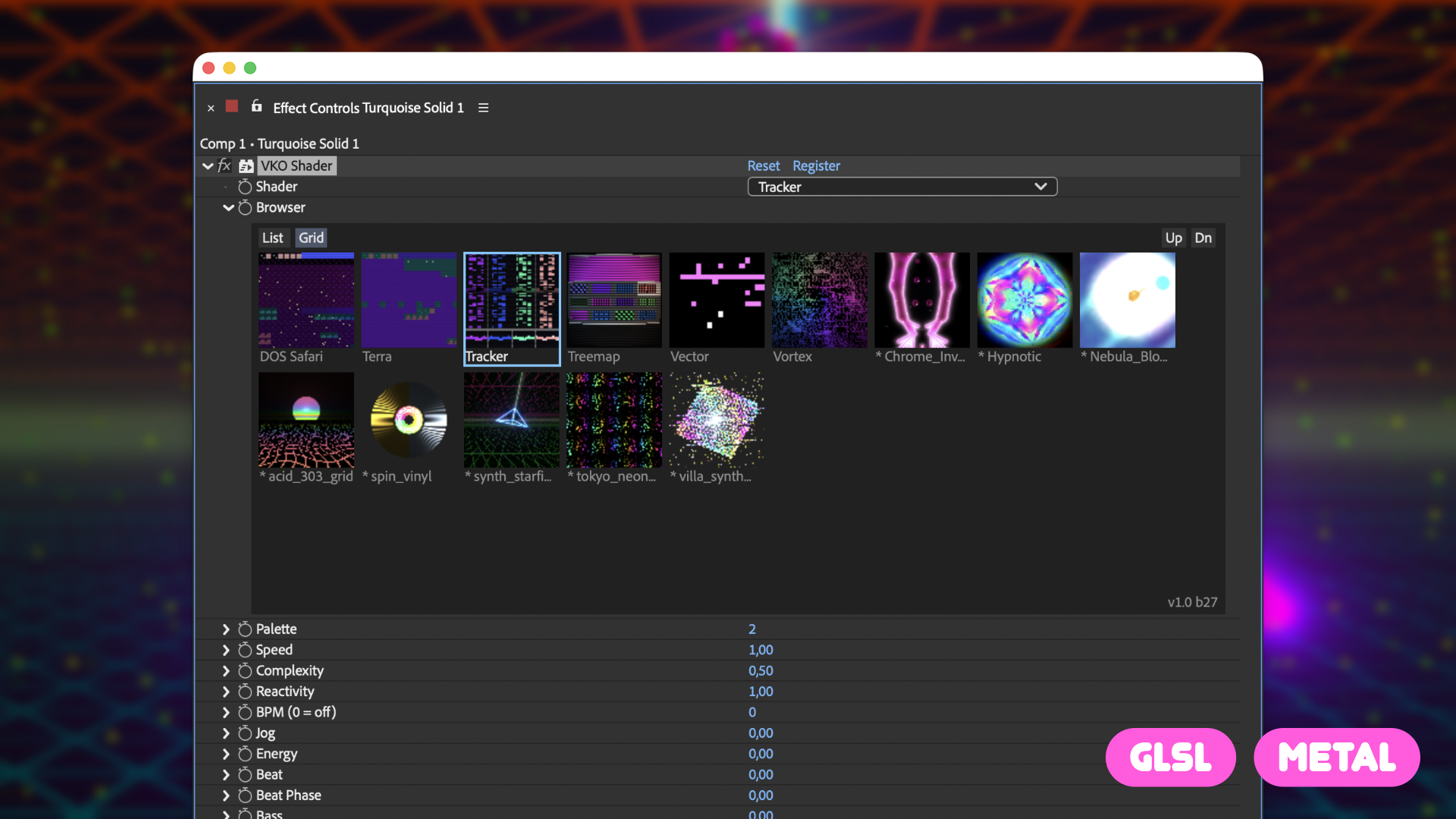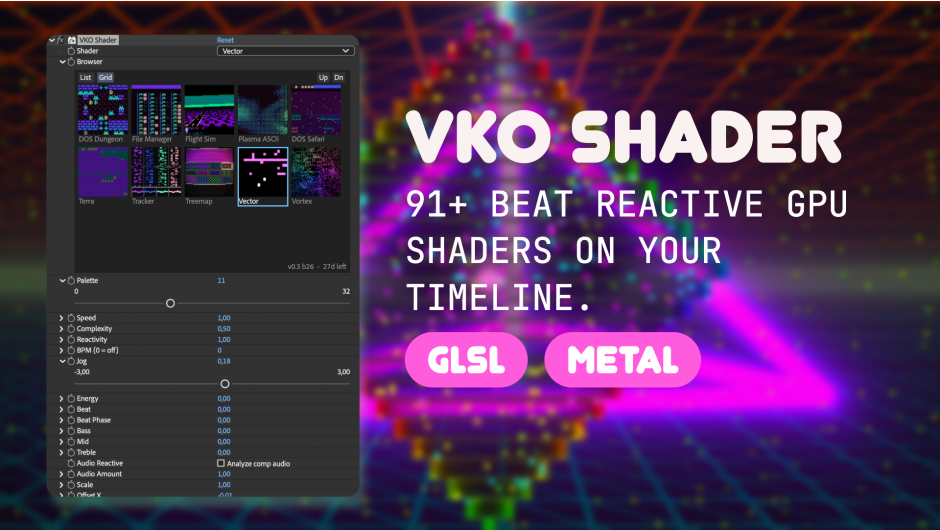
VKO Shader by Temperamento is a native After Effects effect that runs GLSL shaders on the GPU. Apply a shader to a layer and work with it on the composition timeline, where you can scrub, retime, and keyframe its controls. The product listing describes a library of 91 built-in shaders.
Animate effects on the timeline
Browse shader thumbnails, then adjust controls such as palette, speed, complexity, position, and scale. Every control is keyframable. Mask to Shape mode keeps the shader within a title, shape, or masked layer; the product page says it is on by default.
Drive motion with audio or BPM
VKO Shader analyzes the composition's audio track with FFT spectral analysis and onset and beat detection. Audio Amount blends that response with hand-keyed motion. For a comp without audio, set a BPM to make shaders pulse to a chosen tempo. Beat Sync can generate keyframes for the palette, shader selection, or both, using beat divisions from whole notes to 1/16 and cyclic or randomized order. Tap Tempo sets a BPM by tapping along to music from any source, whether it is playing or paused.
Import or build custom shaders
Import a .glsl file or place shaders in the VKO Shaders folder. New files appear in the browser without an After Effects restart, and the plugin recompiles them when they are saved. The free, browser-based VKO Graph Editor provides node-based shader creation and exports ready-to-import GLSL. VKO Shader cross-compiles GLSL to Metal on macOS and Direct3D 11 on Windows. It also imports .zip files and installs every shader they contain.
Compatibility
The product page lists After Effects 2025, 2026, and 2027. It lists macOS 14 or later, with Apple Silicon and Intel support, and 64-bit Windows 10 or 11. The rendering pipeline is specified as 32-bit float. Check the official product listing for current requirements and its free trial.