Unrender is an After Effects plugin for scene-by-scene color correction and grading. Auto Analyze detects cuts, evaluates each scene, and sets controls for color, exposure, skin and depth. Unrender builds adaptive LUTs, and you can adjust the starting grade with effect sliders. For feature details and compatibility, see the product listing .
Correct color and exposure by scene
On a clip with several shots, Unrender splits the footage at detected cuts and evaluates each scene separately. It corrects color casts while preserving intentional warmth, colored lighting and graphics, according to the listing. Exposure is measured from the face when one is detected, rather than relying only on the frame average. Scene-based decisions are designed to hold the grade through a shot and adapt at a cut.
Separate the face and background
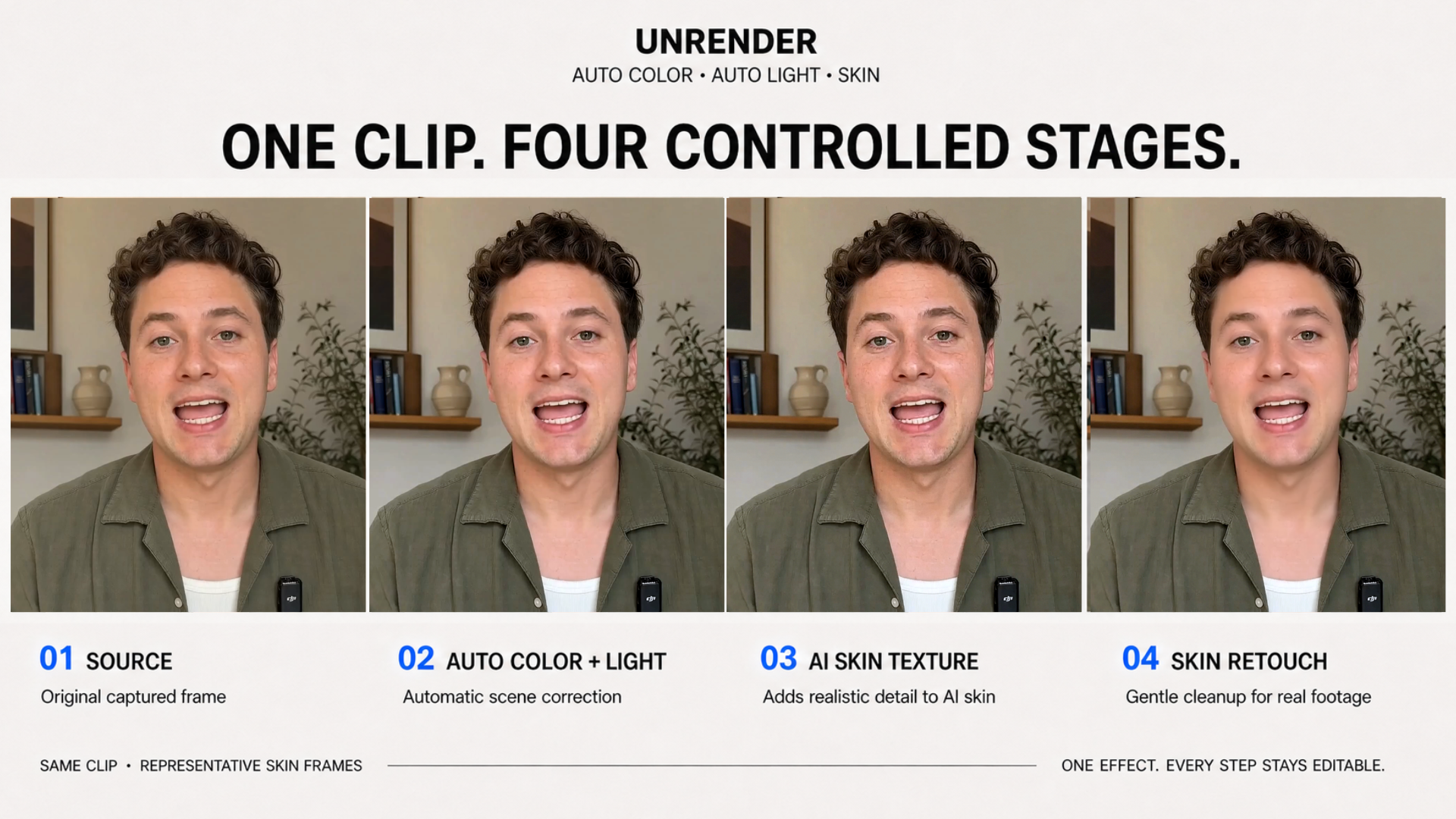
Face detection and a depth map let Unrender treat the person and the surrounding scene as separate grading areas. Skin Safe limits white balance and saturation changes around skin, and a Skin Mask view shows the affected region. For generated footage, optional texture and grain controls can add surface detail.
Depth Grade adjusts the foreground and background separately. Depth Blur can soften the background, while the Depth Map view shows the separation before you commit to the effect.
Keep control over the finish
Auto Analyze writes its results into ordinary effect parameters. You can adjust the settings afterward, and setting a control to zero removes that layer. The listed controls include Auto Color, Auto Light, Auto Tone, skin processing, depth effects, exposure, contrast, temperature, tint, highlights, shadows and saturation.
An optional ML Advisor refines the measured recipe and can be switched off. The listing says it was trained on thousands of real camera frames and corrected versions, and runs on-device.
Footage and setup
The product is listed for real footage, including phone UGC, interviews and documentary work, as well as generated footage. Its realism controls, such as texture, grain, halation and sensor character, are optional. The listing names Windows and macOS; its summary says After Effects 2024+, but its compatibility section lists After Effects 2025 and 2026, leaving 2024 support unclear.