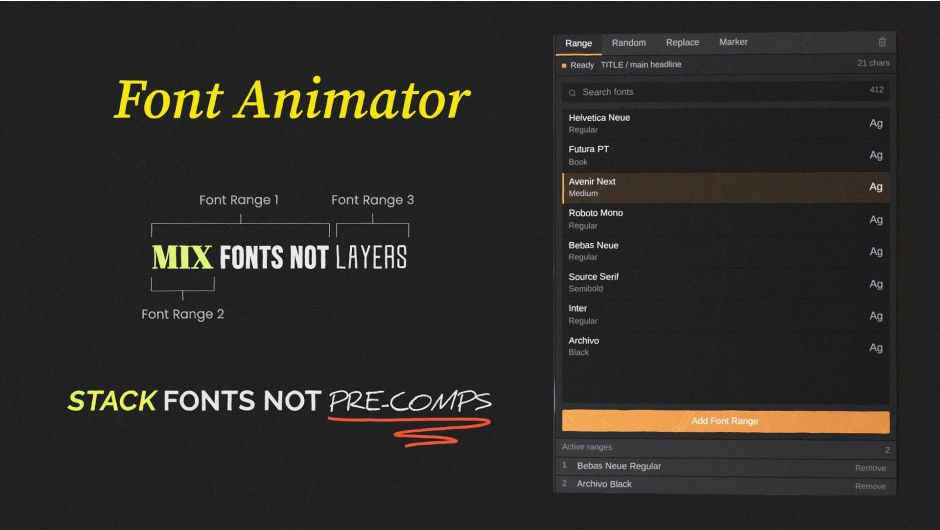
Font Animator animates font changes and can substitute characters with symbols or glyphs from another font in an editable After Effects text layer. The text stays editable, so you can revise the line and adjust its font animation without outlining the type or splitting it into separate character layers.
Four ways to animate type
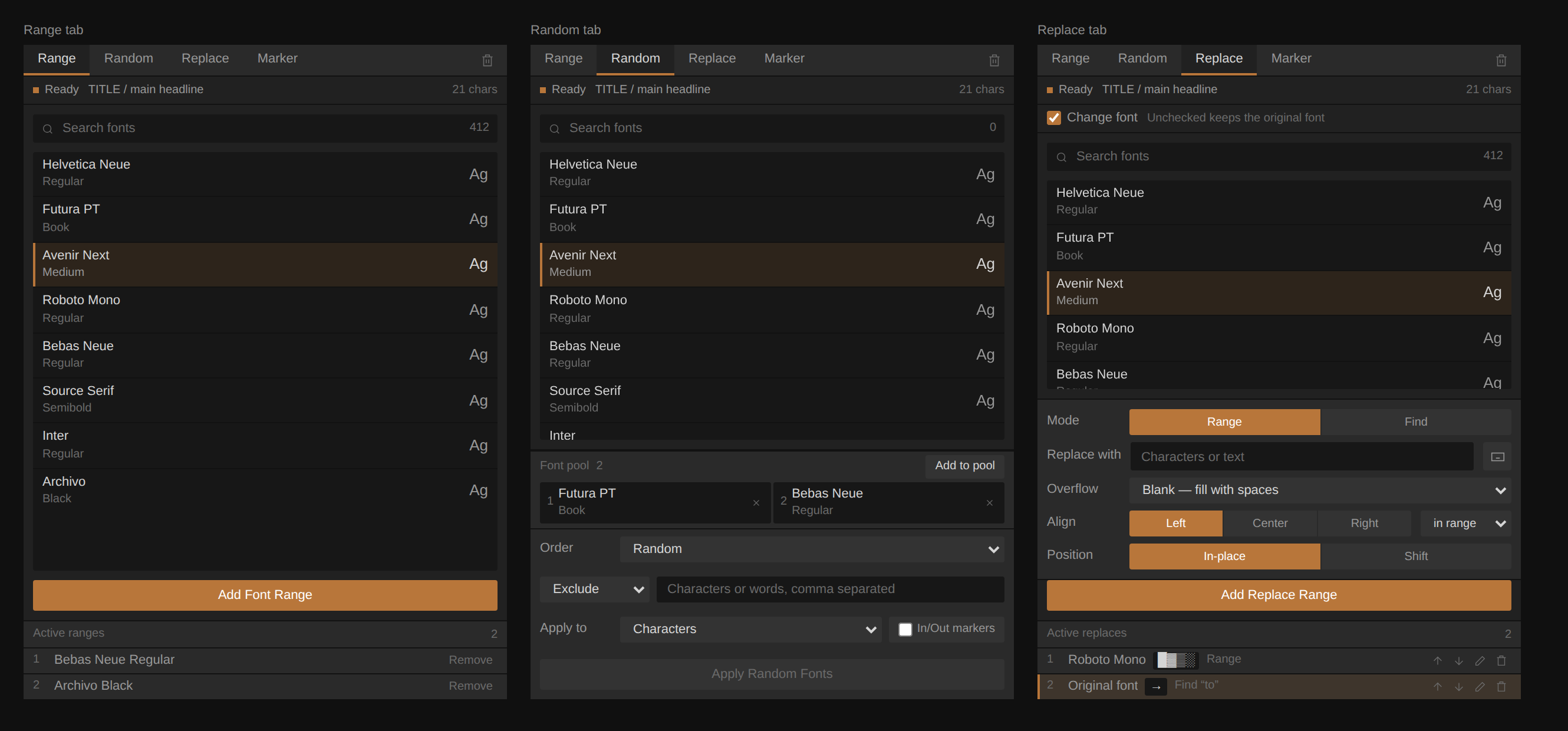
- Range: Sweep a selected font through characters, words, or lines with Start, End, and Offset controls. Set the range as percentages or exact indexes, create multiple ranges with separate controls, and enable Loop Offset to repeat the sweep.
- Random: Build a font pool and distribute it randomly or sequentially across characters, words, or lines. Coverage controls how much text participates, while Seed changes the distribution. Animate reshuffles the pattern over time at a chosen speed. Each font has keyframeable Size, Tracking, and Color controls. Character filters can include or exclude specified characters, and two layer markers can limit when the effect runs.
- Replace: Substitute characters with symbols or glyphs from another font. Choose characters directly or from the built-in glyph keyboard. Target a moving range or find a word by name, so the match can remain useful after you rewrite the line. Replacements can stay in their original positions or shift following text. If a replacement is shorter, gaps can repeat the replacement, stay blank, use a custom symbol, or show a scramble effect. Multiple replacements can share a layer, each with its own font, size, tracking, bold, skew, and color settings.
- Marker: Change fonts at layer markers and retime a change by moving its marker. Each entry can have its own size, tracking, bold, skew, and color settings. This can tie type changes to a beat, cut, or voice-over cue.
Working in After Effects
Select a text layer, search the font library in the panel, and preview each weight or style in its own typeface. Choose a mode and adjust its controls in Effect Controls. The effect remains on the same text layer, which can be precomposed, parented, or used with other After Effects animators. Retyping the line updates the animation to follow the new characters. One button removes the effect and restores the layer exactly as it was.
Compatibility and practical limits
Font Animator requires After Effects 2024 (24.0) or newer and runs on Windows and macOS. It works with After Effects in any language and uses standard text layers. It uses fonts installed on your computer, so collaborators opening a project need the same fonts. Replace can use only glyphs that exist in the selected font; the built-in keyboard shows the available glyphs.
The product page's EULA grants use of one copy on one computer at a time. Additional copies or users require an appropriate license.