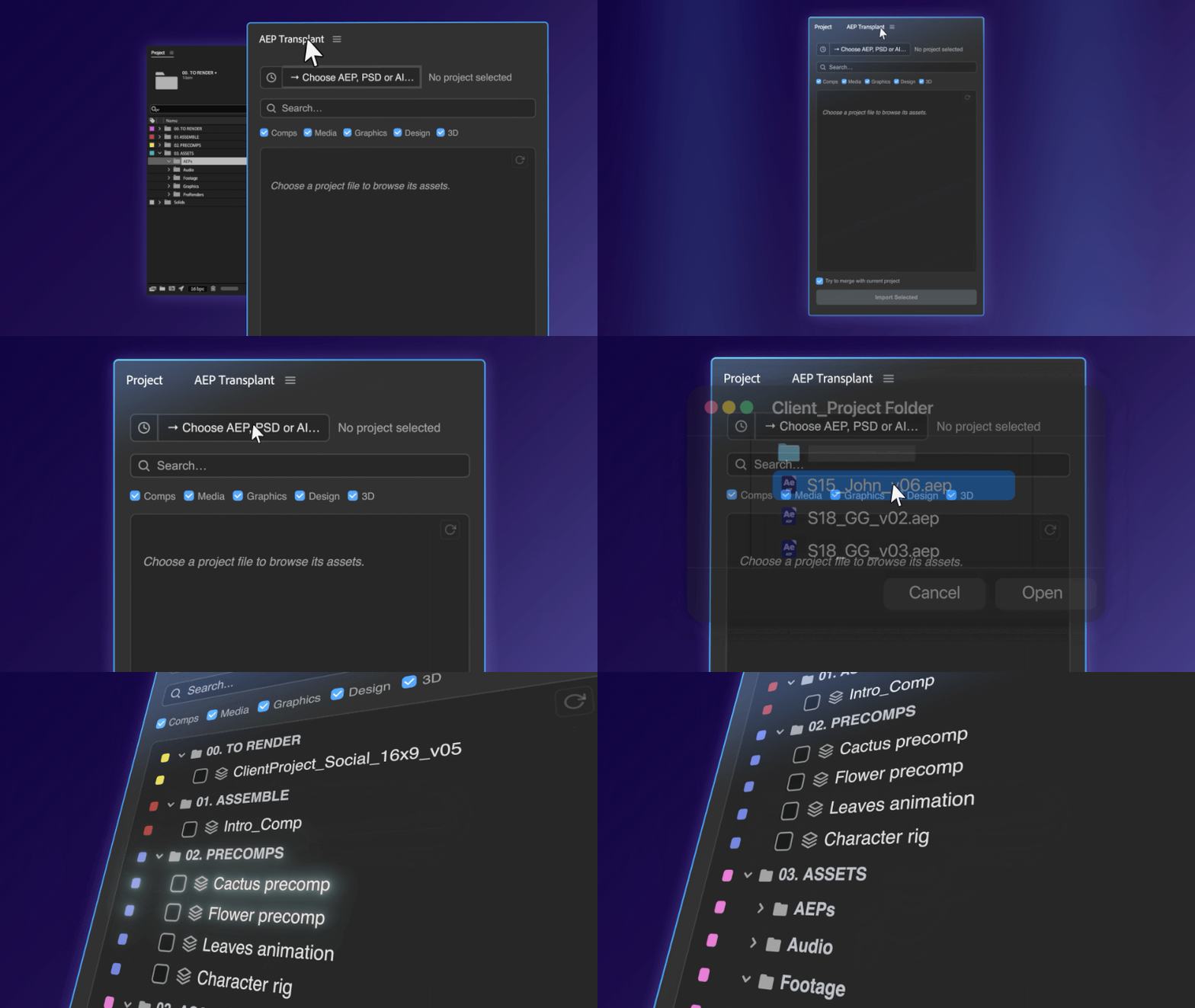
AEP Transplant lets you browse another After Effects project, an AET template, or a PSD, PSB, or AI file from your current project, then import selected compositions, layers, or assets. It is suited to editors and motion designers who reuse material across projects, combine work from several people, or need to recover specific elements from an older save.
Import only the material you need
Select compositions to bring in along with their dependencies. To work at layer level, open a composition and choose individual layers. The tool resolves parent chains, track mattes, effect links, and expression targets; its import options let you include those dependencies or bring in only the selected layers. This can help when recovering keyframes or effects without reverting the current project.
Merge folders and resolve duplicates
With “Try to merge with current project” enabled, incoming folders are matched against the current project by exact name, fuzzy name, then contents. The Folder Merge Settings panel lets you adjust matching rules and synonym lists. When an imported item has a naming collision, AEP Transplant asks whether to replace it, use the current item, or keep both.
For footage outside the project folder, choose whether to copy it into the project or leave it linked. You can also target an existing comp, asset, or folder for replacement. Imported layers can go into an existing comp with their stacking order, parenting, and track mattes retained.
Update artwork and inspect sources
For layered PSD, PSB, or AI artwork, select individual layers or replace the source file across its layers in the project. This is useful when updating artwork used in a character rig. Composition and footage previews let you inspect source items before import. Search and asset-type filters help when browsing a large project, while change indicators flag updates to the current project and recent source files.
Formats, compatibility, and trial limits
AEP Transplant supports .aep, .aet, .psd, .psb, and .ai source files in After Effects 2027 through CC 2018. Its fully functional trial lasts 10 days, with a limit of 3 items per import and 20 imports total.
The EULA permits one installed copy and one archival copy stored on media other than a hard drive and used only for reinstallation. It restricts shared-use, multi-user, and network installations; any additional licensing agreement must cover each user and copy.