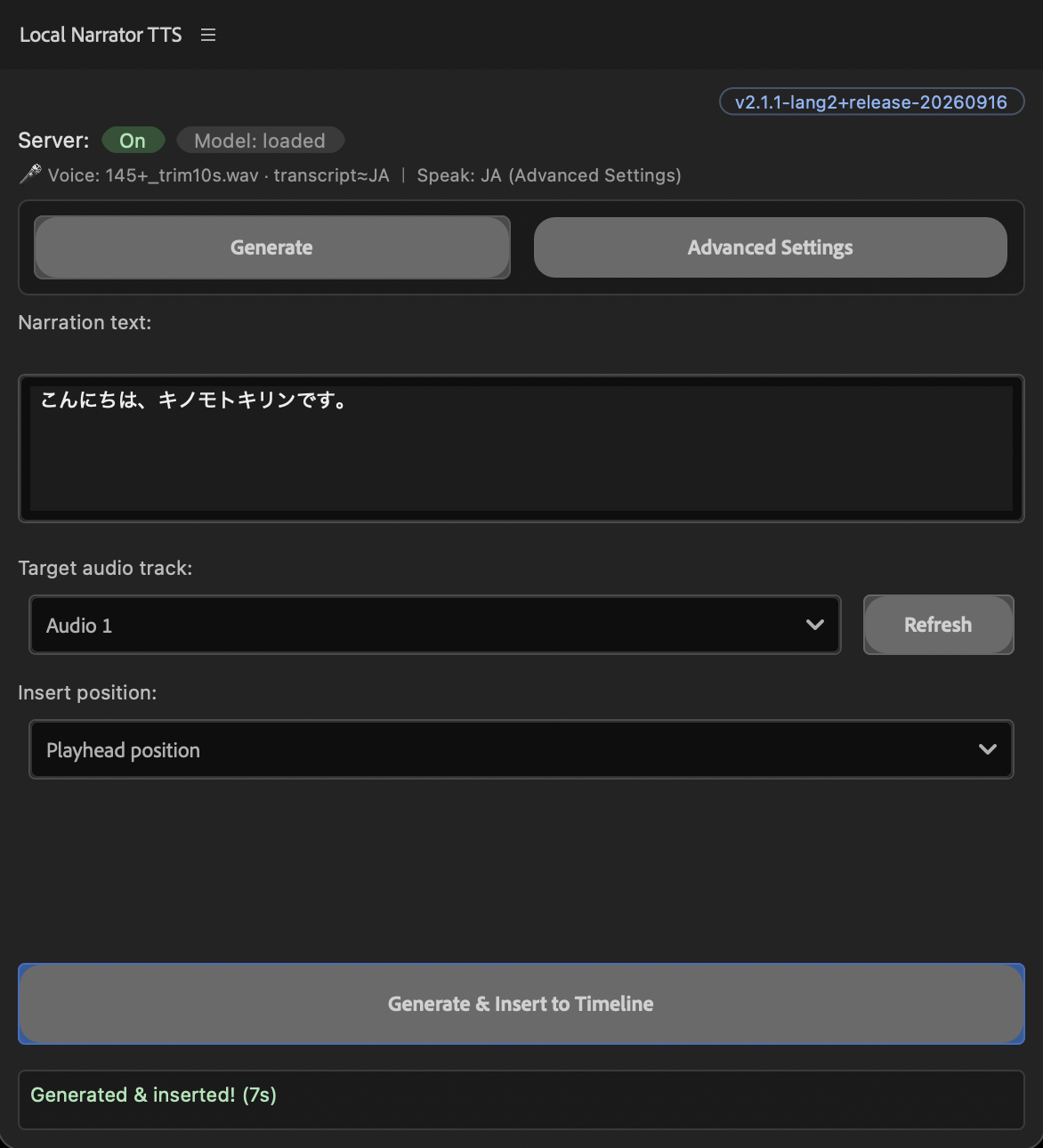
Local Narrator TTS is a UXP panel for Premiere Pro that turns typed text into a WAV using a reference recording, then inserts it into a selected audio track. Its local engine generates speech on your Mac or Windows PC. Use it to draft a line against an edit, check timing, or revise wording before a recording session.
Qwen3-TTS is the default engine, and Irodori-TTS setup is optional. The included examples are selected, unedited outputs; pronunciation, pacing, and similarity to the reference vary by recording and generation. Listen to each clip in your edit before using it in a finished video.
Prepare a reference and generate a line
- Choose a clean reference WAV; six seconds or longer is recommended. Use your own voice or a voice you have permission to use. Enter the exact words spoken in the selected audio, including only the words in a trimmed clip.
- Set the spoken language to match the reference, then enter a short narration line in that language. Changing the language setting does not convert a mismatched reference; Japanese and English mismatches are blocked. Choose the target audio track and insertion point: the playhead, a time in seconds, or the end of the sequence.
- With Premiere Pro 25.6 or later open on macOS or Windows, the local engine set up, an active aescripts license or an active trial if one is available, and a saved project with a sequence open, generate and insert the WAV, then play it with the edit. The first model load can take longer. Listen for pronunciation and timing before deciding whether to revise the text or make another clip.
Premiere and setup requirements
Local Narrator TTS requires Premiere Pro 25.6 or later on macOS or Windows; its demonstration uses Premiere Pro 2026. The package includes a shared UXP .ccx file and an Install/Quickstart PDF. Install it with the aescripts + aeplugins manager or a ZXP/UXP installer. First-run engine setup is in the panel.
Allow several gigabytes for the local engine, Python packages, and downloaded models. The setup requires Python 3.10 to 3.12 and FFmpeg on PATH. Internet access is needed for installation, model downloads, and license activation or validation. Speech synthesis runs locally, with no cloud TTS charge for each generation.
WAV output and practical limits
Generated WAV files go by default into a LocalNarratorTTS_Audio folder beside the saved Premiere project. Advanced Settings lets you choose another output folder. This UXP release generates one clip at a time; batch generation and multi-take variation are not included.
The Japanese examples use the creator's own voice with the default engine. The English sample uses a reference WAV from LibriSpeech on OpenSLR, licensed under CC BY 4.0. See the Local Narrator TTS product page for the samples and installation notes.