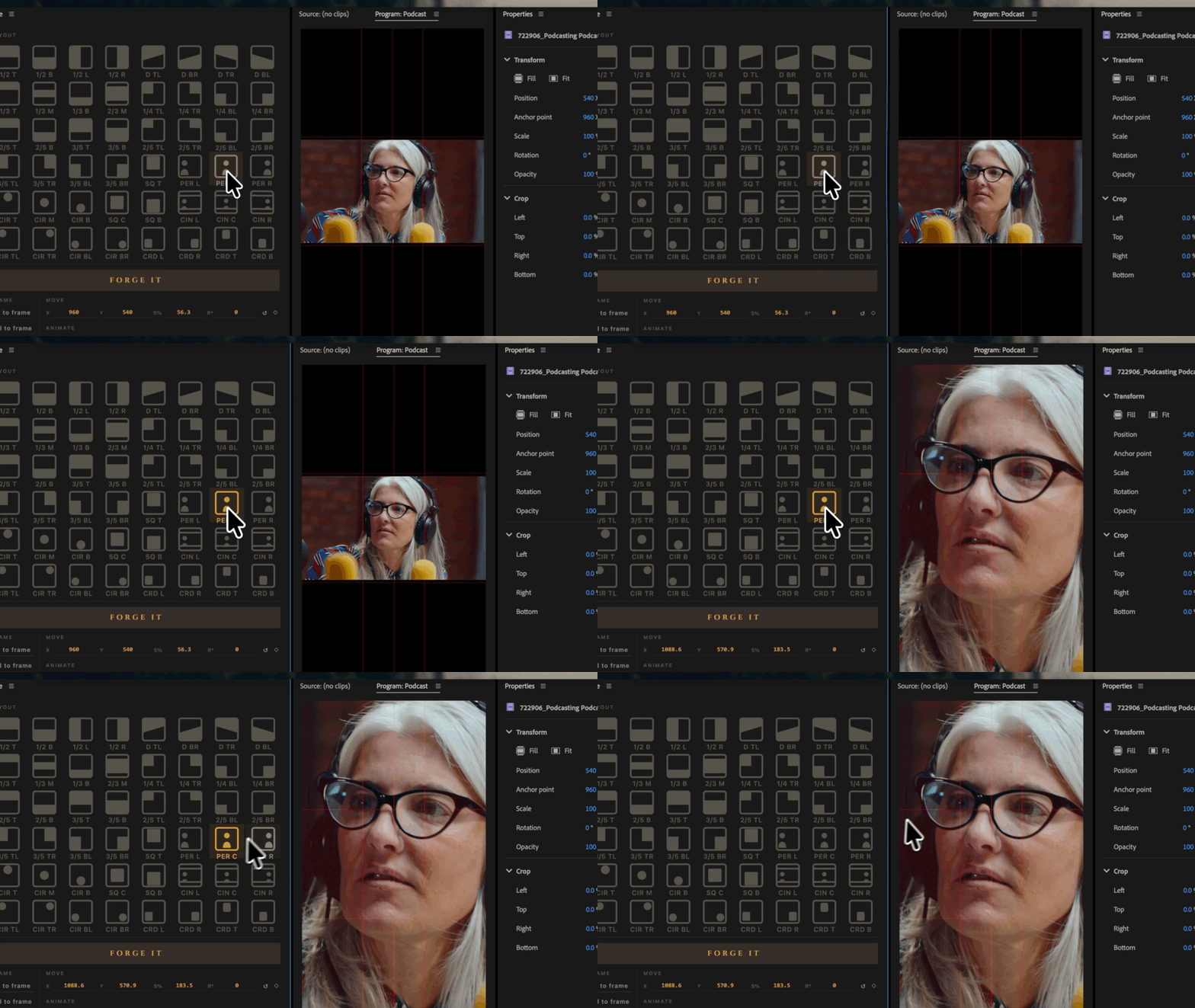
forge for Premiere Pro is a shot-composition extension by løre. It reads the subject's eye line and gaze, then positions the subject for a selected layout using editable position and scale controls. Its 48 layouts cover horizontal, vertical, and square frames, with framing adjusted to suit each layout.
Compose around the subject
forge places a subject within the frame using composition choices such as thirds and lead room in the direction of the gaze. Each layout has its own framing, so a subject's placement can change when you switch from a horizontal sequence to a vertical or square one. The extension writes standard Premiere Pro positioning data, leaving the result available for inspection and adjustment.
Layouts include full-frame treatments, corner reactions, punch-ins, side-by-side views, and circle lower-thirds. These options suit editors who need to create different compositions for talking-head footage or short-form cuts without repeating the same positioning work for every frame.
Apply layouts to clips and nests
You can select multiple clips and apply the same position and scale to each, based on the eyes at the playhead. This works best with footage that moves little, such as a guest staying in the same chair throughout an episode.
For layouts with mattes and guides, nesting lets forge cut the clip to the layout boundary. Without a nest, the framing is the same, but the rest of the clip remains visible outside that region. In a stacked layout, one nest can mask the lower layer while an unmasked layer remains visible around it. Masked layouts also add guide layers at 50% opacity inside the nest so you can see the safe area while adjusting the composition.
Adjust motion and restore edits
The panel lets you scrub or enter X, Y, Scale, and Rotation values without opening Effect Controls. You can keyframe all four values together or arm them individually. For directional moves, forge uses Premiere Pro's Transform effect, with motion blur and durations from 2 to 99 frames. Its panel also keeps the last three moves for stepping back through recent changes.
forge does not alter source media. Its positioning, effects, mattes, and guides are Premiere Pro data that you can edit, keyframe, or remove. The restore control removes forge-added mattes, guides, effects, and transform changes from a nest or raw clip.
Compatibility and local processing
forge requires Adobe Premiere Pro 2024 through 2026 and either Windows 10 or 11 (64-bit) or macOS on Apple Silicon M1 or later. The product includes the extension, a native face-detection helper, a user manual, and a tutorial. Installation and license activation use the aescripts + aeplugins Manager. Face detection runs locally through the included helper; footage is not sent to a cloud service.
See the official forge product page for the current download and product details.