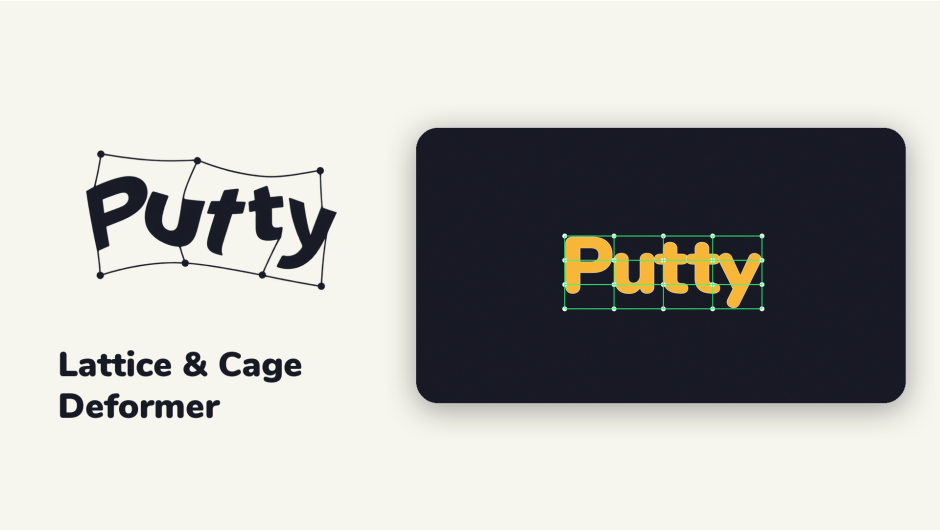
Putty is a lattice and cage deformer by nebulaf for Adobe After Effects and Premiere Pro. It can fit control points to artwork's bounding box, alpha outline or a mask, so you can pull text, cutouts, logos and footage without placing the grid across empty parts of the layer. The product page lists its modes, host requirements and free trial.
Choose a deformation mode
- Lattice places a rectangular grid around the artwork for bending, stretching or squashing it. Symmetry can mirror edits in this mode.
- Cage puts points along the alpha outline, which is useful for shaping a cutout around its silhouette.
- Cage (Track) tracks a detailed outline through a clip so a deformation can follow a moving subject. The maker recommends starting with a clean cutout and clear silhouette.
- Mask (Follow) uses mask vertices as points. The cage and warp follow an animated or tracked mask. This mode is for After Effects; tracking works on footage and solid layers.
- Mask (Warp) uses mask movement to pull the image. It is also After Effects only, with Invert Mask and Cut Opacity controls for shaping a hole or cutaway.
Animate and control the mesh
Turn on Mesh Animation to keyframe point drags. Soft Selection moves nearby points according to their distance from the selected point; Alt or Option-drag moves one point by itself. You can pin points with Protect, group points into a cluster, then control that group with a Null. Spring adds overshoot and settling to keyframed moves and cluster Nulls. Image Transform and Mesh Transform move the picture through a fixed field for effects such as water, heat haze or a lens distortion.
Putty's Mesh Setup lets you reposition lattice lines before bending the image. Fit and Track can read masks and effects above Putty, so those inputs do not need to be pre-composed.
Check host and system requirements
- After Effects includes all five modes and supports 8, 16 and 32 bits per channel.
- In Premiere Pro, the listed modes are Lattice, Cage and Cage (Track), along with cages made using Draw or Convert Mask. Premiere Pro 2025 requires version 25.6 or later. The Mask modes are After Effects only.
- On Windows, Putty supports Windows 10 and 11 on x64, with CUDA and DirectX 12. Premiere Pro also supports OpenCL. If the GPU is unavailable, rendering falls back to the CPU; the maker says the warp is identical.
- For After Effects 2025 on macOS, the listed minimum is macOS 13. Premiere Pro on macOS requires Apple Silicon. Metal is supported on Apple Silicon; Intel Macs and other GPU configurations are not officially supported, so the maker recommends trying the free trial first.
- Mask (Follow) tracking requires a DirectX 12 GPU on Windows, or Apple Silicon with macOS 14 or later.
One Putty license works in both After Effects and Premiere Pro. Check the product page for the current compatibility details and trial before installing.