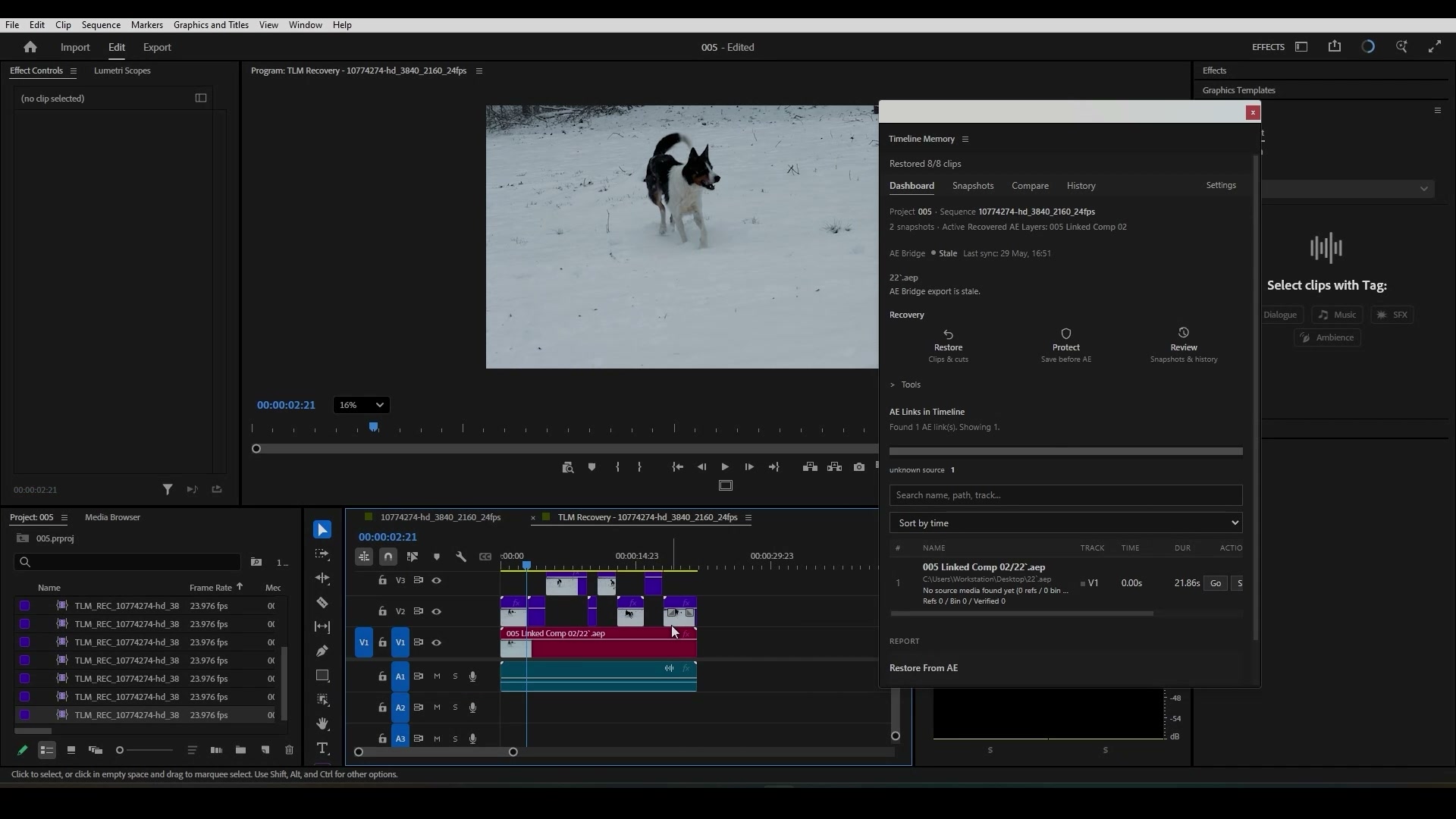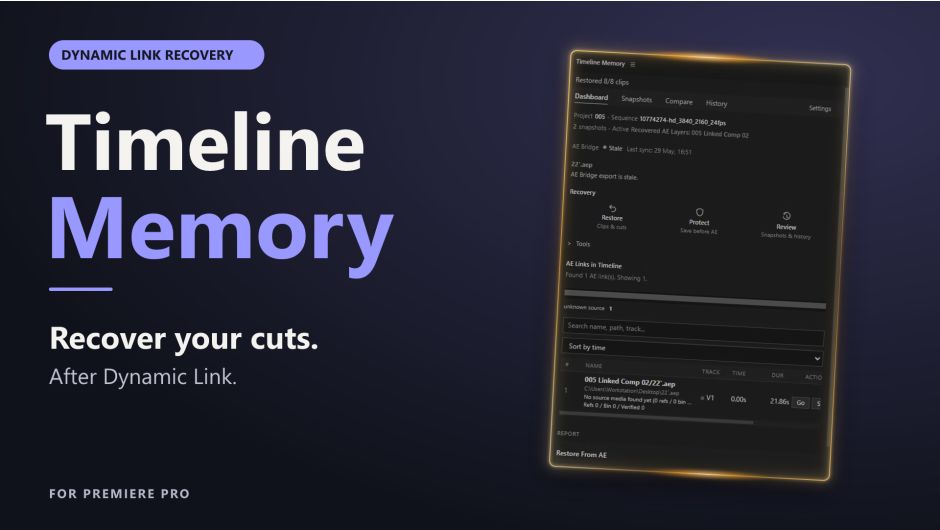
Timeline Memory is a panel for Premiere Pro editors who use Replace With After Effects Composition. You can save timeline recovery points before clips are sent to After Effects, then helps review and restore available source clips and edit points. Recovery depends on the project data and media available.
Save a recovery point before linking to After Effects
Before replacing clips with After Effects compositions, save a timeline snapshot in Timeline Memory. The panel manages saved snapshots and can compare one with the current timeline. This gives you a record to consult if you need to recover available cuts after the Dynamic Link work.
Review matches before restoring
When you return to the edit, inspect the detected source clips and recovery details. The available matches depend on the project and its media, so check what Timeline Memory found before confirming a restore. The product instructions also recommend keeping a separate copy of your project.
- Save a recovery point before sending clips to After Effects.
- After working with linked compositions, review the detected source matches and recovery information.
- Confirm the recovery, then check the restored segments in your Premiere Pro sequence.
Snapshots, history, and backups
Timeline Memory also includes operation history and a view of detected After Effects links. You can compare a saved snapshot with the current timeline and export saved Timeline Memory data as a JSON backup.
Compatibility and licensing
The product listing names Premiere Pro 2026 and 2027 as compatible versions. It lists trial, temporary review, and commercial licenses. Check the Timeline Memory product page for the current compatibility and license details.