What Disintegration Pro does
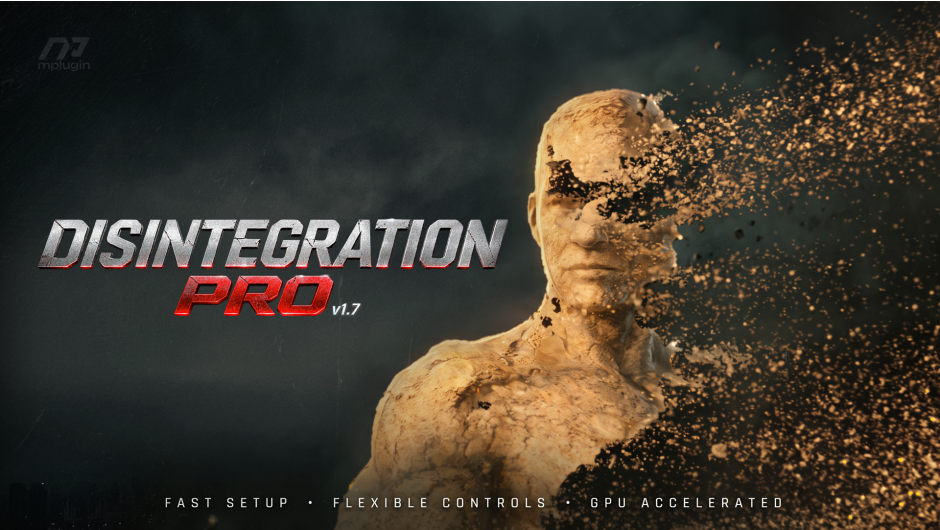
Disintegration Pro is a GPU-accelerated 2.5D particle disintegration plugin for Adobe After Effects. It suits shots where a source layer needs to break into particles and the direction, appearance, edge, or depth of that breakup needs control.
Shape the particles and breakup
Movement controls include wind, gravity, drag, turbulence, velocity, directional force, and air movement. A custom texture can define how the particles look.
- Direct the motion: Use a mask as the path to drive particles along it.
- Change the breakup: The Explode switch pushes the effect into a stronger burst. Edge Color changes the breakup edge, while Edge Only isolates the boundary.
- Control depth: Z-space wind pushes particles forward or backward. Depth Blur softens distant particles, and Focus controls what stays sharp.
Workflow and compatibility
The product page recommends pre-composing the source layer before applying Disintegration Pro. Before heavy work, it also recommends purging memory and cleaning the cache. The listing marks the plugin GPU-accelerated, MFR-ready, and 32 bpc. Compatibility is listed for After Effects 2020 through 2027. The listing does not specify minimum GPU requirements or render benchmarks, so it does not establish performance on a particular workstation.
Choose a license for your setup
The Disintegration Pro EULA, updated Oct 21, 2025, grants one copy and restricts use on more than one computer at a time or in a multi-user network without an appropriate licensing agreement. The License Type FAQ, dated Nov 5, 2026, says a Single User License generally permits installation on up to two user accounts or computers when they are not used at the same time, unless the product specifies otherwise; Floating Licenses require the Floating License Server, while Single User Licenses do not. The server requires network setup, and remote users need VPN access to that network. Check the license type shown in the product purchase control against your intended setup.