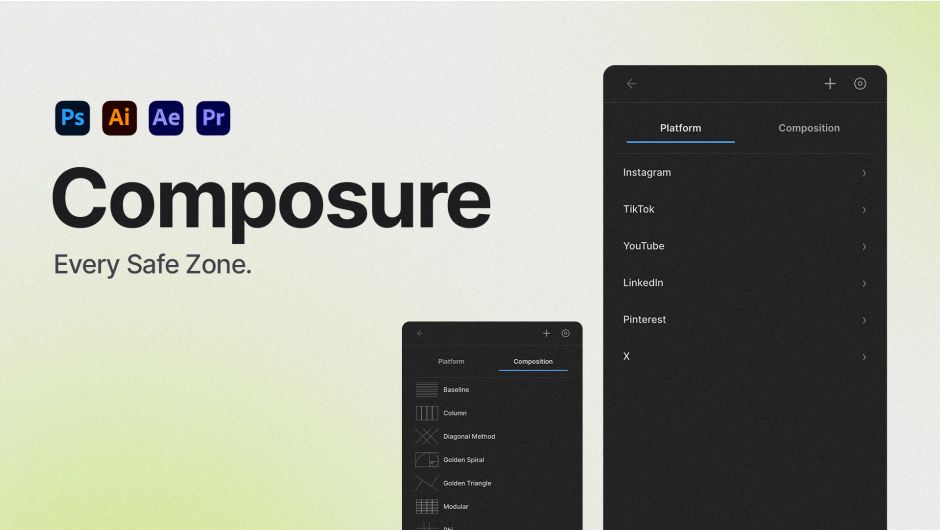
Composure is a panel for checking social media safe zones and arranging composition grids inside After Effects, Premiere Pro, Photoshop and Illustrator. Choose a platform and format, and it adds an overlay showing where the platform interface may cover the frame. This is useful when adapting a design or edit for several placements and checking title, caption or call-to-action positions before export.
Check each placement at its own ratio
The catalog contains 23 formats across Instagram, TikTok, YouTube, LinkedIn, Pinterest and X: 12 standard formats and 11 ad formats. Each gets its own safe-zone layout, so placements with the same ratio can still be checked separately. For example, an Instagram Story, Reel, Reel ad with a call to action and Reel thumbnail are all 9:16, but their covered areas differ.
Your document can use any resolution if its aspect ratio matches the selected format. A 1080 × 1920 comp and a 2160 × 3840 comp can both use a 9:16 layout. Composure does not crop or resize the document. Formats with a different ratio are refused, and the ratio filter shows only formats that fit the open comp or document.
Use composition or custom grids
The panel also includes ten composition grids: Rule of Thirds, Phi, Golden Spiral, Golden Triangle, Diagonal Method, Column, Modular, Baseline, Polar and Star. Some grids have adjustable counts, margins or gutters; the spiral lets you choose a corner, and the triangle lets you choose a diagonal. A manual grid can use columns and rows or a fixed cell size, with margins and gutters set in pixels or percentages.
Composure Quick provides one-click access to saved favorite grids. Settings let you apply one appearance across grids or set line, opacity and colors separately for each grid. You can place a safe-zone overlay and a composition grid in the same document.
What it adds to each Adobe app
In After Effects, the grid is a locked precomp of shape layers. Photoshop gets a locked layer group of vector shapes, while Illustrator gets a locked group of vector paths on each selected artboard, sized to that artboard. Premiere Pro receives a PNG on its own track above the clips. In Photoshop and Illustrator, Carousel splits a wide canvas into slides and gives each slide its own grid; Photoshop can also create a Slice for each slide for separate export.
Compatibility, trial and license
The product page's requirements section specifies After Effects 2022 (22.0) or newer, Premiere Pro 2022 (22.0) or newer, Illustrator 2022 (26.0) or newer, and Photoshop 2023 (24.4) or newer. It lists macOS 12.1 or newer and Windows 10 (64-bit) or newer. The separate compatibility panel lists 2024-2027 for each app. If you use an older build, check the product listing's compatibility information before buying.
One license covers use in the four supported apps, so you only need to install Composure in the apps where you work. The EULA limits a license to one copy on one computer at a time; additional users or computers require appropriate licenses. A trial is available. After it ends, creating grids requires a license, while the panel, previews, settings and Quick shortcuts remain available.