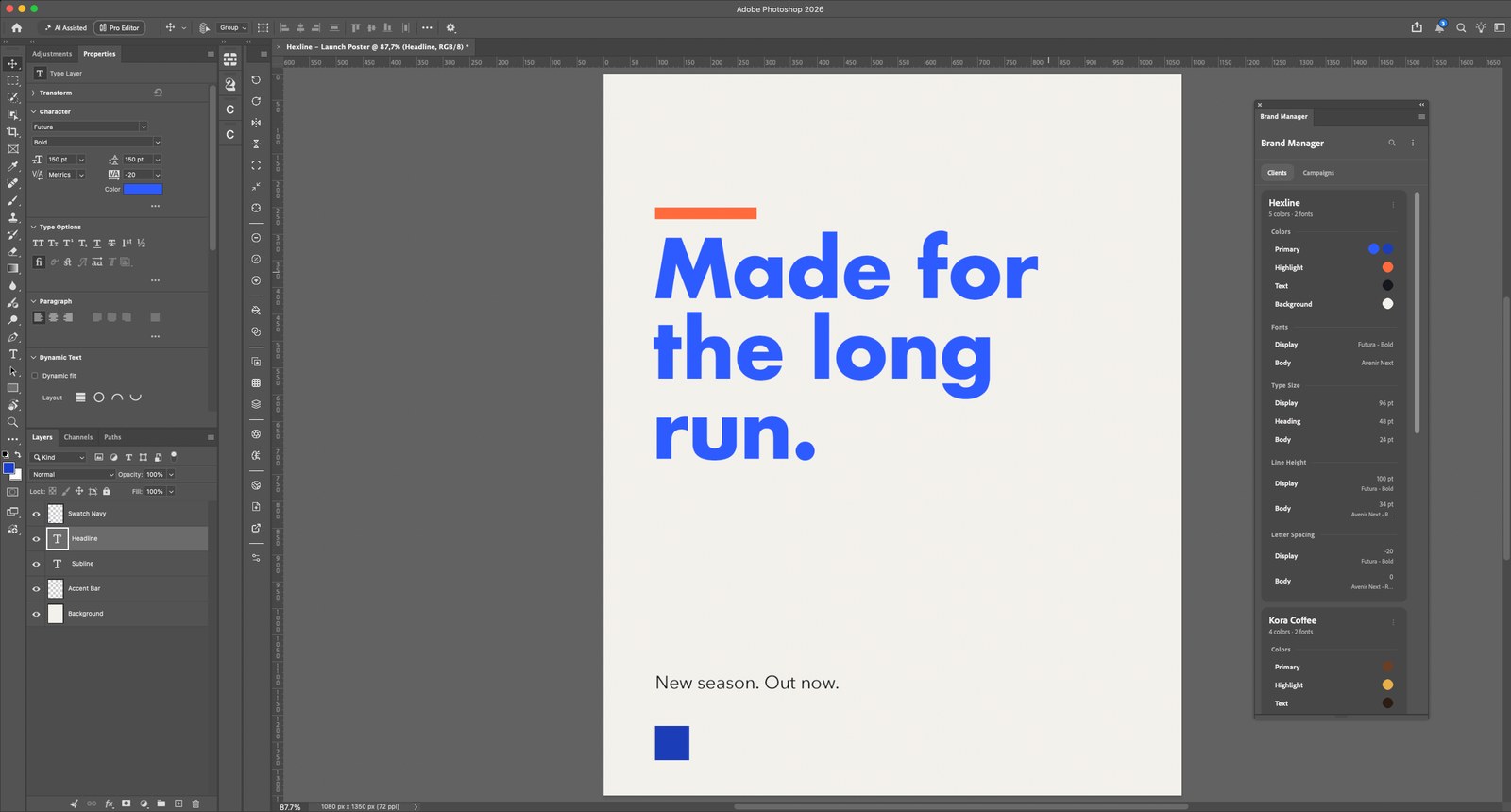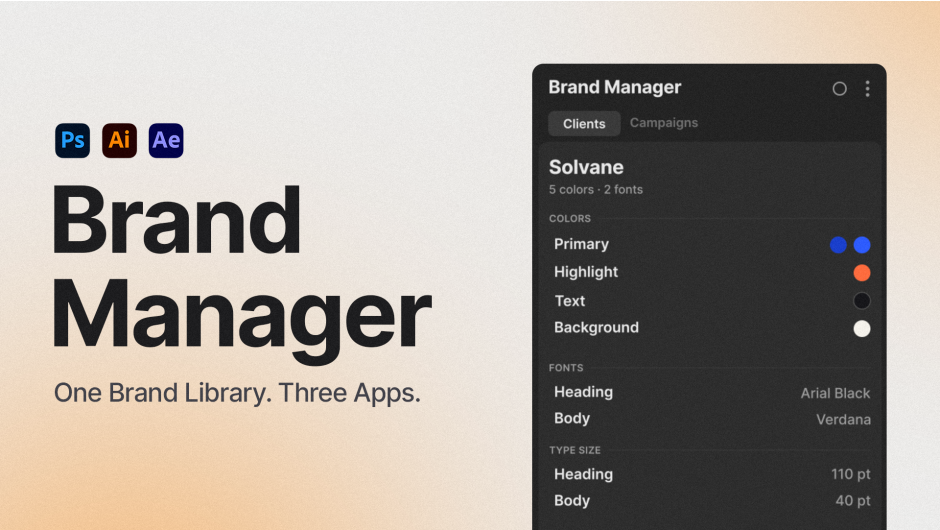
Brand Manager by Hexline is a dockable panel for Adobe Photoshop, Illustrator and After Effects. It stores a brand’s colors with named roles, fonts, type sizes, line height and letter spacing in Brand Kits. Collections can group kits by client, project or campaign, and a kit can appear in more than one collection. Select an object or layer, then click a saved value to apply it in the app.
The panel suits designers, motion designers, freelancers and studio teams who reuse brand settings across client work. Brand Manager reads one shared library across the Adobe apps where it is installed, so a kit created in Photoshop is available in Illustrator or After Effects where the panel is installed. You only need to install it in the apps you use. The values it applies become ordinary data in the Adobe document; recipients do not need Brand Manager to open or render the file.
Build and organize Brand Kits
You can enter values, paste them, or capture them from selected artwork. Capture from Selection reads values from a selected layer, one type at a time or all at once. In Photoshop, Analyze document reads text and fill colors from the open file to create a starter kit. You can also paste a palette of HEX codes separated by spaces, commas or new lines. Colors can use ready-made roles such as Primary, Text and CTA, or names you create.
Search covers kit names, collections, roles, HEX codes, fonts and sizes. If a kit uses a font that is not installed on the current machine, the kit stays intact and its card shows a missing-font notice.
Apply values in each app
One click can apply a value to several selected layers, and the operation appears as one step in Undo. In Photoshop, Alt-click a color to set it as the background color. Brand Manager can apply values to text, shapes, solids and supported color targets.
- In Illustrator, you can highlight characters within a text object and apply a value to that selection. In Photoshop and After Effects, text formatting applies to the whole text layer.
- For a keyed After Effects color, applying a value changes it at the playhead and preserves the existing keys.
Share kits and work across apps
Brand Kits, collections and the full library can be exported as JSON. Importing a kit or collection adds it alongside existing items. Importing a whole library shows what will be replaced and creates a backup first. When the same kit is edited in Photoshop and After Effects at the same time, changes are merged where possible; changes that cannot be merged go into a Recovery folder.
Compatibility, installation and licensing
The product page’s Requirements section lists Photoshop 2023 (24.2) or newer, Illustrator 2022 (26.0) or newer, and After Effects 2024 (24.0) or newer. It lists macOS 12.1 or newer and Windows 10 (64-bit) or newer. The page’s separate compatibility table lists versions from 2023 to 2027 for all three apps, so the listings are not fully aligned, particularly for After Effects 2023. For Illustrator 2022 or After Effects 2023, ask the author to confirm support before buying.
Installation is available through the aescripts + aeplugins Manager or the ZXP/UXP Installer. The product page notes that Photoshop loads extensions from the folder it registered them in, so an installation made another way may not appear after a restart. If the panel is missing in Photoshop, the stated recovery is to install it with the ZXP/UXP Installer and restart Photoshop.
After the trial ends, applying values to artwork requires a license. The library remains available for managing kits and collections, importing and exporting, and Capture from Selection. The posted EULA grants one software copy and restricts use to licensed users and computers, so sharing a JSON kit does not provide another user with a software license.