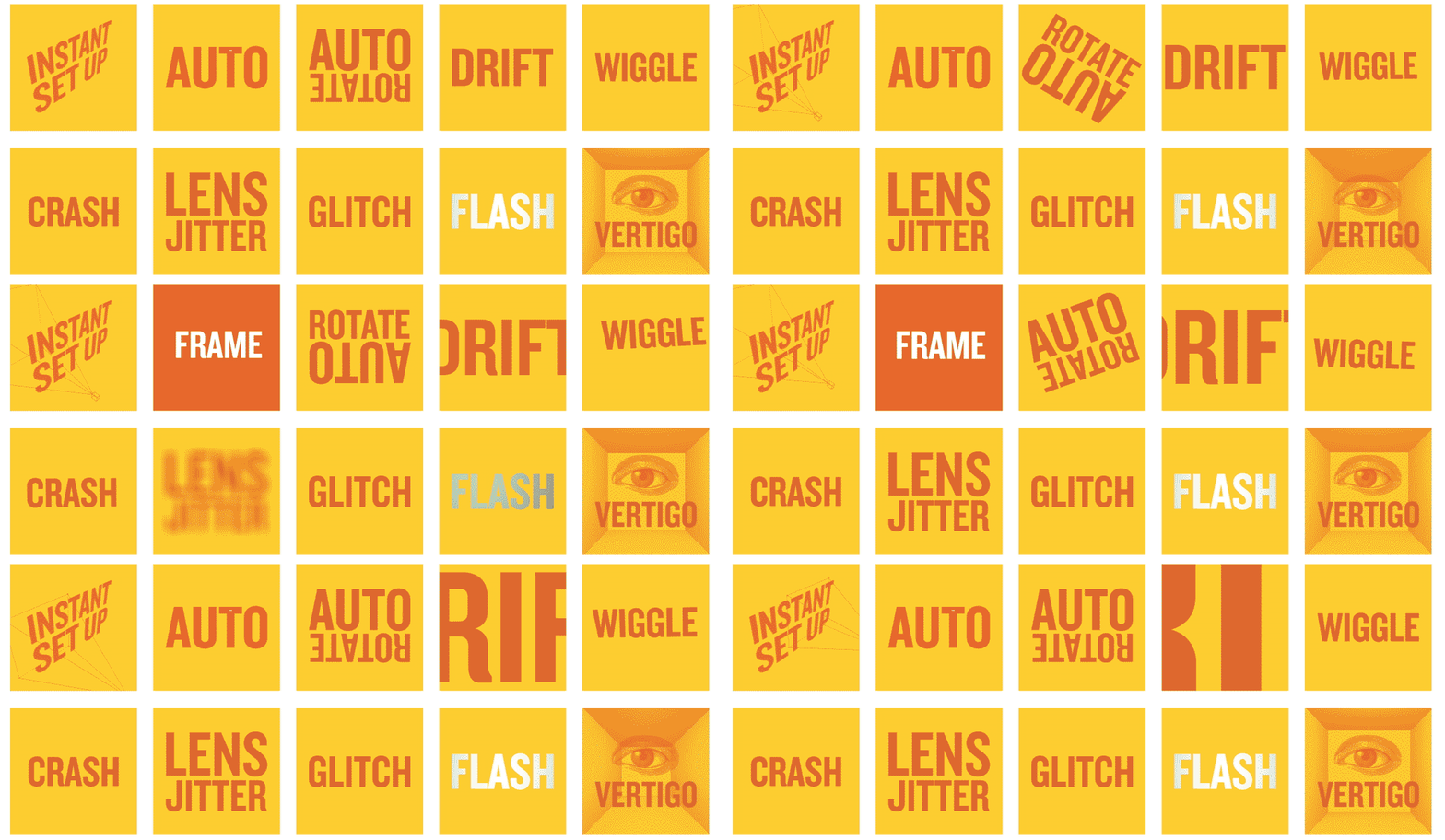
MonkeyCam Pro is a procedural camera animator for Adobe After Effects from Ebberts + Zucker. It builds camera movement around 3D layers and can also work with other Monkey Tools; markers provide timing controls for audio syncing. The product listing describes one-click setup, multiple interpolation options and motion effects. The product listing describes its motion algorithm as eliminating Gimbal Lock.
Build a camera move
After setup, the camera move can be adjusted to fit the composition.
- Make the relevant layers 3D.
- Choose settings in the interface and click DO IT!
- Add motion effects.
Shape timing and movement
Markers provide timing controls for moving sections along the timeline and syncing camera motion to audio. Interpolation options change how each move eases. The product FAQ lists Drift, Vertigo, Lens Jitter and Camera Position or Rotation Wiggle. Fast moves can make interpolation options harder to distinguish, so compare them on a slower move.
When you add multiple Position or Rotation effect-control keyframes through a move, place them at transition points where possible to avoid hitches. For a 3-second move using Small Ease, the FAQ suggests aligning them with the move timing. The transition times are approximate: Fast 0.3 seconds, Med 0.5 seconds, Slow 1 second and Sloth 3 seconds.
Keep layered comps organized
Simple projects are straightforward to adjust, but the product FAQ notes that multiple active and passive layers, along with repeated builds and unbuilds, can make complex comps harder to manage. Keep layer roles clear and use a consistent system for tagging and locking them.
MonkeyCam Pro can also create a stationary camera setup. The FAQ describes using two transparent 3D layers, moving both markers before the start of the timeline, then adding camera effects such as Wiggle or Drift.
Convert camera motion to keyframes
If a project needs editable keyframes, select Position and Orientation on the MonkeyCam Pro Target Layer and use Animation Assistant > Convert Expressions to Keyframes. The FAQ recommends Easy Bake to simplify the resulting keyframes, together with Movement set to Cut. Check that any expressions left active are disabled before editing the baked motion.
Compatibility and trial
The listing says MonkeyCam Pro works with After Effects CC 2014.2 and later, and its compatibility section includes versions through After Effects 2026. It also offers a free trial. Check the current product listing for compatibility and trial details before using it in a production project.