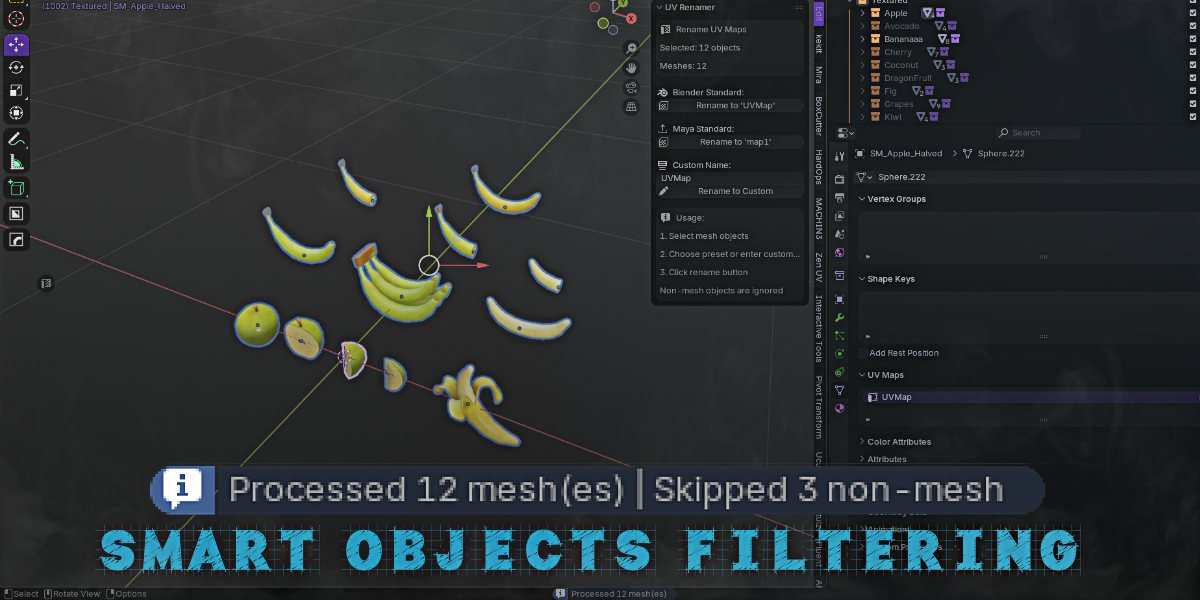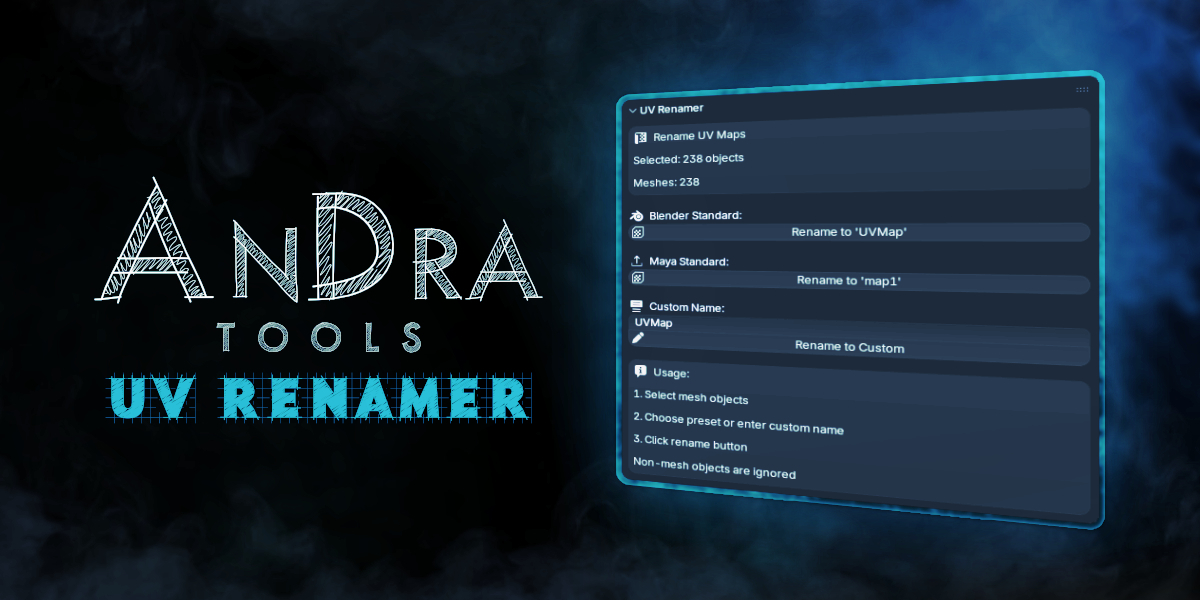
Andra Uv Rename is a Blender add-on by Angles Of Dice for renaming the first UV map on selected mesh objects that have one. It includes buttons for Blender's UVMap and Maya's map1 conventions, plus a custom-name option for project or studio naming rules.
Rename UV maps on selected meshes
- In the 3D Viewport, select the mesh objects to update.
- Press
Nto open the sidebar, then choose the Edit tab and find the UV Renamer panel. - Choose the Blender, Maya, or custom-name action. For a custom name, enter it in the field before applying it.
The add-on applies the chosen name to the first UV map on each selected mesh that has one. This can help standardize a group of imported assets or prepare names for a pipeline that expects a particular convention. Check the resulting names in Object Data Properties under UV Maps before exporting.
What the rename changes
UV Renamer changes only the map name; it leaves UV coordinates, island placement, unwrapping, and mesh geometry unchanged. Blender's undo system can reverse a rename with Ctrl+Z (or Cmd+Z on Mac).
The add-on only acts on the first UV map in each object's list. To rename another map, move it to the first position in Object Data Properties under UV Maps and run the action, or rename it there manually. Non-mesh objects are skipped. The operation report also counts meshes without UV maps, which need unwrapping before they can be renamed.
Install and check compatibility
The product documentation says to download the add-on ZIP from the purchase page, then open Blender's Edit menu, choose Preferences, and select Add-ons. Click the Install button, select the ZIP, and enable “Mesh: UV Renamer.” The panel appears in the 3D Viewport sidebar under Edit.
Superhive's product details list Blender 2.92 through 4.5 and identify the add-on as GPL licensed and Blender Extension compatible. Its FAQ text gives a minimum of Blender 2.93, so the source has conflicting information about version 2.92. Check the current listing or creator information if you use that version.