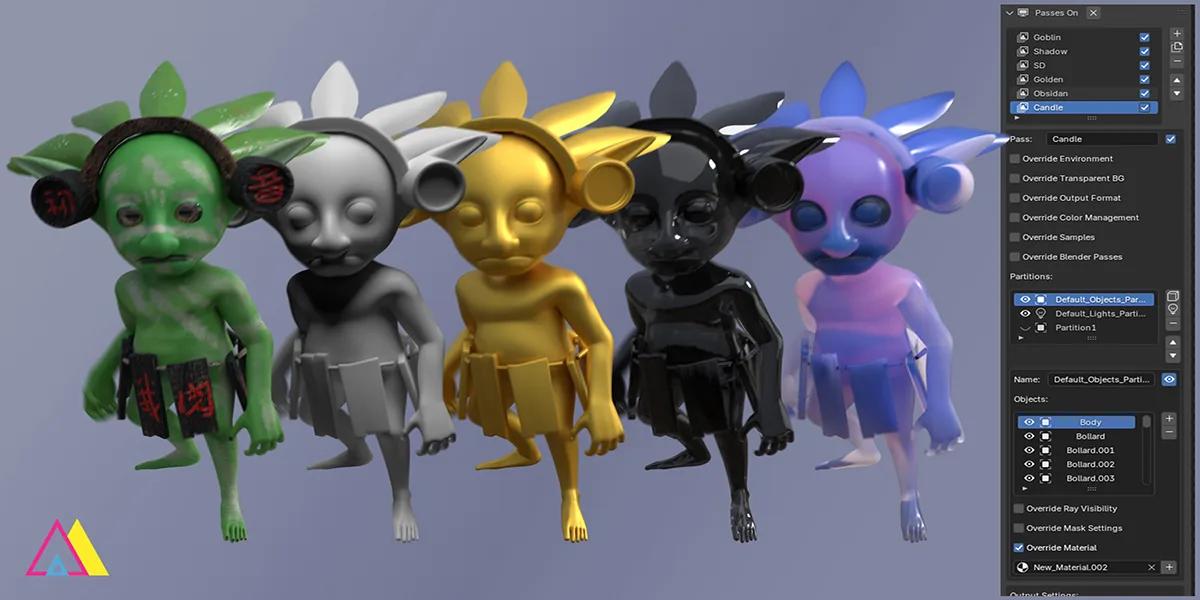
ANYpass is a Blender add-on for producing several Cycles render variants from one scene. It applies per-pass settings to objects, lights, the environment and output, then renders enabled passes in sequence. This can suit product shots, architectural visualization and motion work that need a beauty render alongside a shadow-only layer, clay version or mask.
Keep render variations in one scene
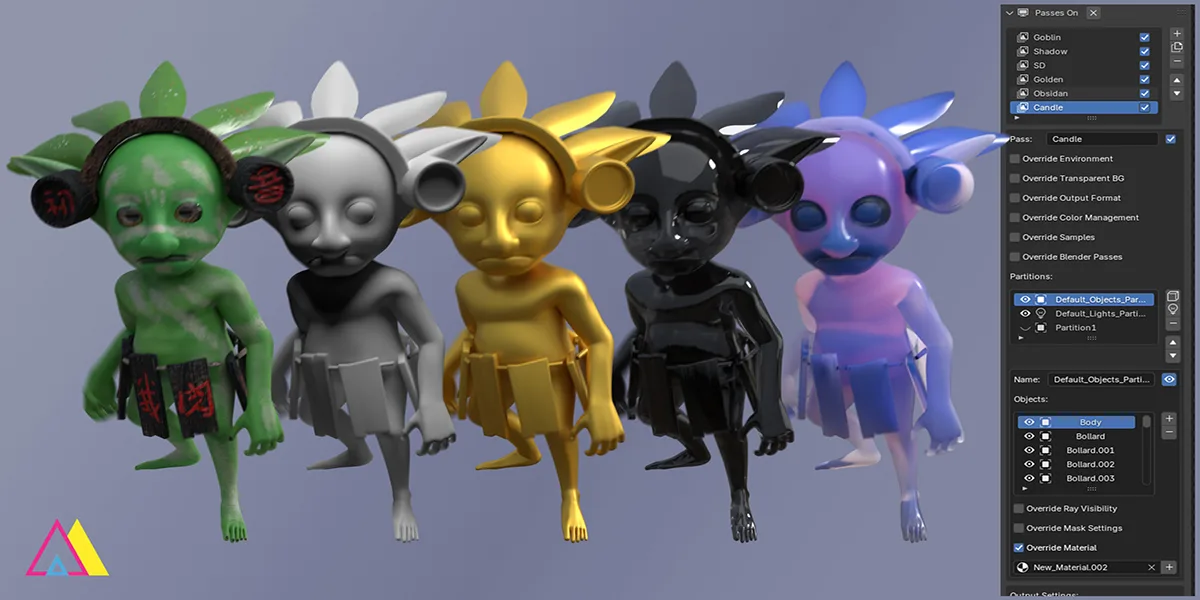
View Layers organize renders around collections, while settings such as ray visibility and shadow-catcher behavior belong to objects and can be shared across layers. A common workaround is to duplicate objects into extra collections, which means keeping those copies synchronized as models or animation change. ANYpass uses per-pass partitions for objects and lights, so different render setups can use the same scene objects.
Object partitions can control visibility, material overrides, holdout or shadow-catcher behavior, and ray visibility. For example, an object can be hidden from camera rays while still casting shadows or reflections. Light partitions can turn individual lights on or off for a pass and change which ray types they affect.
Set pass-specific render options
Pass-level overrides cover the environment, transparent background and glass, output format, color management, sample settings and Blender render passes. Output options include PNG, JPEG, OpenEXR, OpenEXR Multilayer, TIFF, Targa and BMP, with format-specific settings such as color depth and compression. Native passes can include Z, Mist, Normal, Ambient Occlusion and Denoising Data. When an override is disabled, the pass uses the scene's setting; when enabled, it uses its own value.
Preview and queue the passes
Preview a pass in the viewport, adjust its settings, then use Render Queue to render the enabled passes sequentially. Each pass can render stills or animation to its own folder. An optional render log records pass and frame status, duration and completion time. If an animation queue is interrupted, turn off Overwrite before running it again so frames that already exist are skipped.
ANYpass saves the original scene settings before previewing and restores them when preview ends or the render queue finishes. Saving the .blend while a preview is active does not save the preview state.
Compatibility and limits
The product listing gives a Blender compatibility range of 4.2 to 5.2 and notes testing on Blender 4.5 LTS and 5.2 LTS. ANYpass uses Cycles and installs as a standard Blender extension. Its render queue runs inside Blender's interface; command-line and render-farm rendering are not supported. It does not require internet access or external dependencies.
For installation steps and panel controls, see the ANYpass documentation. The product listing has the compatibility details and current feature notes.