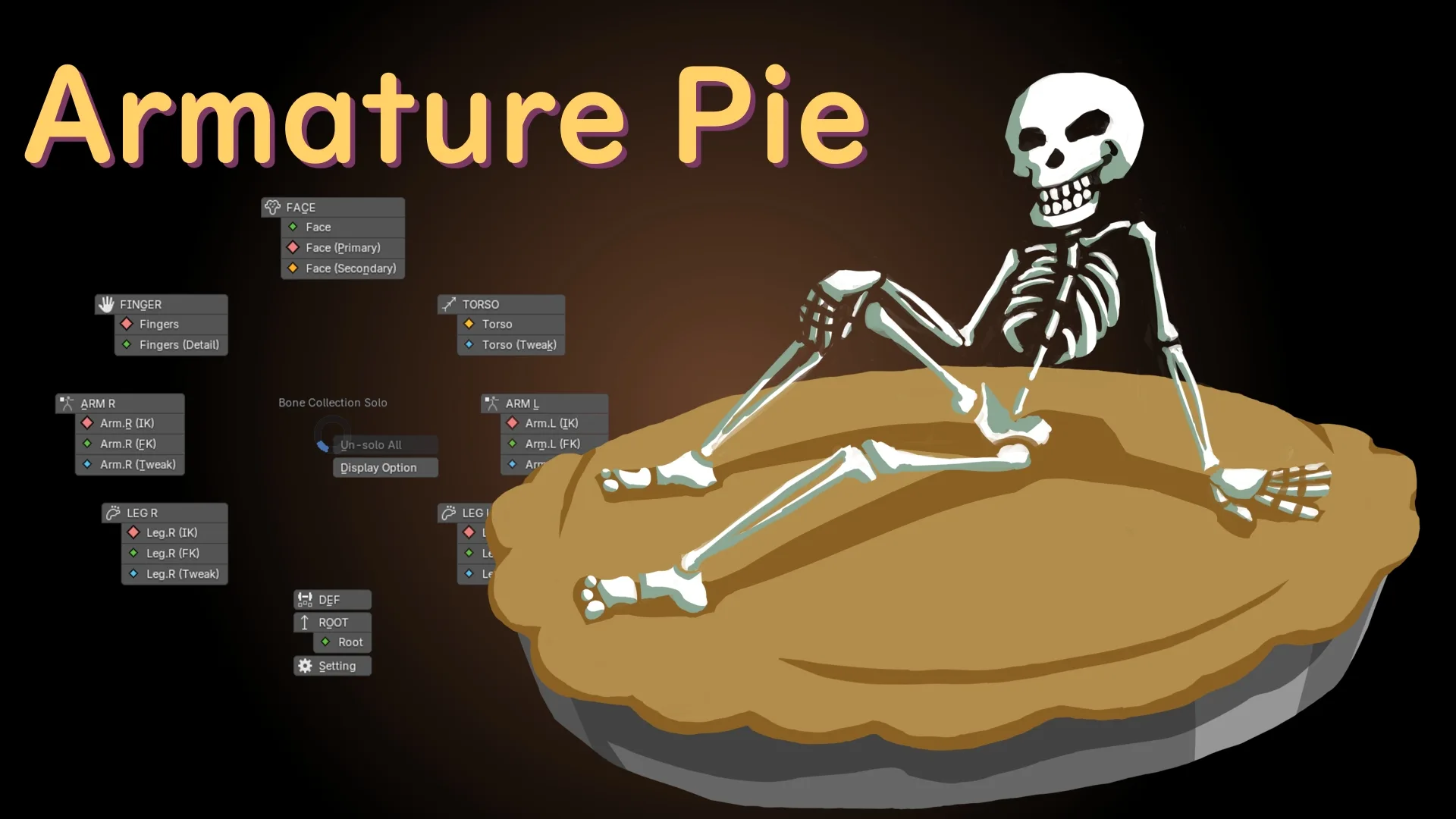
Armature Pie is a Blender add-on for selecting armatures among many objects and toggling bone collection solo states from a pie menu. Its ArmaturePicker and Solo Pie tools are in the 3D Viewport sidebar under ArmPie. The official listing specifies Blender 4.2 LTS and newer.
Pick an armature among scene objects
Open View3D > Sidebar > ArmPie > ArmaturePicker to choose an armature from numerous objects. You can save filtering settings as a preset and switch back to them later. The picker can also hide other armature objects when you select one.
These controls suit files with several rigs, where you may need to repeat a filtered selection or clear other armatures from view. The Blender Extensions listing describes the picker and its options.
Solo bone collections from a pie menu
Solo Pie toggles bone collection solo states. Its menu shows BoneCollections marked as titles, along with their child collections. In Solo Settings, you can mark a collection as a title, choose its icon or name, and set its position in the pie menu. Those settings also configure the Show Panel.
Set shortcuts and choose the target object
The default shortcut for Solo Pie is Ctrl + Right Mouse. ArmaturePicker defaults to Shift + 1. Both keymaps can be changed to suit your workflow.
Solo Pie can open for the active object or for a specific object you choose. The specific-object option can help when the armature cannot be activated, such as during Weight Painting.
Compatibility, installation, and license
The listing identifies version 1.1.2 as compatible with Blender 4.2 LTS and newer. Its version history says 1.1.2 fixed keymap buttons that were not displaying correctly and keymaps that were not working. The listing also states that the add-on requires no special permissions and uses the GNU General Public License v3.0 or later.
The official listing provides a drag-and-drop option or a download for installation from disk. For the latter, follow the Blender manual's Install from Disk instructions.