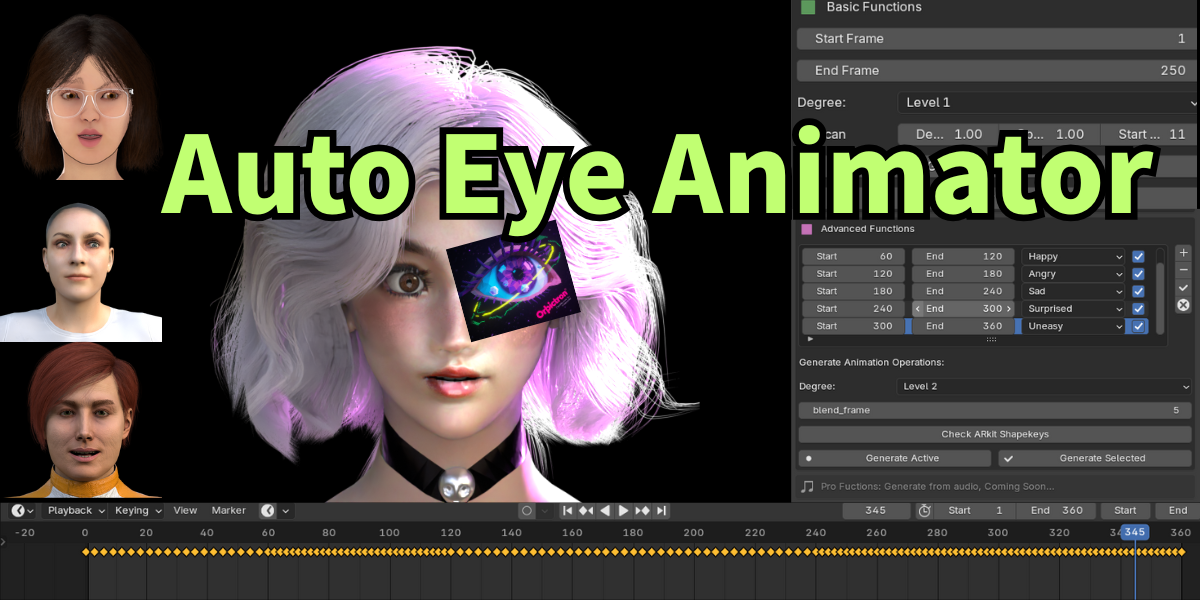
Auto Eye Animator is a Blender add-on by Sunyifan for rigged 3D characters. It generates eye movement described by the developer as based on real-world oculomotor behavior, including fixational motion, small saccades, microsaccades and blinks. After setting up the eye controls, you can generate motion without hand-keying each glance or blink.
Set up the eyes and generate motion
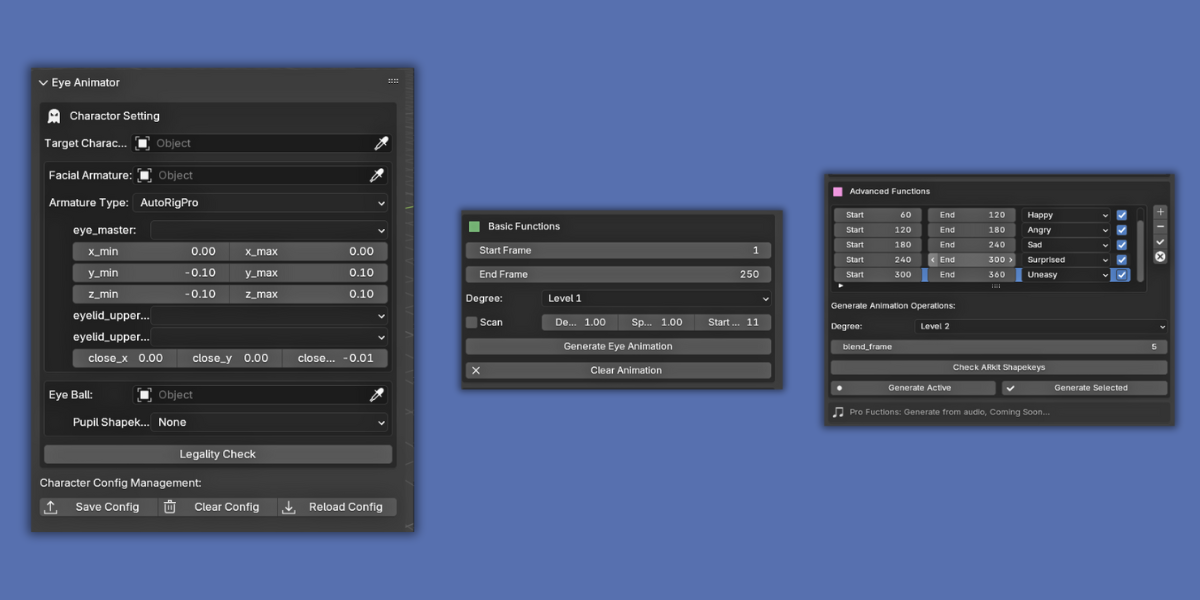
Select the character and armature, choose a rig type, assign the eye master control bone and select the eyeball mesh. Then set the horizontal and vertical movement range and the animation’s start and end frames. After that, generate the eye animation and adjust its intensity. The setup guide notes that smaller movement ranges can produce more exaggerated motion.
The add-on also includes Scan Mode for an upward eye roll, which can suggest a thinking glance. The product listing describes automatic blinking every 3 to 4 seconds. The setup controls include blink strength, speed and frame offset.
Rig and Blender requirements
Auto Eye Animator supports Rigify, Auto-Rig Pro, Faceit and Human Generator. It can also work with a custom rig that has an eye master control bone. The product listing describes it as non-destructive: it works with an existing rig without rebinding or modifying the model.
The marketplace details list Blender versions 3.6 to 4.5. A rigged character with separate eye control bones is required. ARKit face shape keys and pupil-control shape keys are optional. Check the product listing and setup guide for current compatibility and setup information.
Emotion settings and reusable character setups
In Advanced Mode, you can define emotional intervals that change eye movement intensity, blinking rate and pupil dilation. Pupil dilation uses an optional pupil shape key. The documentation describes generating one or several emotion sections and adjusting the intensity and blending between them. Its examples include slower blinking with less movement for a sad expression, and quicker eye shifts with narrower pupils for an angry expression.
For scenes with multiple characters, save a character’s settings, clear them when switching to another setup, and restore saved settings later.
Auto Eye Animator is suited to Blender character animators who want generated gaze and blink motion while retaining control over the rig, movement range and optional emotion settings.