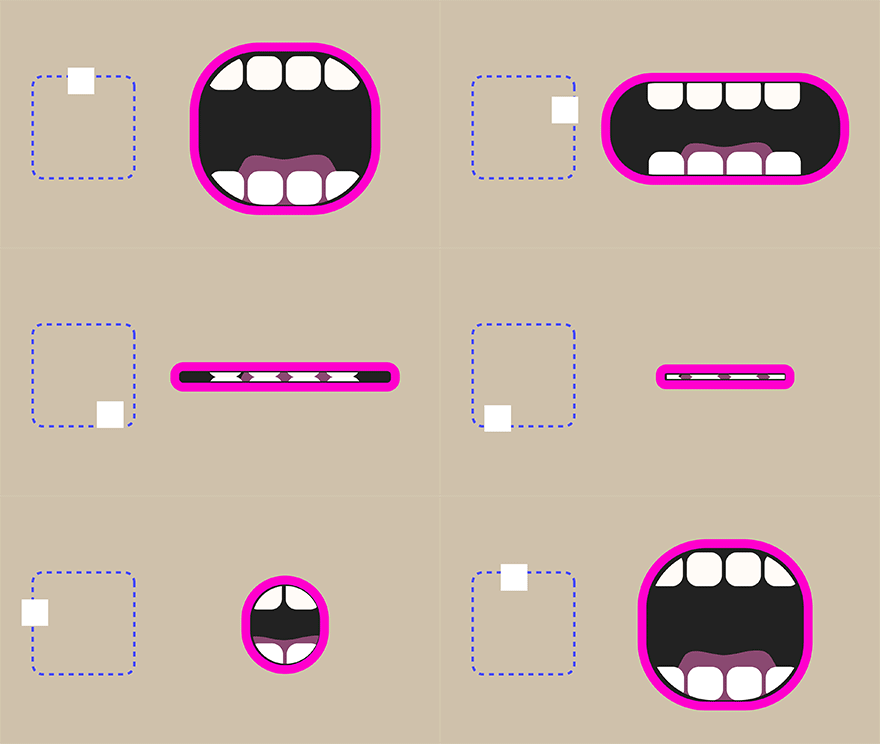
Joysticks 'n Sliders is an After Effects rigging tool for controlling layered poses with on-comp controllers. It suits character animators and motion designers working with facial expressions, replaceable features, hands, eyes, or larger pose sets.
Build pose controls
To create a joystick, set five consecutive keyframes for an origin and the right, left, top, and bottom extremes. Select the relevant layers to create a controller, then move it to interpolate between those poses. The approach is useful when you want to adjust a character's expression or other rigged artwork through a single control.
Choose sliders for larger pose sets
Joysticks work across the five defined poses. Sliders suit controls that need more poses: the product listing says they have no fixed pose limit and can be mixed together. The examples include rigging hands, eyes, mouths, or a character's full set of poses. The same controls can be used for motion graphics and abstract animation.
For replaceable artwork, Switch Templates can swap assets according to a joystick's position. A character with separate mouth artwork for different angles is one example. Product tutorials also cover shape-layer and mask rigging, path-shape rigging, and moving controls between parent and child compositions. The vendor lists compatibility with puppet pins, Limber, BAO Bones, PuppetTools, DUIK, and Rubber Hose.
Compatibility, trial, and license
The published compatibility list names After Effects 2026, 2025, 2024, 2023, 2022, 2021, 2020, CC 2019, CC 2018, CC 2017, CC 2015.3, CC 2015, CC 2014, and CC. The seven-day trial limits each Slider Null to four sliders and disables moving controllers to a parent composition. Those limits matter if your workflow depends on larger slider sets or parent-comp controls.
The EULA grants one copy for one user on one computer at a time. Multiple users or computers require an appropriate license for each user and copy, so teams should account for those seats before installing.