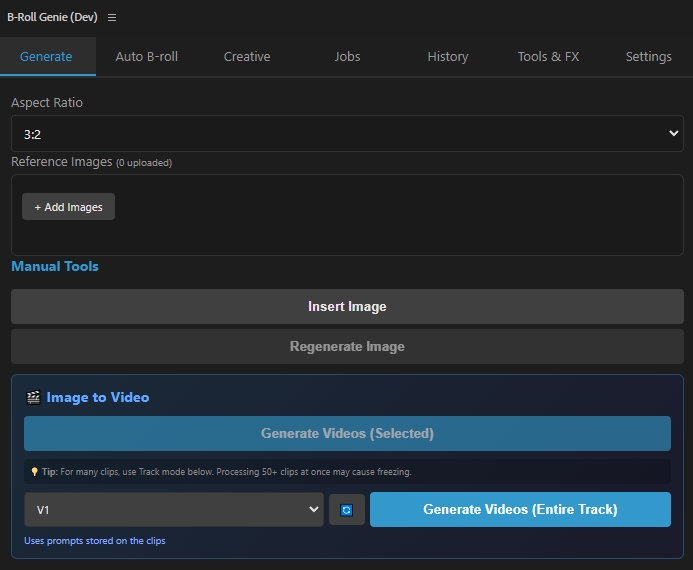
B-Roll Genie is a Premiere Pro plugin by Digital Nomad Co that creates AI images and videos to match spoken narration. Select an audio or video clip that contains narration and click Generate. It analyzes the selected clip's audio, writes contextual prompts, and creates visuals inside Premiere Pro. Drag the generated visuals onto the timeline.
How the workflow works
B-Roll Genie lets you queue generations while editing, use tempo presets to pace cuts, and add reference images for visual consistency; Ken Burns pan and zoom effects are applied automatically.
Review the generated visuals in the context of the edit for relevance and timing.
Requirements and compatibility
The aescripts product page lists Windows and macOS support and requires Adobe Premiere Pro 2020 or later, plus an OpenAI API key and a Replicate API key that you supply. Its compatibility field also lists Premiere Pro CC 2017, CC 2018, and CC 2019, alongside versions 2020 through 2026. Since that list conflicts with the stated 2020 minimum, confirm compatibility with the seller before relying on an older release. The listing shows version 1.21, dated February 27, 2026.
Availability and price
The aescripts product listing marks B-Roll Genie as discontinued. The AnyPlugins catalog record labels it free and available, but that record's facts were verified in July 2026. Check aescripts for current availability and price before planning to acquire it. The aescripts page names Chat Video Pro as an alternative with similar B-roll functionality.
Who it may suit
B-Roll Genie is aimed at Premiere Pro editors working with spoken narration who want to generate supporting visuals without leaving the timeline.