Keep a backup when applying modifiers
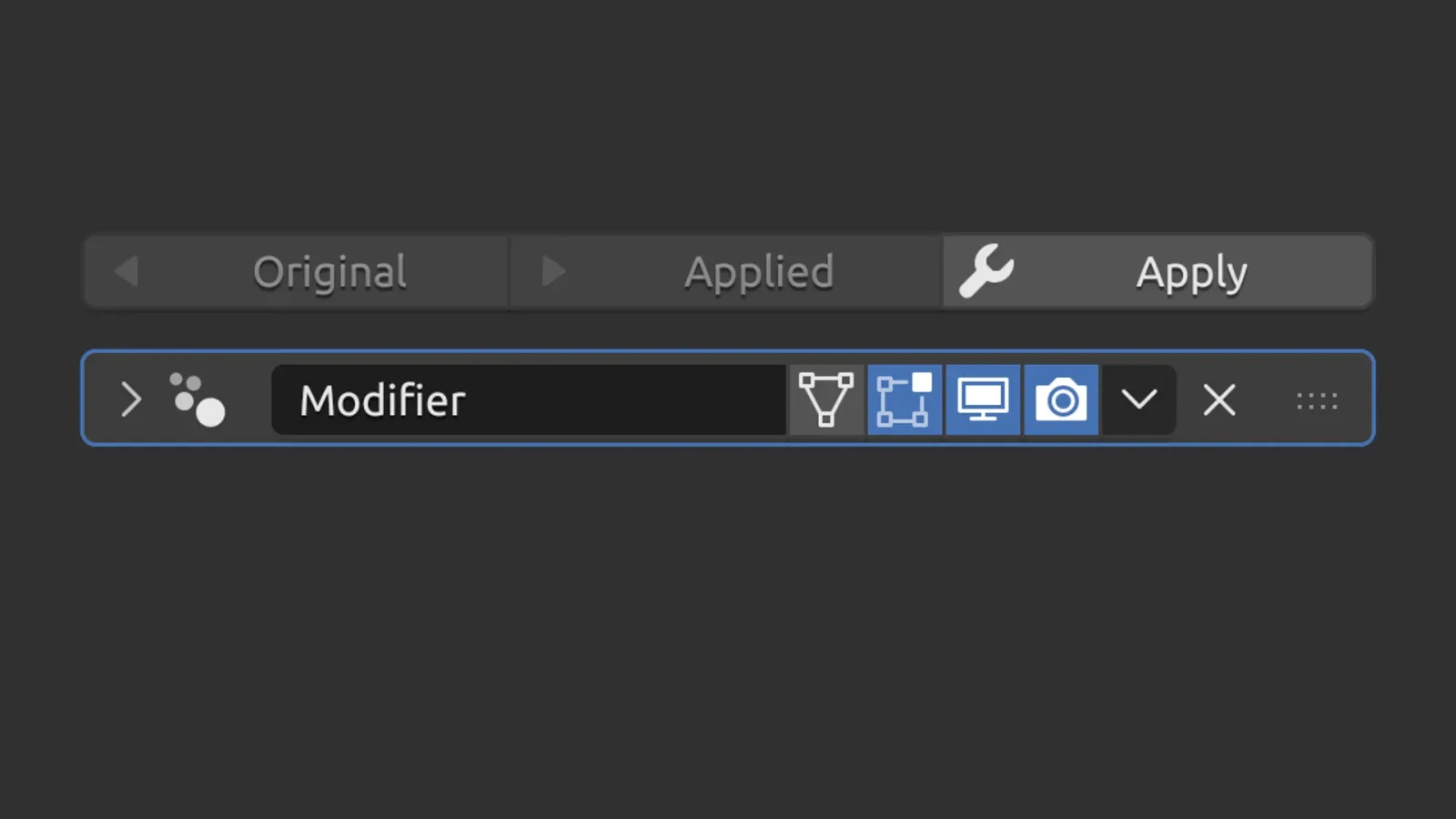
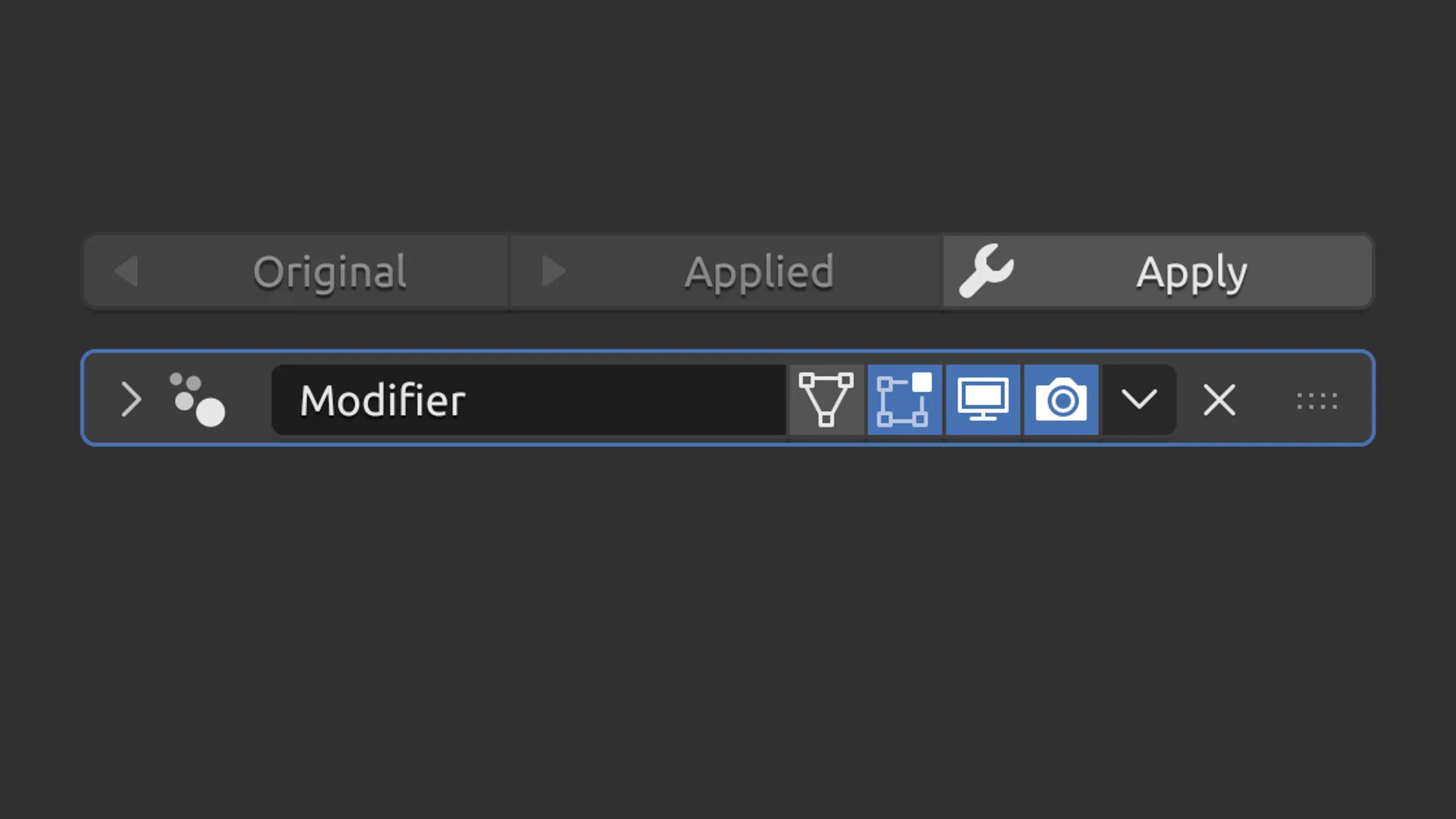
Backup Modifiers adds a special apply button that duplicates an object and applies its modifiers, leaving the original as a backup. You can switch to that backup, edit it, and apply modifiers again. This gives you a way to move between the original object and the applied version without making a separate backup collection by hand.
What the three actions do
- Apply (Update) duplicates the object and applies its modifiers. The original becomes the backup object.
- Original switches to the backup object.
- Applied switches to the object with modifiers applied, without updating the modifiers.
The actions suit a workflow where you want to inspect or edit the backup, then return to the applied object. The Blender Extensions listing describes the add-on and its current release details.
Compatibility and installation
Version 1.0.4 lists Blender 4.2.0 or later as its minimum version. The extension listing offers drag-and-drop installation or Blender's Install from Disk option; see the Blender manual's extension installation instructions for the latter. The listing identifies R4V3N as the developer, gives the license as GNU GPL 3.0 or later, and says the extension requires no special permissions.