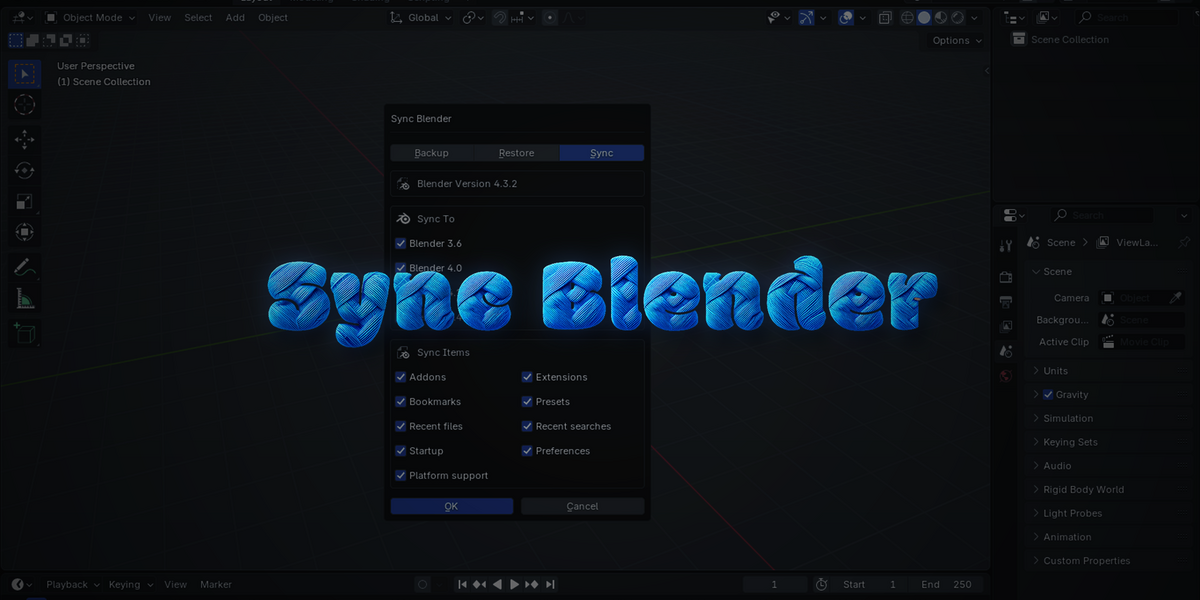
PowerBackup is a Blender add-on for backing up selected Blender and add-on preferences, then restoring the items you choose. It stores preference data as JSON files inside an archive, which helps when you want to bring back some settings and leave others as they are.
Choose what to back up and restore
The file browser provides checkboxes for Blender preference categories, the startup file, and add-on preferences. Some preference settings share a checkbox because Blender treats them as the same setting. The backup options include a list of enabled add-ons; during restore, PowerBackup lists installed add-ons found in the selected archive. That list can include add-ons without their own preferences, so they can still be enabled.
When you load an add-on's preferences, PowerBackup enables that add-on. The documentation also describes an option, enabled by default, to include userpref.blend in each backup. You can use that file for a manual recovery if the regular restore fails.
Limits to know
PowerBackup currently does not save or load preference data for lights such as Material Preview HDRIs or Matcaps. Quick Favorites are also excluded because they are not accessible through Blender's API. Compositor settings are stored in the startup file rather than preferences; after restoring them, start a new file to see those settings.
The Superhive listing identifies PowerBackup as Blender Extension Compatible, GPL-licensed, and compatible with Blender 2.8 through 5.2. See the PowerBackup documentation for the backup options and the product FAQ for recovery details.