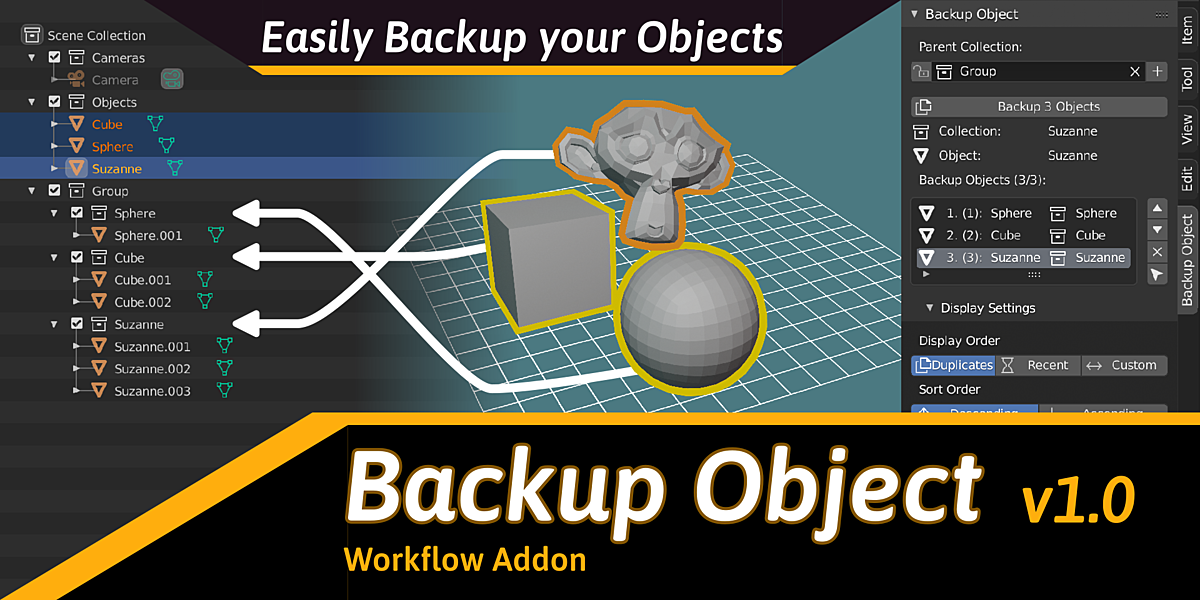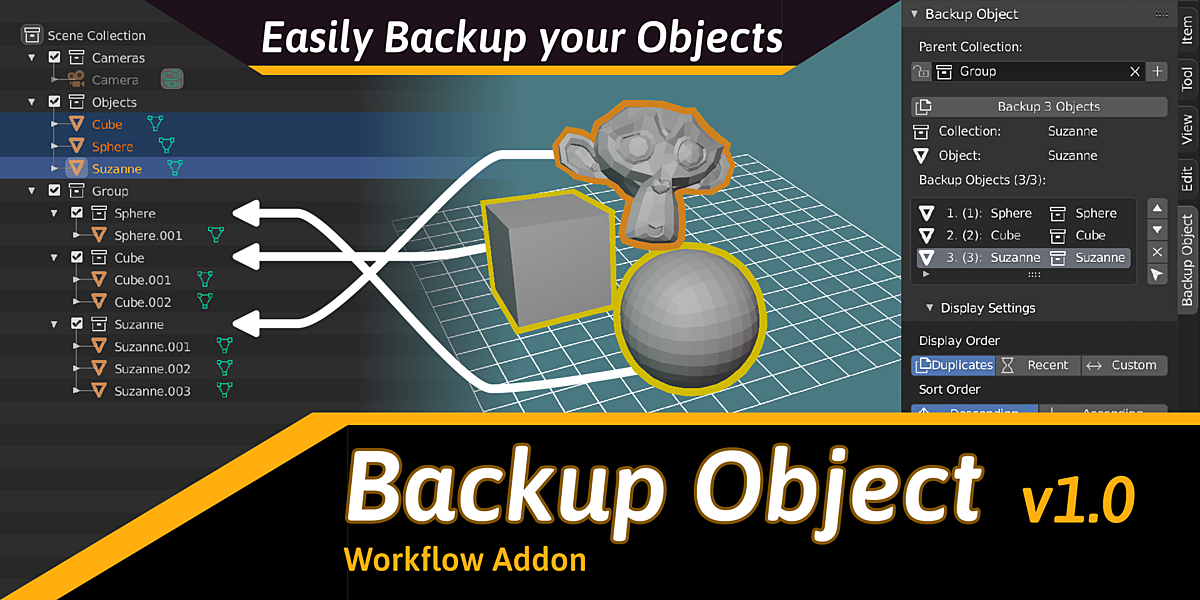
Backup Object is a Blender add-on for saving copies of selected objects as you work. Select one or more objects and click the Backup Object button. The add-on duplicates them, including their mesh data, and places the copies in backup collections grouped under a parent collection. Those collections are hidden from the viewport and rendering, which keeps them out of the working view while preserving them in the scene.
The product listing says the add-on can back up meshes, cameras, Grease Pencil objects, and image empties. It also describes an option to include Boolean objects, for workflows such as those using BoxCutter.
Keep a version before a major edit
A saved object copy can give you a point to return to before a drastic topology change during retopology, while exploring sculpt variations, or before destructive modeling. The listing says the backup action works in Object Mode without switching out and back to a particular mode.
Organize and clean up backups
Regular backups are placed in their own collections. The documentation also describes Full Backups, which puts all selected objects into a single collection named “Full Backup 1,” with the number incrementing for later collections. Cleanup operators can remove excess backups from backup collections. The “Leave Recent Backups” setting controls how many recent backups to keep in each collection; these operators affect backup collections only. See the Backup Object documentation for these collection and cleanup options.
Compatibility and installation
The listing names Blender 2.80 and later versions through 3.5. It does not establish compatibility with later Blender releases, so check the developer’s listing before relying on it in a newer version. To install, use the add-on’s ZIP file without extracting it first. The listing identifies the add-on as GPL licensed; its FAQ says the code may be modified under that license.