BakeMaster is a Blender add-on for managing texture bakes across objects and maps. It supports workflows such as transferring high-resolution detail from highpoly meshes onto lowpoly models, with settings that can be unique to an object or shared across a group.
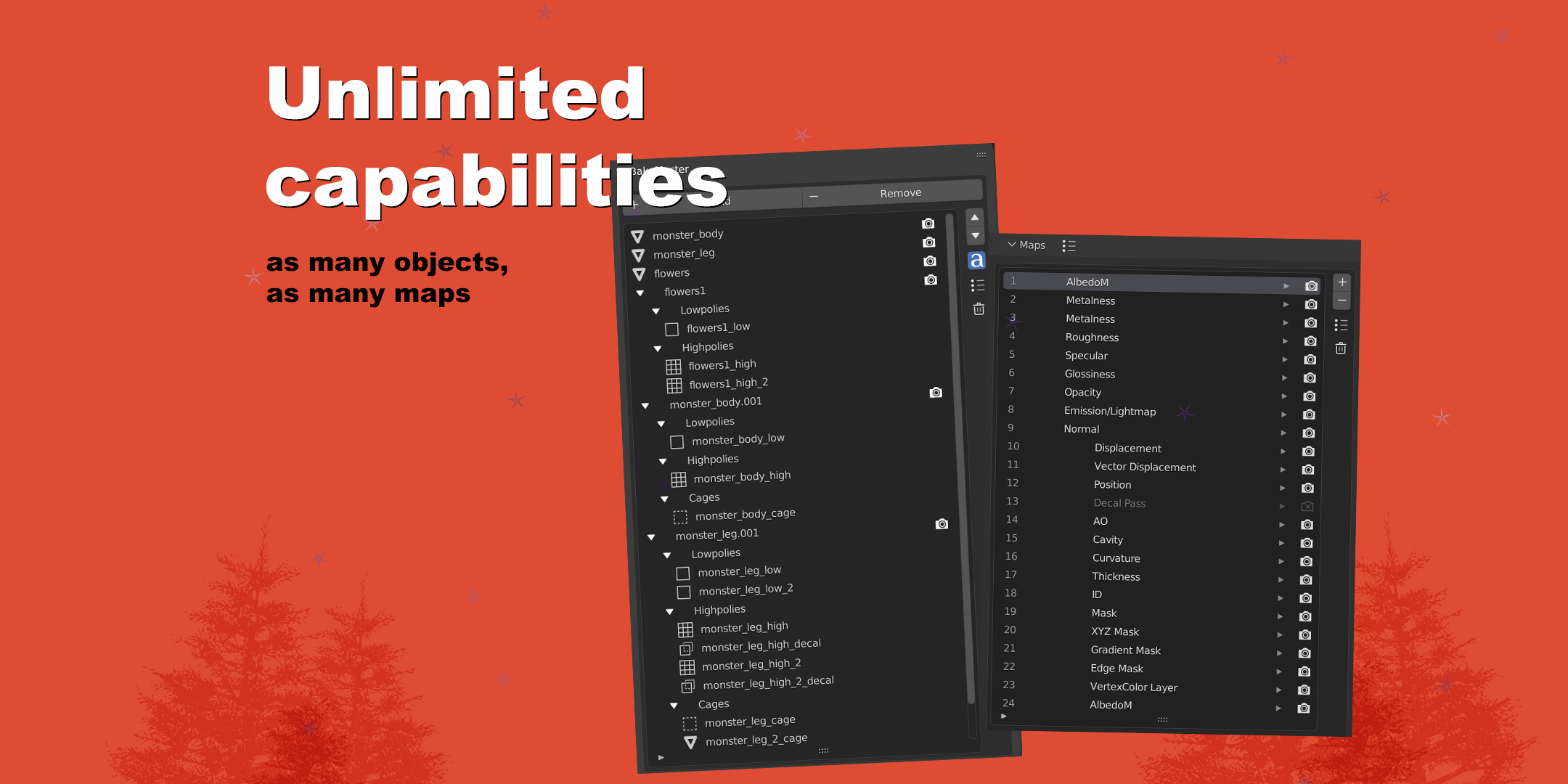
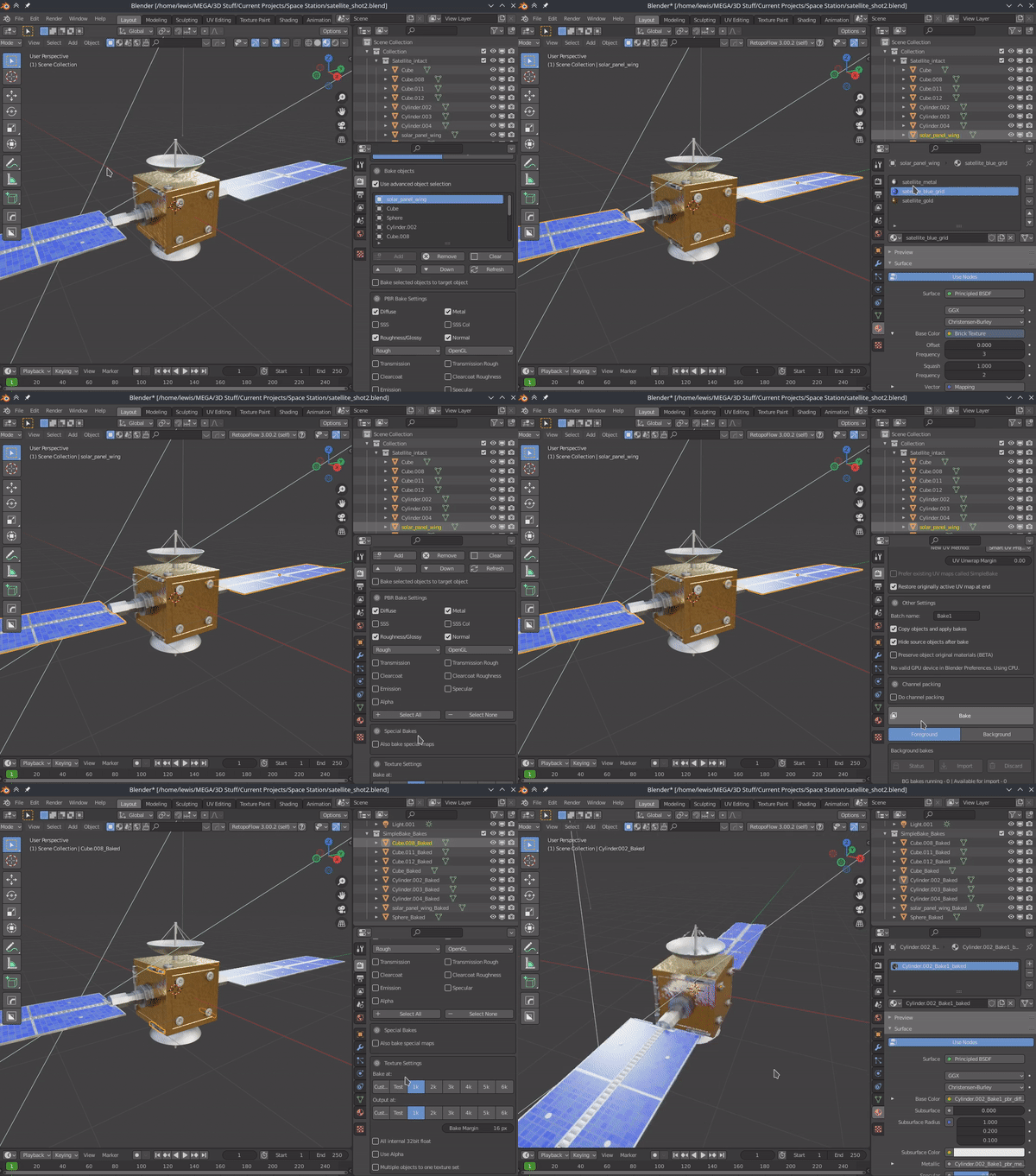
The basic process has three steps: set up objects, choose maps, then bake. BakeMaster can handle an unlimited number of objects and maps, so it can suit a single asset or a larger batch of models.
Set up objects and bake jobs
Add target meshes to the object table, along with highpoly sources or cages when needed. BakeMaster can match lowpoly, highpoly and cage objects by name in one action. For high-to-lowpoly baking, object settings include UV-layer selection and shading controls such as triangulation, recalculating normals and smooth shading. The documentation says these options can reduce projection glitches.
Objects can be grouped into bake jobs with shared settings. Texture Sets let multiple objects bake onto the same images, while per-map settings can keep UV, format or high-to-lowpoly options distinct for individual maps. Output controls include a save path, filename tokens and the option to create a material with the baked maps.
Choose maps and inspect the output
BakeMaster provides 36 map types. Examples include albedo, normal, opacity, ambient occlusion, curvature, ID, displacement and several masks. A real-time preview lets you inspect a map before baking. You can also set resolution, transparency, image format and other map-specific options.
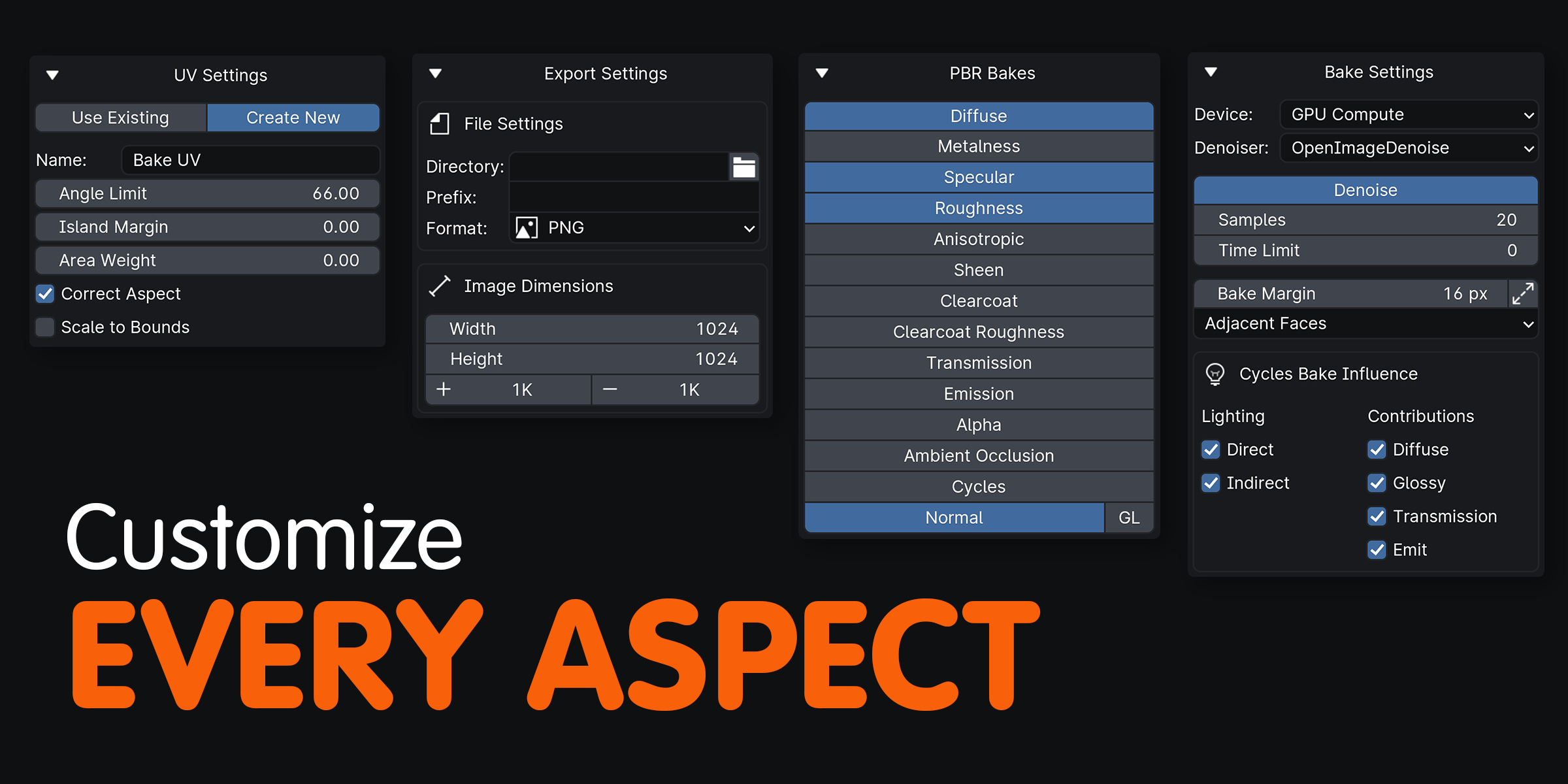
Supported output formats listed in the product documentation are BMP, PNG, JPEG, TIFF and EXR. Other controls include sample count, adaptive sampling, denoising and supersample anti-aliasing (SSAA). Channel Packing combines maps according to your chosen setup, and BakeMaster can bake decals separately or onto objects, as well as bake to and from vertex colors.
UDIMs and workflow limits
UV settings can use a single tile, tiled UDIMs or automatic detection. The listing also describes denoising and SSAA for UDIM workflows. BakeMaster offers presets for saving and reusing map settings.
The product listing gives Blender versions 2.83–4.5 and names Cycles as the render engine, while the compatibility page, last updated July 31, 2024, lists supported versions through Blender 4.2 and warns that higher versions may cause errors. The available sources do not establish whether the release you plan to install supports Blender 4.3–4.5. The listing says baking can run while you continue creating, but it also warns that Blender may freeze while handling very high geometry, modifier-based map results, denoising or UV unwrapping and packing. The listing advises patience and says BakeMaster will notify you if an error occurs.
For setup details, see the documentation for objects and UV settings, map types and output options and running a bake. The BakeMaster product listing has the current release and download information.