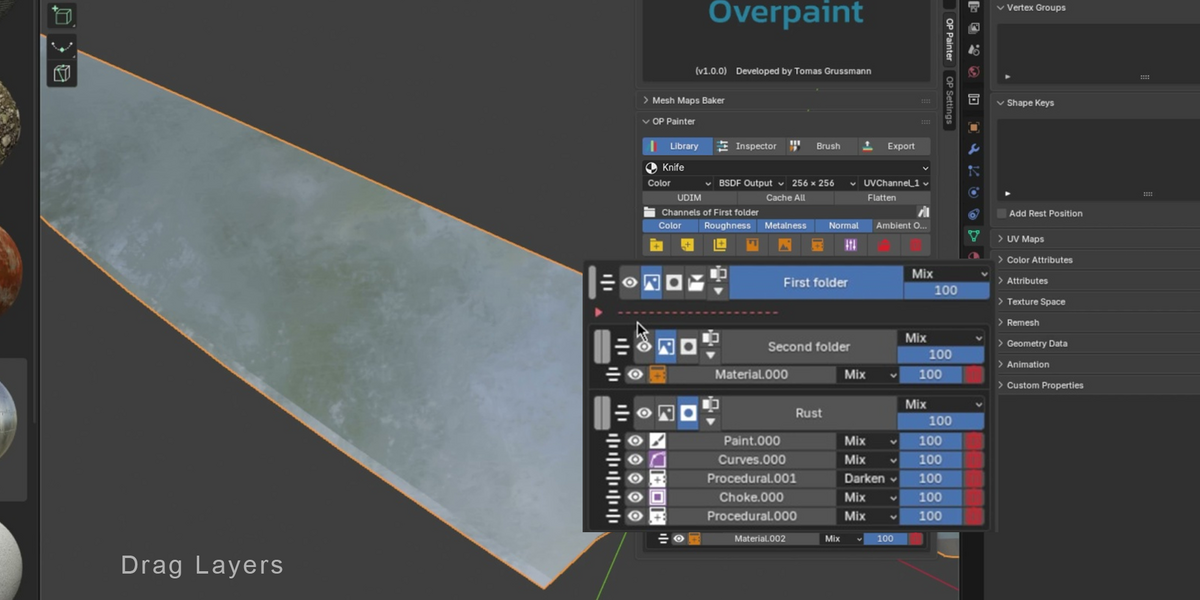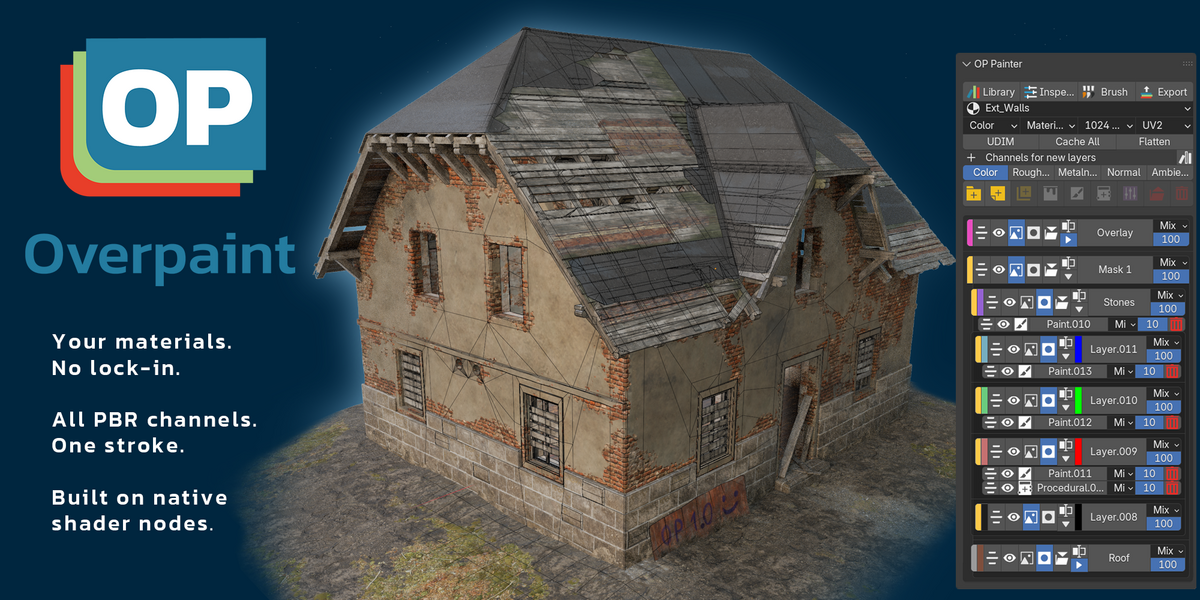
Overpaint is a Blender extension for painting and editing layered PBR materials inside Blender’s material and shader system. A brush stroke can affect Color, Roughness, Metalness and other supported channels at once, with a separate value for each. The same materials can render in EEVEE and Cycles.
Paint several material channels at once
Material Paint applies channel values in one stroke while using Blender’s brushes, stencils and shortcuts. Overpaint also supports painting across UDIM tiles. That setup suits artists who want to adjust a material on a model without painting each texture map in a separate pass.
Keep layers, masks and shader nodes editable
Build a material stack with layers, folders, nested sublayers, masks and blending controls. Reorder or duplicate layers, add Blender shader nodes to the stack, or cache complex layers. Painted masks can sit alongside procedural generators, ID maps and anchors. Anchors let you reuse masks and channel outputs across PBR channels without duplicating textures.
GPU filters such as Blur, Sharpen, Glow, Choke and Drop Shadow can be added to layers or masks. HSV, Curves and Contrast corrections remain adjustable. Blur and Slope Blur can preview while you paint. Overpaint also has its own undo and redo history for up to 30 strokes; Smart Undo works with Blender’s history and can restore deleted Paint or Image sublayers with their painted pixels.
Reuse Blender materials and texture libraries
Drag image-based or compatible procedural materials from Blender’s Asset Browser into Overpaint. Image-based textures connect to PBR channels, while procedural nodes remain editable. The companion Overpaint Library Tools extension can turn folders of downloaded textures into a browsable Blender Asset Library with materials, catalogs and previews. It can work with or without Overpaint.
The product includes 50 PBR materials, 29 procedural generators and six shaders, including Toon, Comic and Matcap. Its Mesh Maps Baker can create maps such as ambient occlusion, curvature, thickness, edge, position and normal maps for generators or other materials.
Export textures for a production pipeline
Choose an included export preset for Unreal Engine ORM, Unity Metallic Smoothness or glTF PBR Metal Roughness. You can also set a texture list and channel packing, then choose an output path, UV map, texture size and format. Material Sets share layer stacks across materials, and Object Sets help manage multiple meshes. Overpaint also supports UV reprojection.
Check compatibility and the optional GPU baker
The product listing specifies Blender 4.5 through 5.3. The documentation lists Windows 10/11 and 64-bit Linux; macOS is not supported in the current build. On Windows and Linux, the documentation says to use Blender’s Vulkan backend. The optional GPU baker is a free, separate download for Windows and Linux; it speeds up baking and Cache All. Overpaint still works without it, with slower bakes through Blender; Fast Bake, Bake Sublayer and Baked pictures require the baker.
See the Overpaint documentation for installation and first steps; its linked user guide includes screenshots, advanced workflows and troubleshooting.