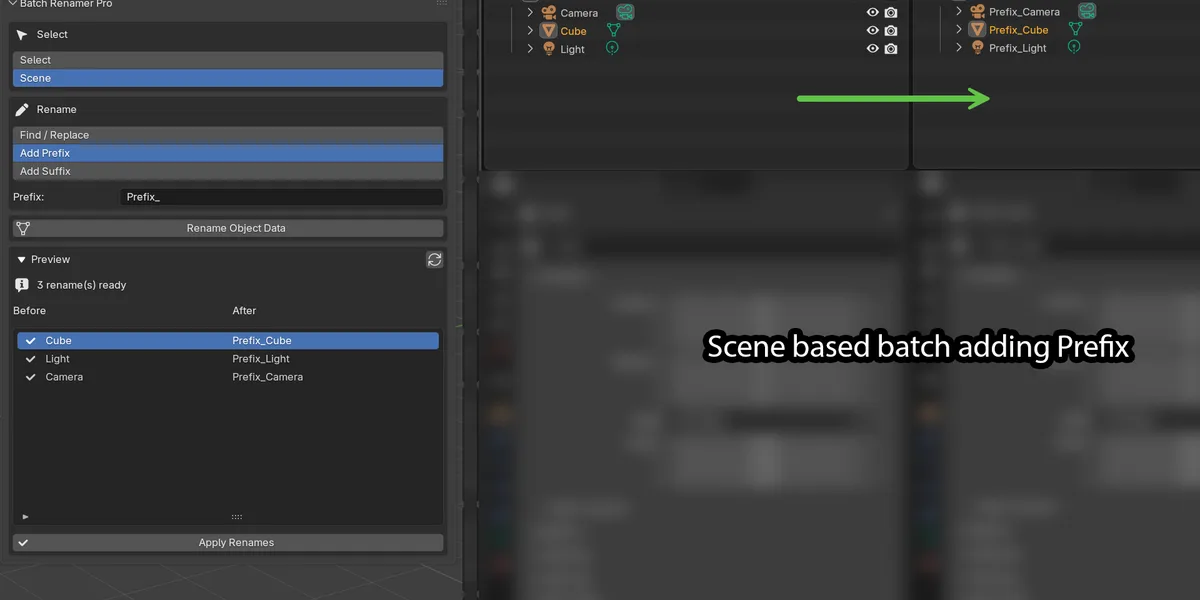
Batch Renamer I Octopus is a Blender add-on for renaming objects in a selection or a filtered scene. The developer documentation calls it Batch Renamer Pro; look for that name when enabling it in Blender. Its rename modes include a before-and-after preview so you can inspect proposed names before applying them.
Choose the objects to rename
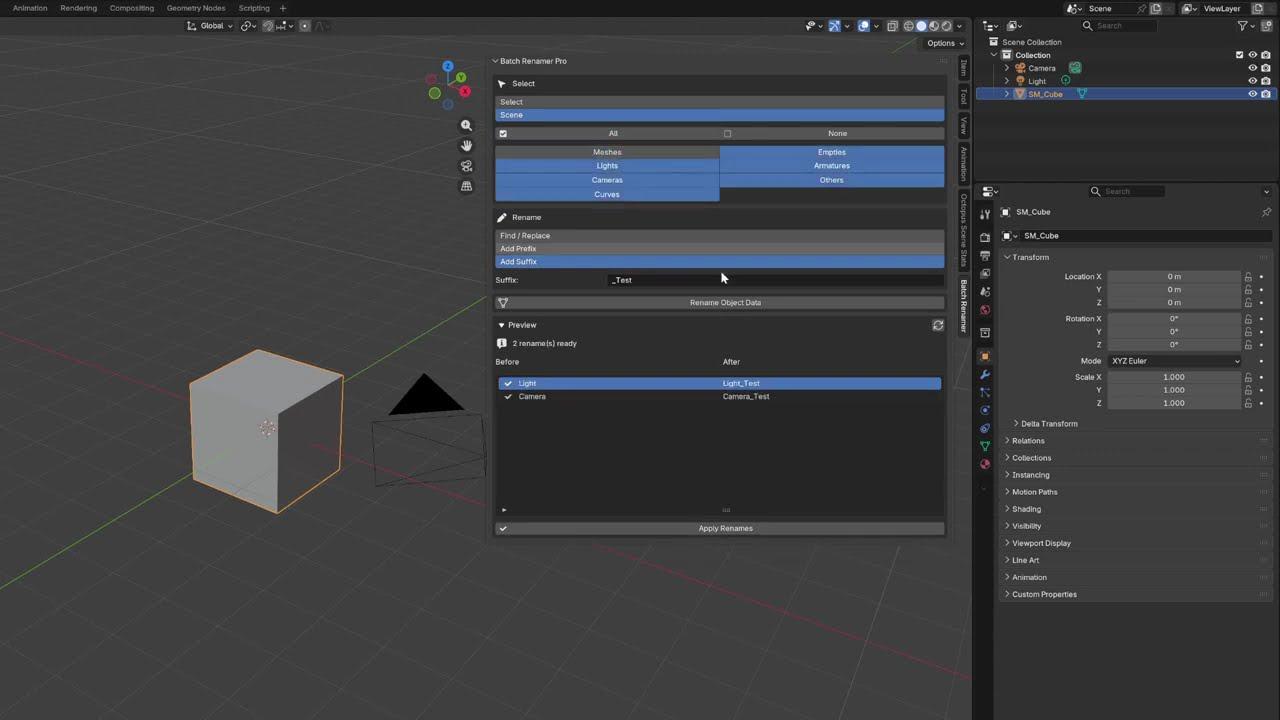
Use Select mode to work on selected objects, or Scene mode to include objects across the scene. Scene mode has filters for meshes, lights, cameras, curves, empties, armatures, and other types. The All and None controls help set the filter quickly. These filters apply to Scene mode; Select mode works from the current selection.
Set a naming pattern and review it
Find / Replace changes matching text in object names. It supports plain text, optional case-insensitive matching, and regular expressions. Add Prefix and Add Suffix modes apply text such as SM_ or _LOD0, useful for game asset conventions and level-of-detail names.
The preview lists the before and after name for each affected object and updates when you change the rename fields, scope, or scene filters. If names conflict, the preview shows Blender-style numbered names such as Object.001 before you apply the change. This can help with imported assets that need consistent names, or with scene cleanup before delivery.
What gets renamed
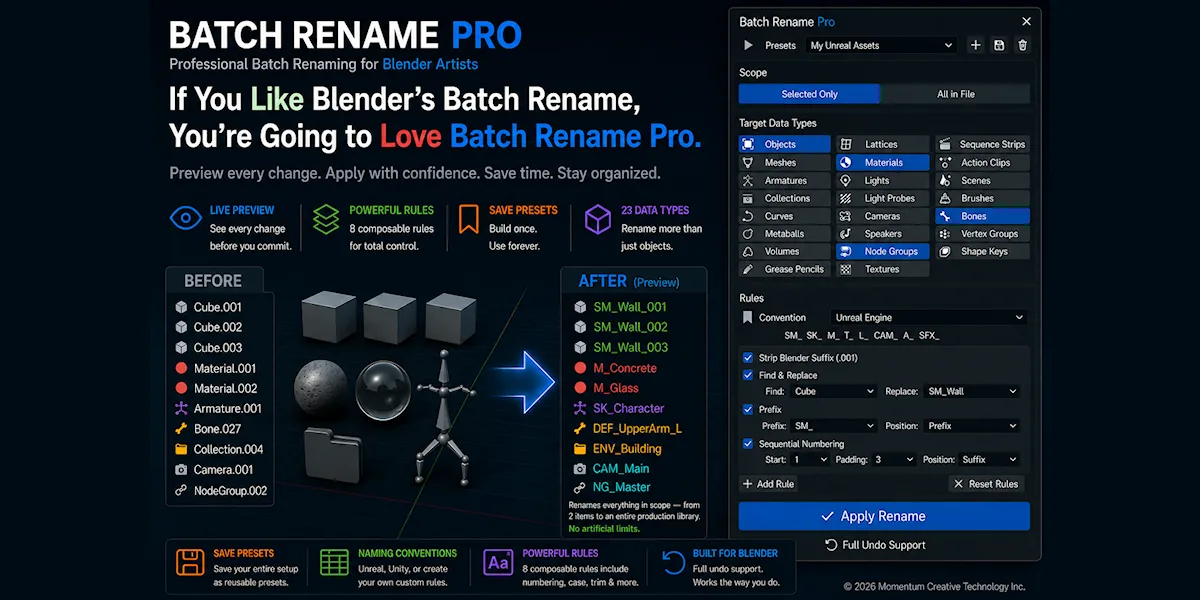
The add-on renames Blender objects. You can also enable optional renaming of associated data blocks, including mesh, curve, camera, and light data. It does not rename files on disk. Batch Renamer Pro has its own preview-focused workflow; it is separate from Blender's built-in Batch Rename dialog.
Install and check compatibility
Install the downloaded ZIP from Blender's Edit > Preferences > Add-ons panel, then enable Batch Renamer Pro. In the 3D View, open the sidebar with N and select the Batch Renamer tab. The developer lists version 1.1.0 as tested with Blender 5.1 and compatible with Blender 5.0 through 5.1. Check the developer documentation for current installation and compatibility details.