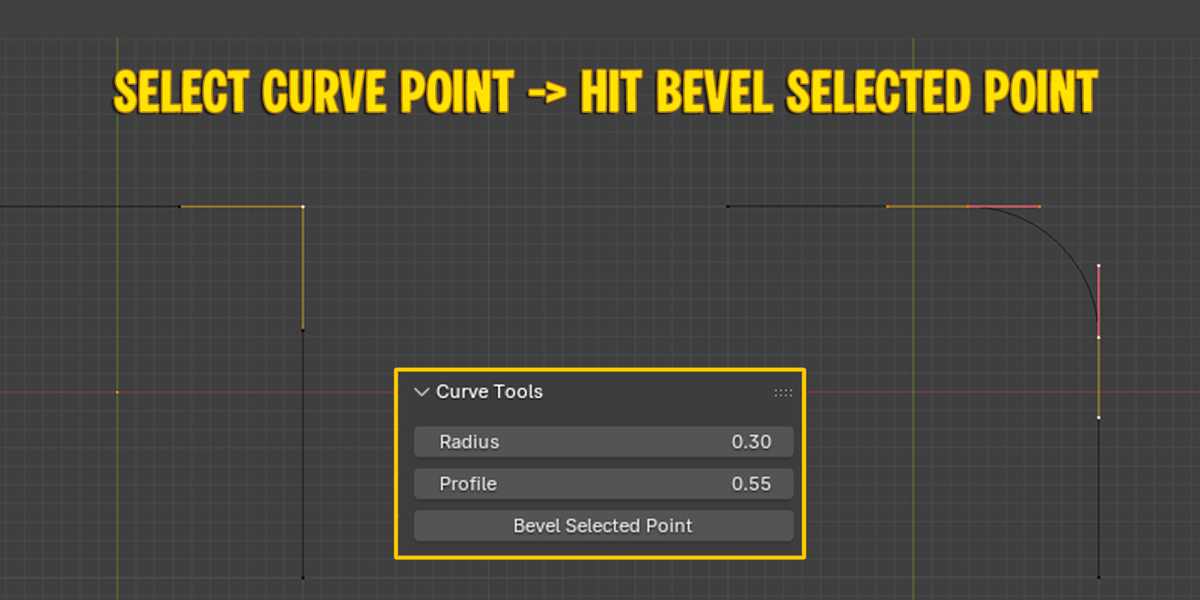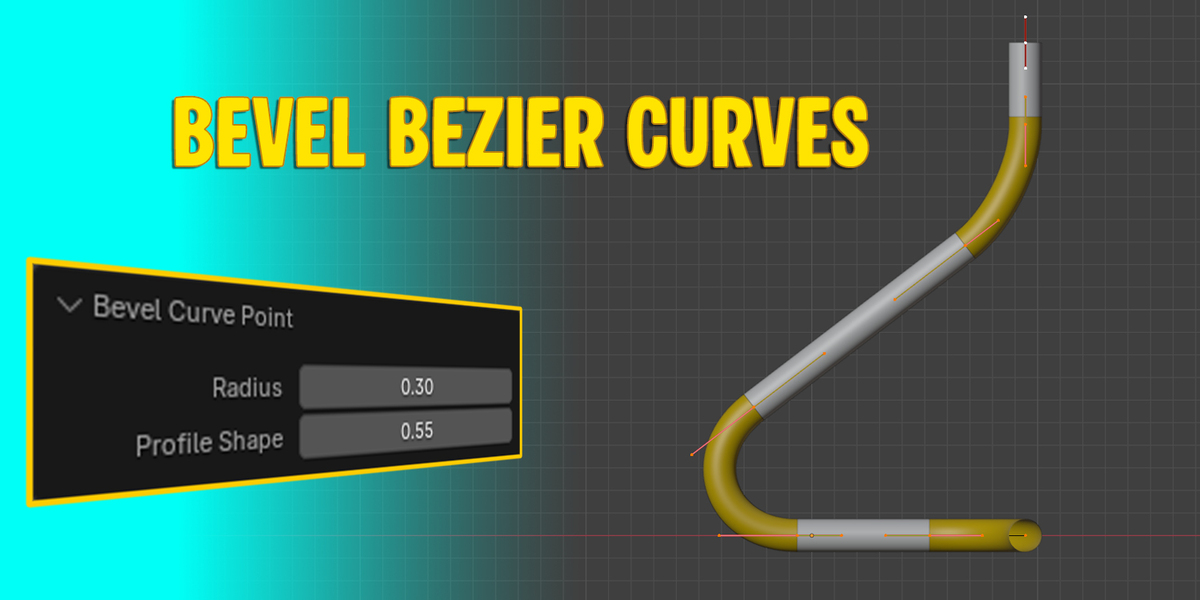
Bevel Bezier Curves Addon by Barat Ovidiu adds a point bevel operation to Blender’s Bezier curve editing. Select one or more control points, adjust the radius and profile, then apply the bevel from the 3D Viewport Sidebar.
Bevel selected Bezier curve points
The Radius setting controls how far the bevel extends from the original point. Profile controls the bevel’s curvature; the product documentation says higher profile values create a more rounded shape. The add-on supports applying a bevel to several selected points in one operation.
This focused tool may suit curve work such as refining architectural lines, shaping flowing forms, or adding detail to motion paths. Its controls are in the Sidebar’s Curve Tools section, alongside the curve editing workflow.
Install and use the add-on
- Download the add-on ZIP. In Blender, open
Edit > Preferences > Add-ons > Install, select the ZIP, install it, then enable the add-on. - Make a Bezier Curve the active object, enter Edit Mode, and select one or more control points.
- Press
Nto open the Sidebar, choose Curve Tools, set the radius and profile, then click Bevel Selected Point.
Compatibility and license
The Superhive product listing records Blender 4.5 as its version, lists Cycles and Eevee as render engines, and identifies GPL as the license. The product documentation says the add-on is compatible with Blender 4.5 and later. For earlier versions, check with the developer before installing. The product documentation provides the installation and editing steps.