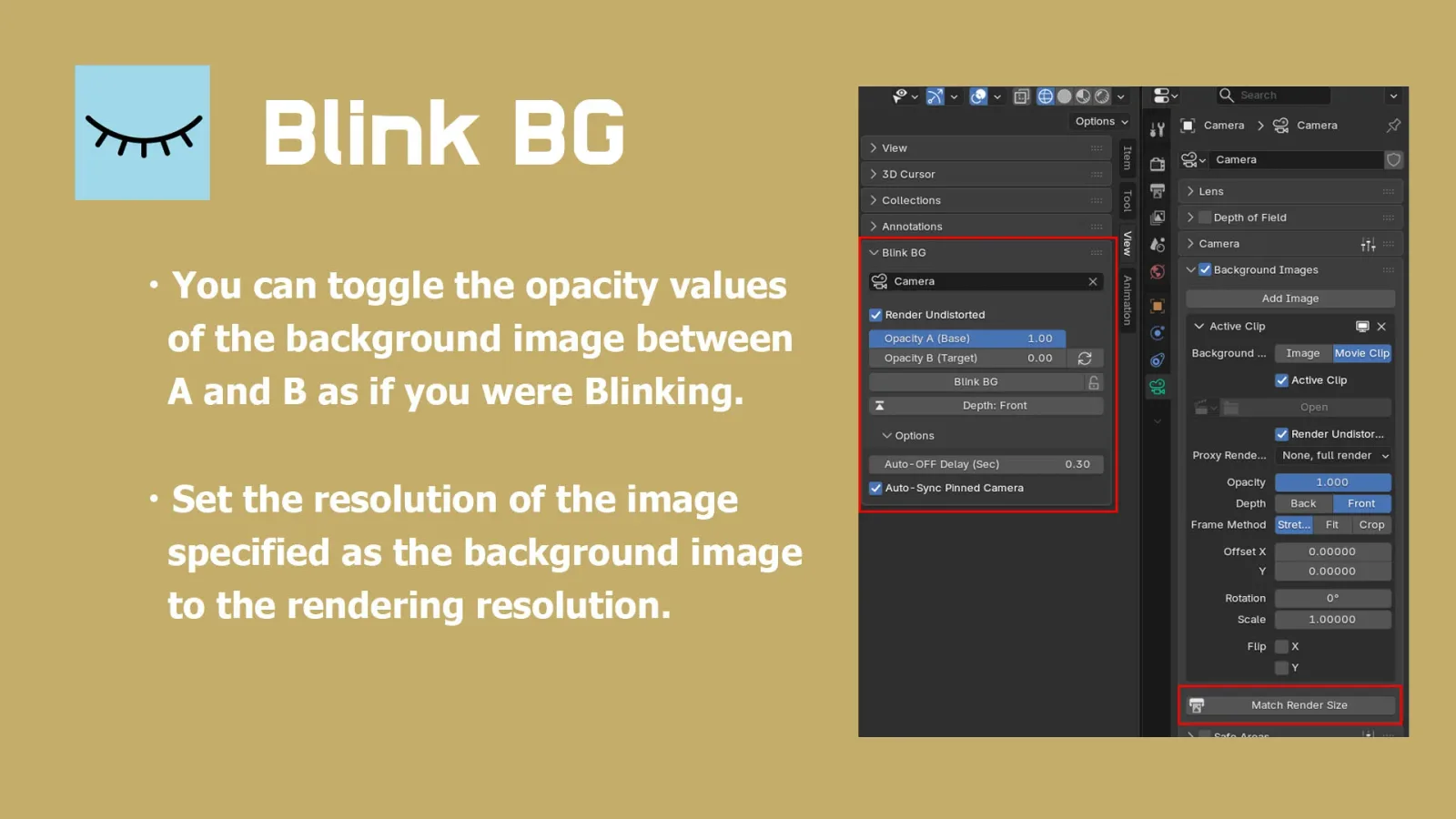
Blink BG is a Blender add-on for adjusting camera background images while you model or lay out a scene. It switches opacity between a base value and a target, lets you move a background in front of or behind 3D models, and can set the scene resolution from an image or movie clip. The official Blender Extensions listing supports Blender 4.2 LTS and newer.
Switch between two opacity values
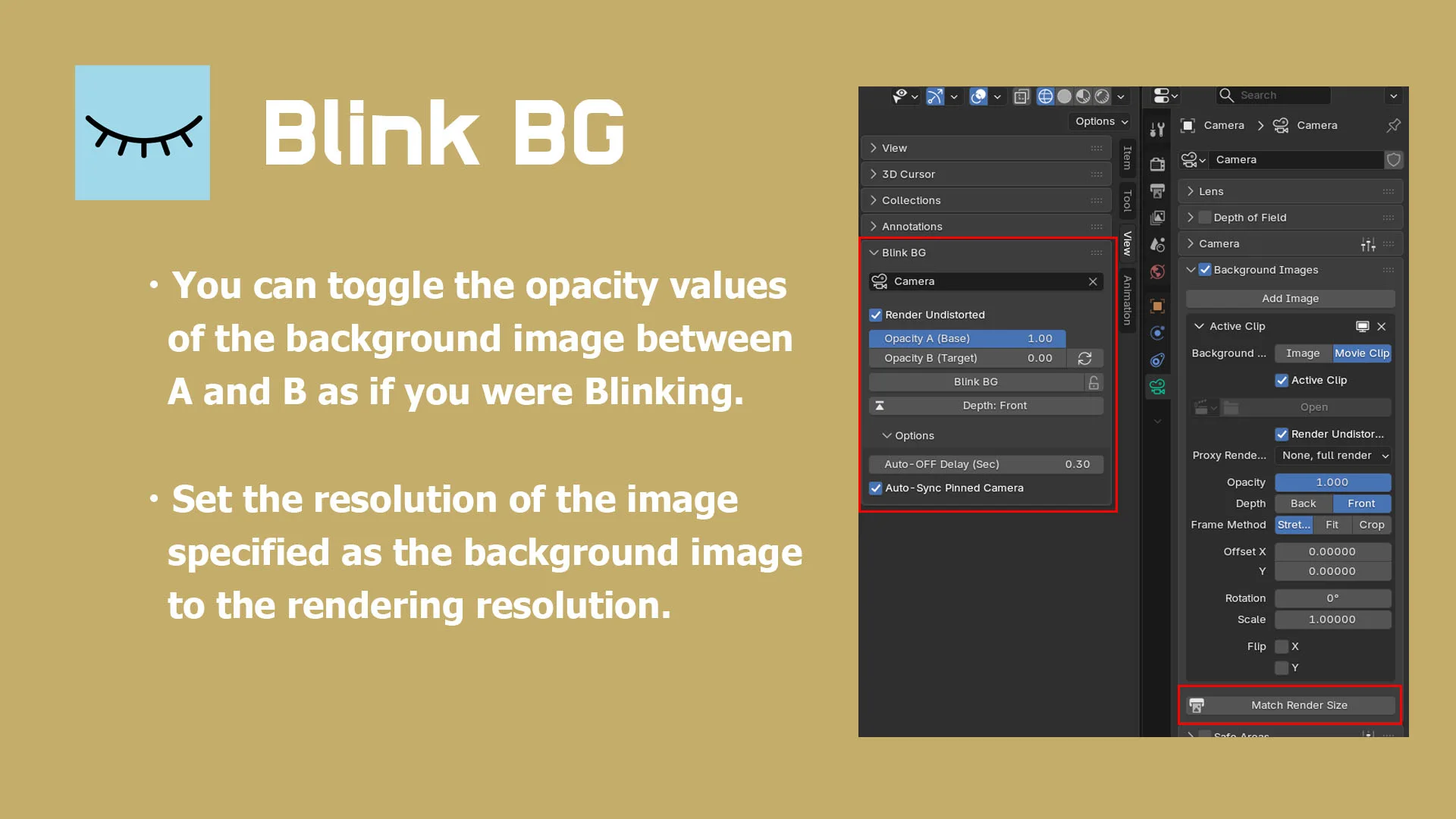
Opacity A is the base setting used during normal work. Unless you adjust it yourself, Blink BG reads the background image's current opacity for this value. Opacity B is the target applied when you trigger Blink. A swap button exchanges A and B, which lets you change which opacity is the normal view and which is the alternate view.
The default shortcut is Ctrl + Alt + V. In the unlocked mode, holding the shortcut applies Opacity B and releasing it restores Opacity A. Clicking the interface button applies B briefly, then returns to A after a delay that defaults to 0.3 seconds; the delay can be changed in Options. Locking the control changes both the shortcut and button to toggle mode: press once to keep Opacity B, then press again to return to A. You can change the shortcut in Blender's Keymap preferences under 3D View.
Change background depth and render size
The Depth control switches a camera background image between the front and back of your 3D models. Its arrow icon indicates the current position. Blink BG also adds a Match Render Size button in Camera Properties under Background Images. It sets the scene's Resolution X and Y to the dimensions of the image or movie clip used for the match.
Match Render Size reads dimensions from the first background image in the camera list. Adding other background images does not change which item it uses for this calculation.
Camera options for a larger setup
If a camera has multiple background images, a Target BG index slider appears in the Blink BG panel so you can choose which image the add-on controls. Auto-Sync Pinned Camera is available in Options for scenes with multiple cameras. When enabled, changing the active camera in the 3D viewport updates the camera targeted by a pinned Camera Properties tab.
Compatibility and project details
The current listed release is version 1.0.2. It is distributed under the GNU General Public License v3.0 or later and does not require special permissions. The official listing provides a drag-and-drop option and a download for installation from disk. For the latest release details or to report an issue, use the Blender Extensions page and its linked developer repository.