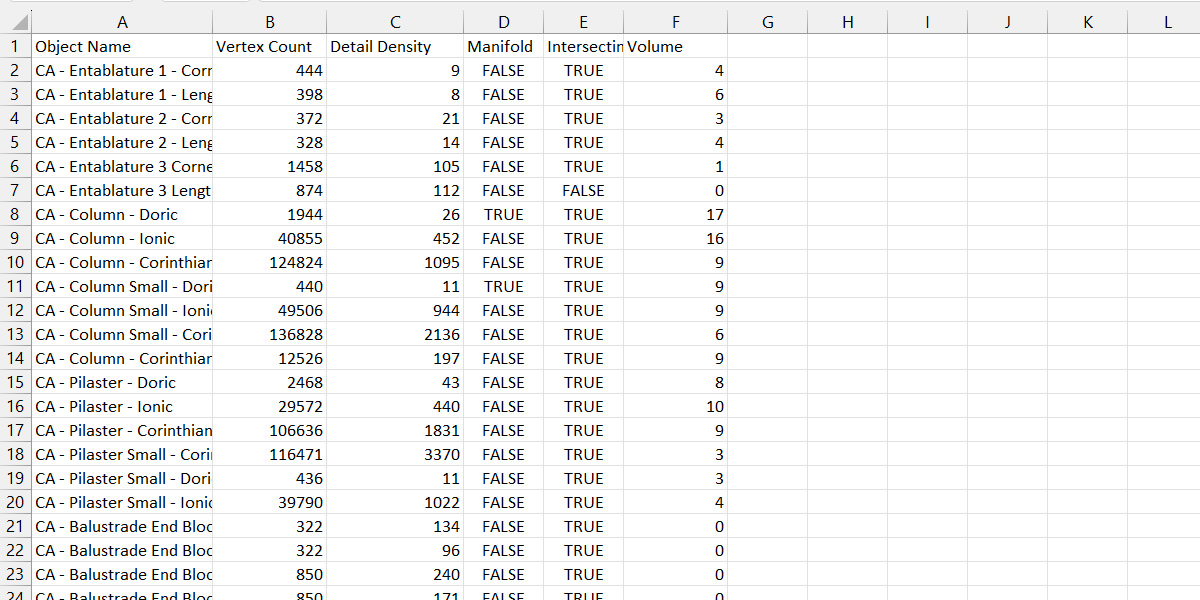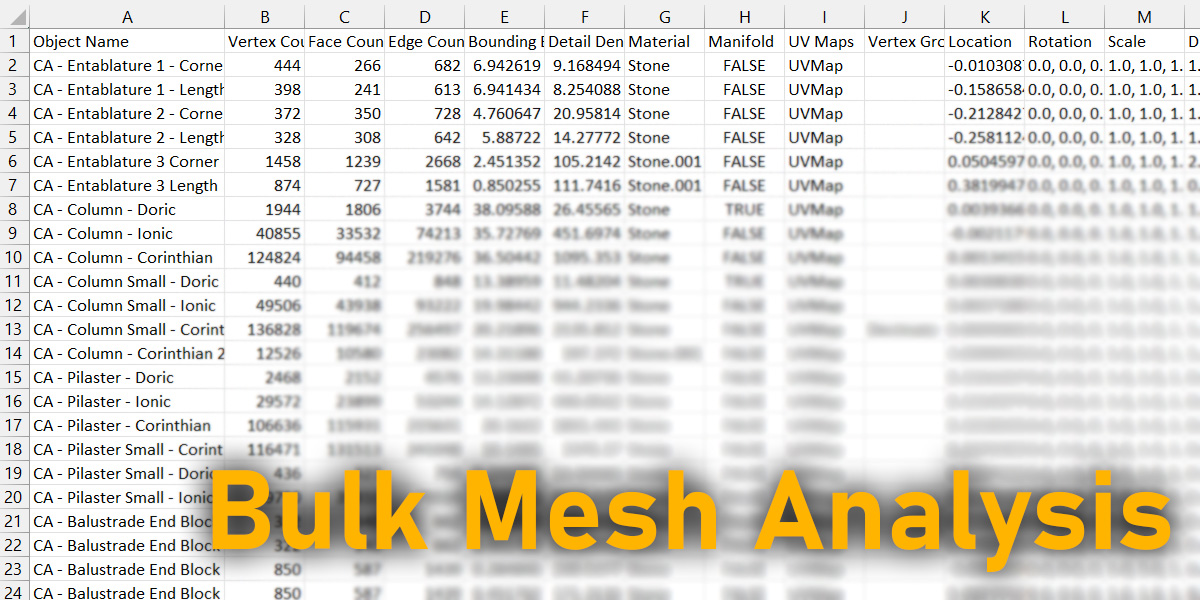
Bulk Mesh Analysis Addon exports properties for Blender mesh objects to a CSV file from the Export menu. Open the file in Excel, LibreOffice Calc or Google Sheets to review scene data for analysis, asset management or documentation.
What the CSV includes
The export covers geometry and topology, including vertex, face and edge counts, volume, bounding-box volume, detail density, manifold status and intersecting faces. Detail density is based on the ratio of face count to surface area.
It also reports object names, assigned materials, UV map and vertex group names, parent and child objects, modifier names and types, viewport visibility, renderability, location, rotation in degrees, scale on each axis and dimensions.
Version 1.1 added options to report texture resolution and flag missing textures. These fields can help identify objects that need a closer look before a model is finalized or exported.
Review mesh data outside Blender
Use the CSV to review a scene's mesh objects, share object information with collaborators or document assets. The listed use cases include model optimization, asset management, data analysis and quality checks for issues such as intersecting faces or non-manifold geometry. The export provides information for review; the listing does not describe it as an automatic mesh repair tool.
To inspect the file, export the data from Blender and open or import the CSV in your spreadsheet application. If an import dialog asks how the data is separated, the product guide specifies comma-delimited text.
Modifier option and listed compatibility
The addon includes an option to apply all modifiers to each mesh object before exporting. The Superhive listing identifies product version 1.1 and Blender Version 4.0. Check the current product listing for compatibility, licensing and download details.