Color-coded polygon inspection
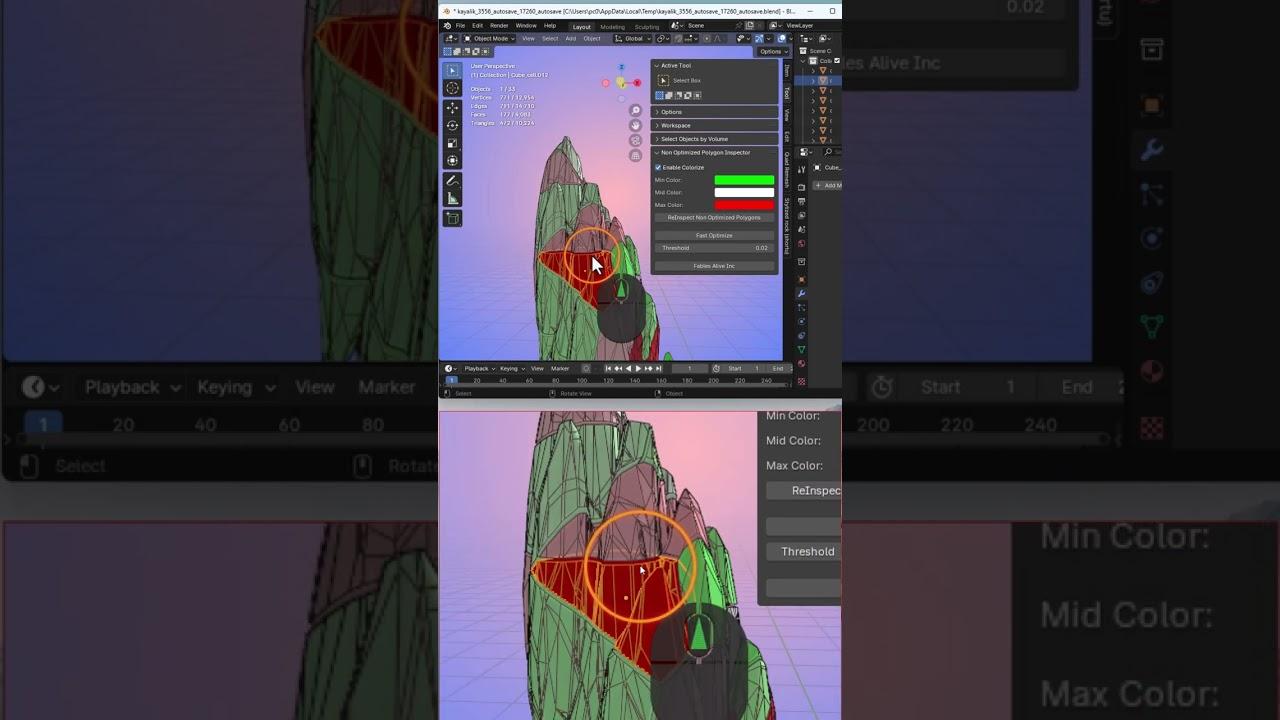
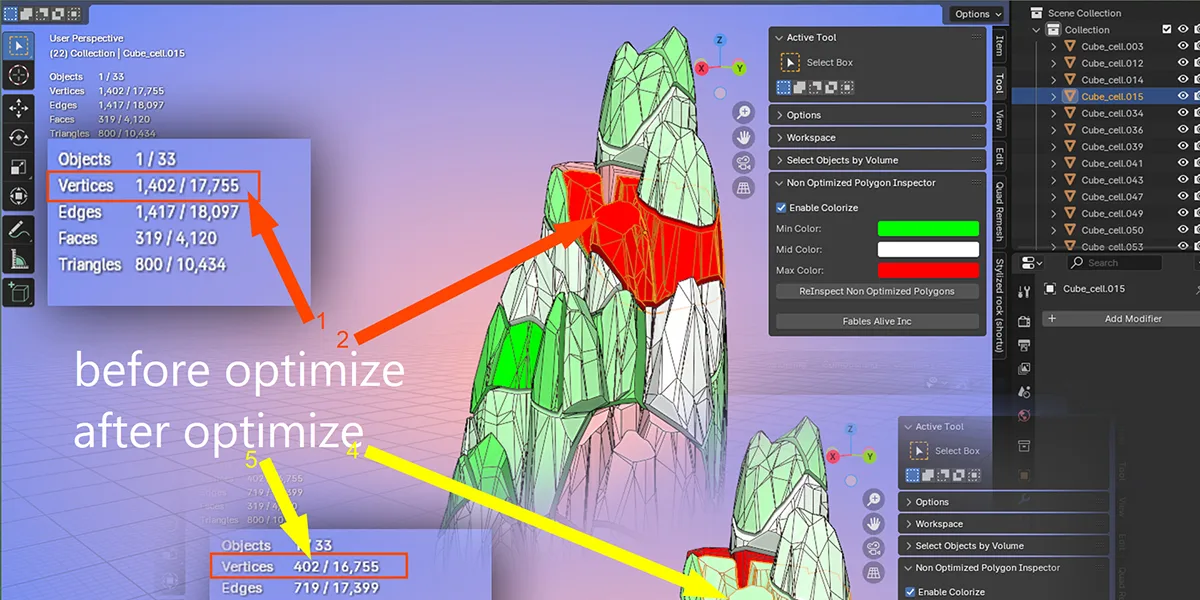
Non-Optimized Polygon Inspector Addon is a Blender add-on that visualizes non-optimized high-polygon geometry in a scene. It colors high-polygons identified as non-optimized red and low-polygons green. The distinction depends on the scene’s polygon count according to the seller’s product listing.
Using the color view
The color coding gives Blender artists a visual way to inspect polygon density while reviewing a scene. The available listing describes visualization; it does not document a numeric threshold or automatic polygon reduction or repair.
Compatibility and license
The seller lists Blender 4.1 and 4.2, identifies the product as an add-on, and marks it compatible with Blender Extensions. The listed license is GPL. Check the current seller listing for details before installing.
Who it may suit
This add-on may suit Blender artists who want a color-coded check of high- and low-polygon areas while inspecting a scene.