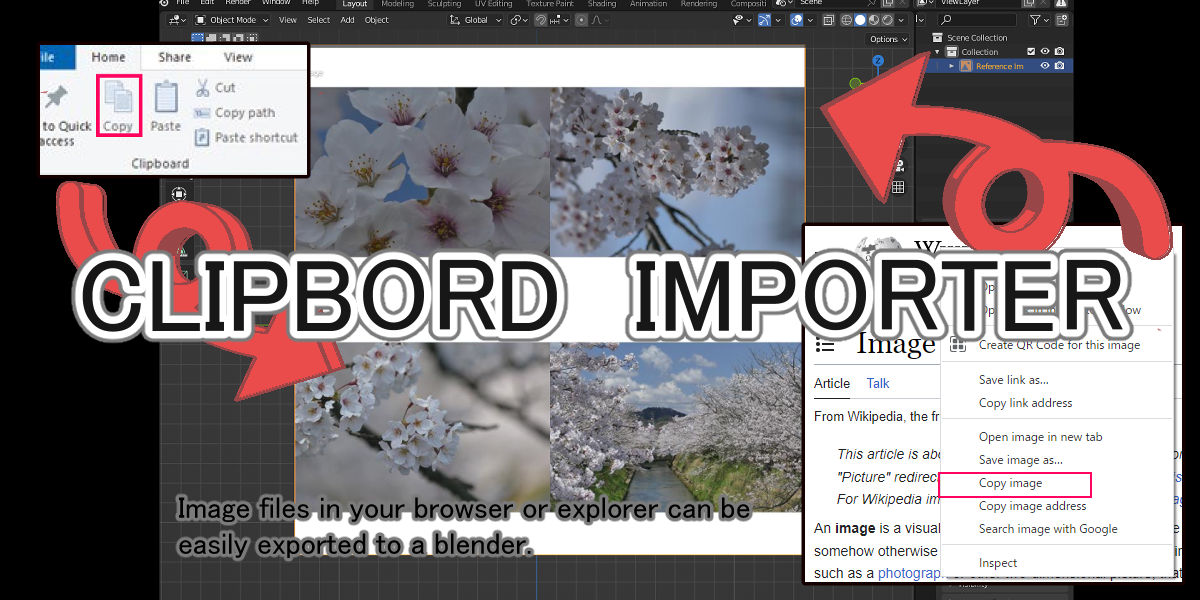
Clipboard Importer is a Blender add-on by Hydrocallis for pasting images from the clipboard. Its product listing says it responds to the Copy Image function on websites and the Copy function in Explorer. The initial key combination listed is Shift+Ctrl+V.
How clipboard image importing works
Copy an image from a website or Explorer, then use the add-on in Blender. When you copy multiple images from Explorer, Clipboard Importer formats and arranges them into a square image. The image resolution can be changed through the add-on’s Campus Settings.
The documented sources are website image copying and Explorer. If your workflow depends on copying from another application, check with the developer whether that source is supported.
Blender versions and installation
The Superhive product listing reports support for Blender 3.6 to 5.0. It provides a dedicated file named clipboard_import_for_4_5.zip for Blender 4.5 LTS. Check the product listing for the package intended for your Blender version.
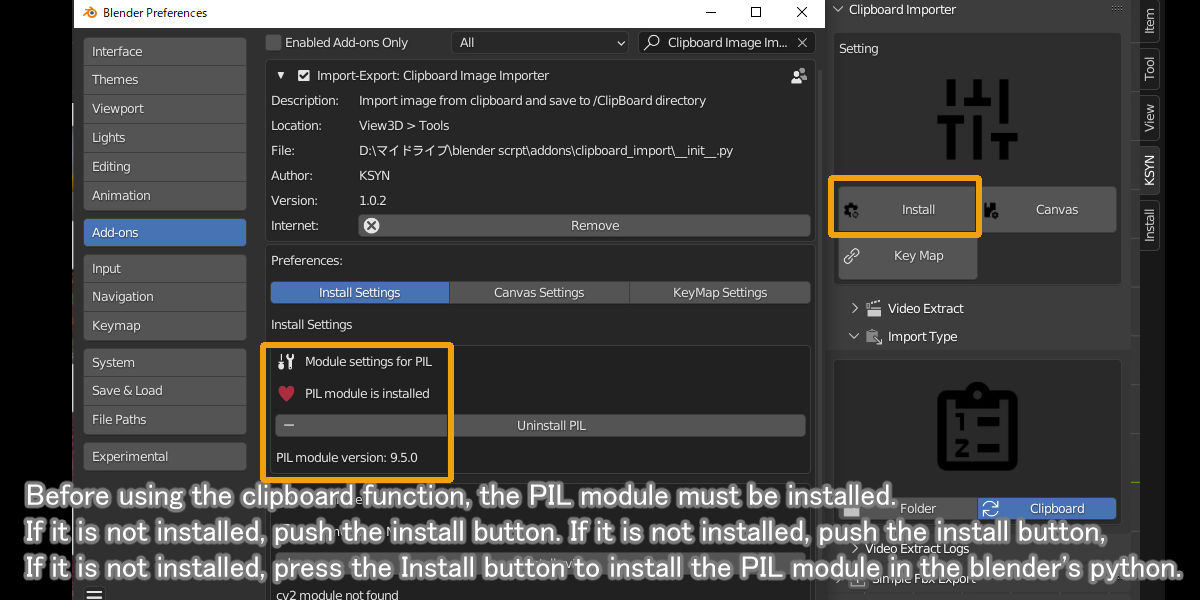
Install the downloaded ZIP through Blender Preferences in the Add-ons tab. Choose Install from Disk, select the ZIP, and enable the add-on with its checkbox. The developer specifically says to use the traditional Add-ons panel, not the Extensions section.
Pillow requirement and license
Clipboard Importer requires PIL, also known as Pillow, to be installed first. The product instructions place the manual installation option on the add-on preference screen and say an internet connection is required. Restart Blender once after installing it.
The product listing names GPL as the license. For the current package and installation notes, see Hydrocallis’s Superhive listing. The listing also links to a Blender Artists support thread.