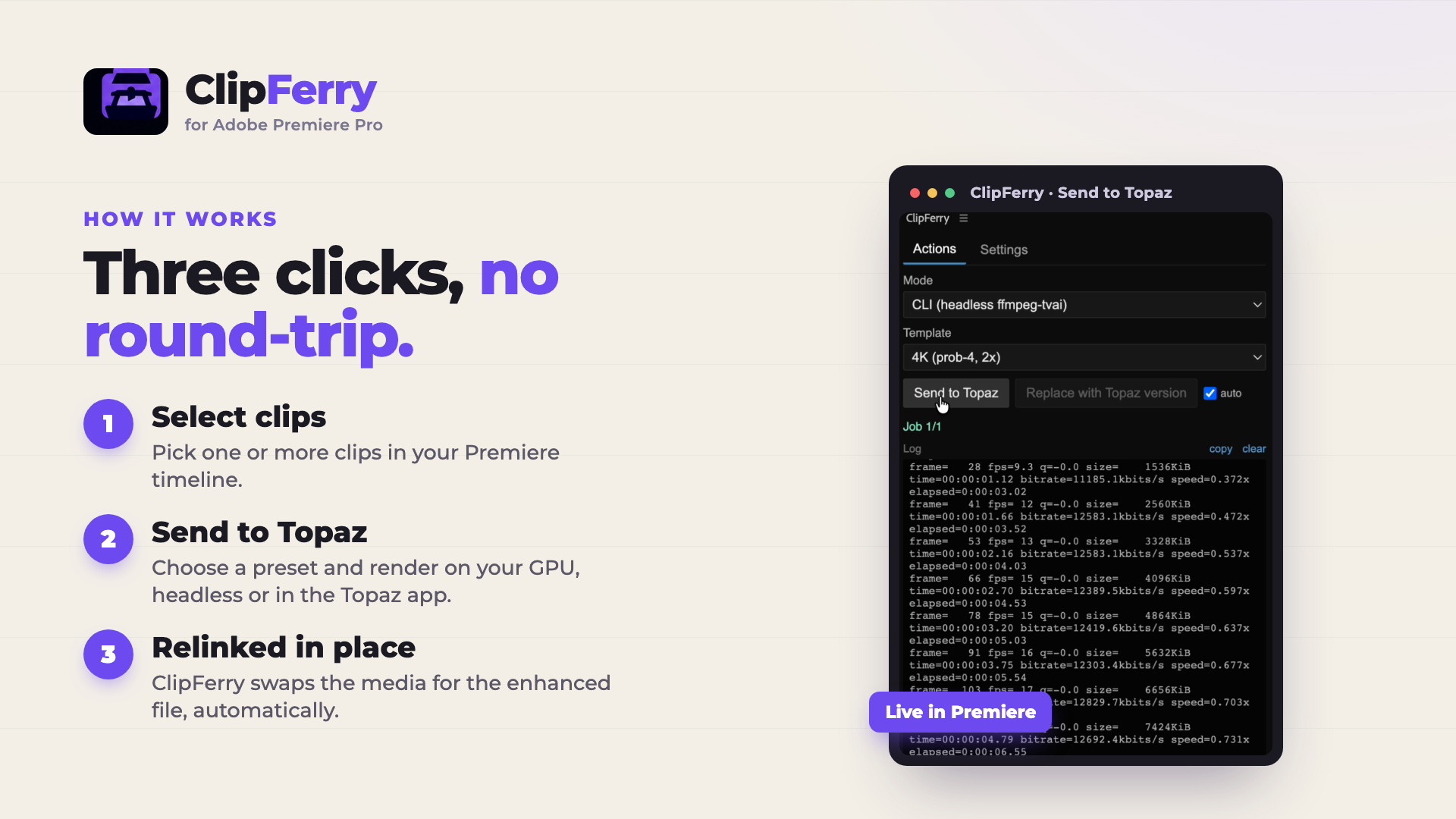
ClipFerry connects Premiere Pro to a licensed local copy of Topaz Video AI. Select clips in your timeline, choose a Topaz preset, and send them from the ClipFerry panel. It queues the selected media, runs each clip through Topaz, and relinks each rendered file in your project. Topaz Video AI performs the enhancement; ClipFerry automates the handoff and return.
The usual round trip involves exporting media, opening it in Topaz, rendering, then importing the finished files and relinking clips by hand. Its queue processes clips one at a time, so a larger selection can render unattended while you keep working.
Choose a render mode
- With Premiere Pro 2026 or later open and Topaz Video AI installed and licensed on the same machine, select one or more clips in the timeline.
- Choose a Topaz preset and render mode in the ClipFerry panel.
- Click Send to start processing; ClipFerry relinks each clip when rendering finishes.
Headless render runs in the background without opening the Topaz window. Open in Topaz launches the app with the clip loaded, so you can adjust settings before rendering. ClipFerry reads your Topaz Video AI presets and runs them as configured.
Keep the edit and originals
Enhanced files are saved in a topaz/ folder next to the source media, leaving the original files untouched. ClipFerry swaps the clip's media reference in Premiere while preserving its edit, effects, and timing. It also adjusts the clip's scale so higher-resolution media fits the sequence.
Requirements and fit
ClipFerry requires Premiere Pro 2026 or later and Topaz Video AI installed and licensed on the same machine. The product listing specifies Windows and macOS; GPU and disk requirements follow your Topaz installation. ClipFerry does not include or replace Topaz Video AI. Local rendering uses your machine with no per-clip charges; cloud presets render in the cloud and use cloud credits.
It suits Premiere editors who already use Topaz Video AI and want to batch selected footage, such as archive clips, noisy or compressed shots, interviews, or B-roll. ClipFerry is an independent tool and is not affiliated with Adobe or Topaz Labs. See the ClipFerry product listing for current details and installation information.