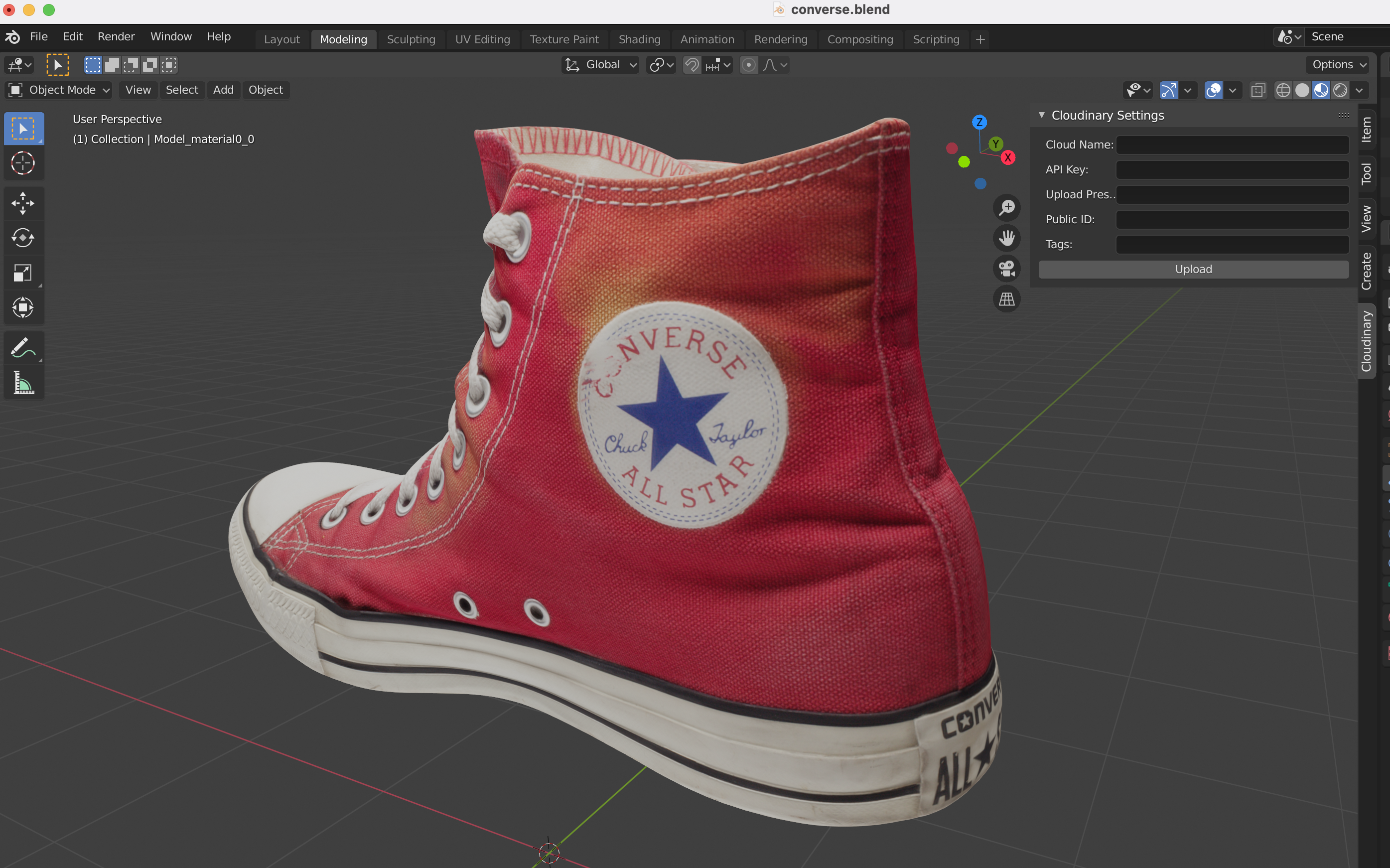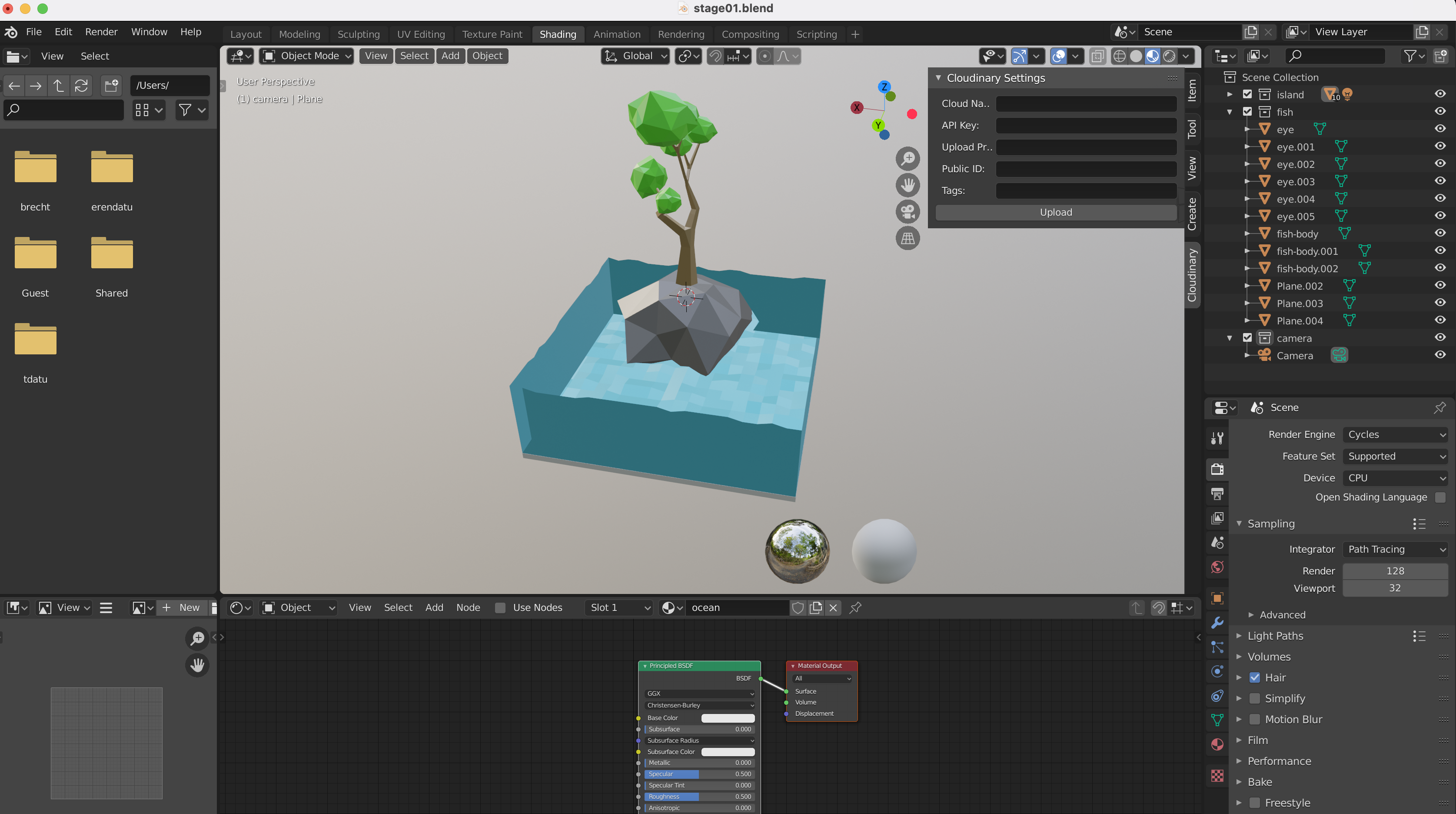
Cloudinary Exporter is a Blender add-on for pushing a 3D scene to Cloudinary Programmable Media, which the Superhive product listing describes as a digital asset management (DAM) destination. The linked repository README marks the Tag field optional. For a Product Gallery Widget, the modeler applies the tag it will retrieve, and the site owner configures the widget. The README names GLTZ and USDZ formats but does not tie those details to a specific add-on release. This can remove the local export, file search, and separate DAM login steps in an asset handoff.
A direct Blender-to-Cloudinary handoff
Its described workflow is specific to that transfer; the listing does not describe general-purpose export presets or support for other destinations. Check the linked documentation for setup instructions and details about supported scene content before building it into a production process.
Tags connect uploads to product galleries
A site's Product Gallery Widget can fetch Cloudinary assets by a specific tag when the site owner configures it; the modeler applies the tag the widget will retrieve. The exporter does not set up the product gallery. A CodeSandbox example linked from the listing illustrates this approach.
API key and account access
The Superhive description says the DAM owner does not need to expose their API secret or give the modeler login credentials. The linked repository's setup notes ask the person configuring the add-on to enter a Cloudinary API Key. Its code sends that key with the upload and saves it in a local .ini file under Documents/Cloudinary3D. The available material does not say whose key to use or describe safeguards for the saved key or upload.
Blender version and license details
The Superhive listing names Blender 3.2 and a Creative Commons license. The linked repository README lists Blender 3+ as a requirement, while its supplied add-on code declares Blender (3, 0, 0) in its version metadata; neither source ties that version information to the Superhive release. The repository page labels the project MIT-licensed, but the available sources do not establish which license applies to the Superhive download. Confirm compatibility and license terms for the intended release before using or redistributing it.
When Cloudinary Exporter may not fit
Cloudinary Exporter may be a poor fit if you need a documented export route to another destination, compatibility confirmation for a specific Blender release, or an add-on that configures the website gallery.