Collision Wizard is a Blender add-on for generating collision meshes and naming them for Unreal Engine, Unity, or a custom pipeline. Choose a shape, preview its name, and create colliders for one or more selected meshes. The Superhive product listing calls it Collision Wizard; its documentation labels the add-on and Blender panel Collider Wizard.
Generate collision geometry in Blender
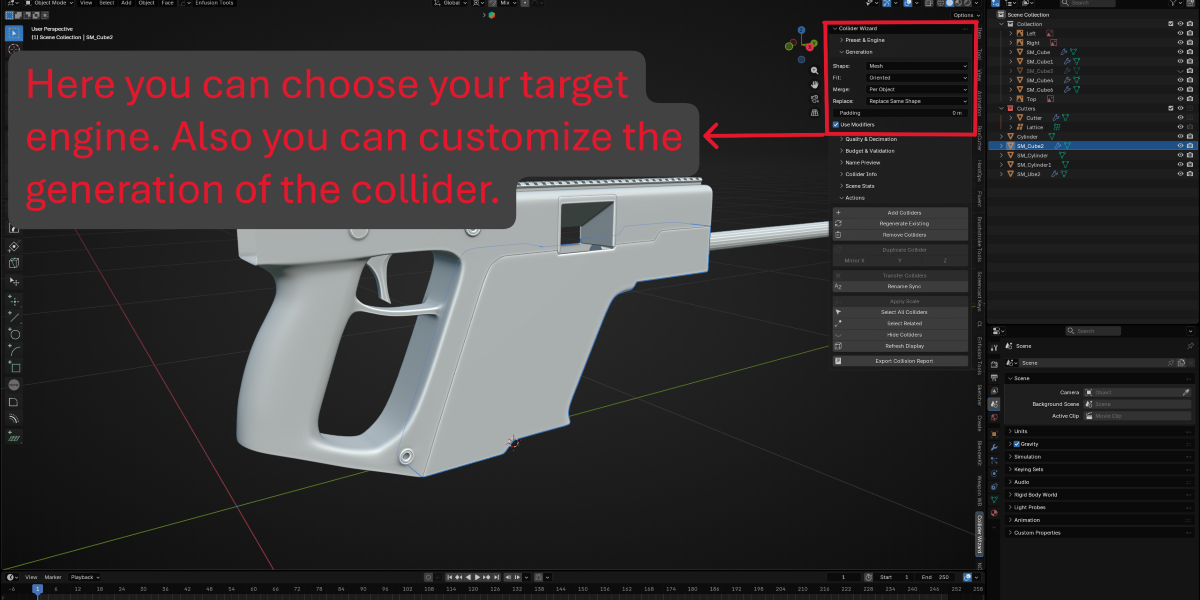
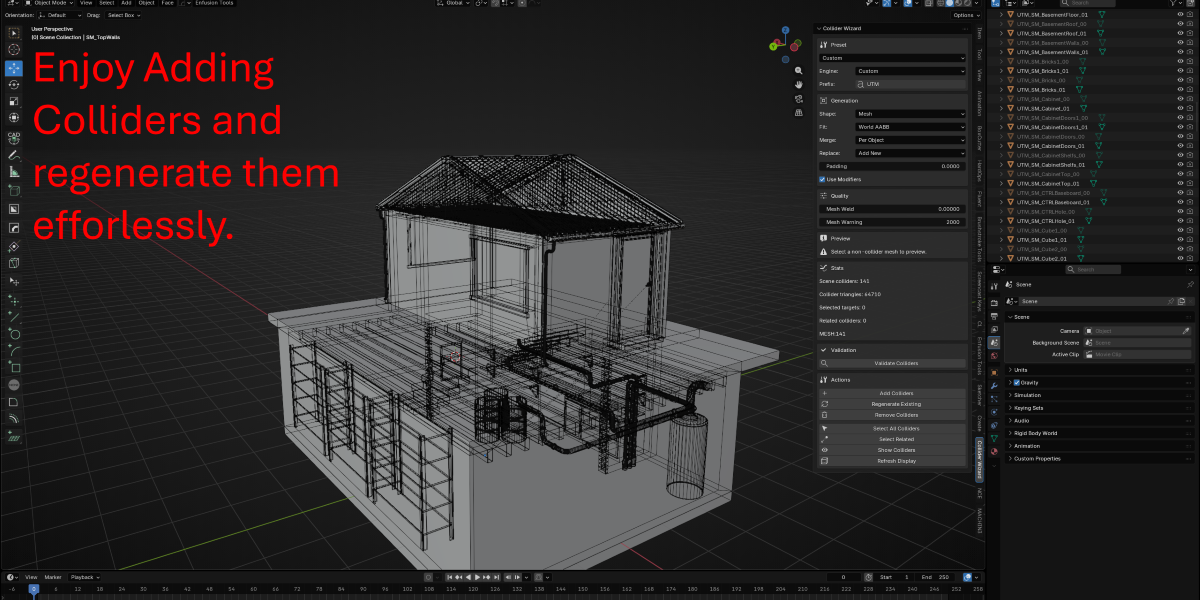
In Object Mode, select the mesh objects, choose an engine and shape or a preset, then click Add Colliders. Presets include UE Simple, UE Box, UE Complex, Unity Primitive, Unity Mesh, and Custom. Custom keeps current settings; each other preset overwrites the relevant scene properties. Per Object mode creates a collider for each selected mesh; Merged mode creates one for the selection, named from the active or first target. The Replace setting can keep existing child colliders, replace colliders of the same shape, or remove all child colliders before adding new ones.
The product overview lists four shapes: Box, Sphere, Capsule, and Convex Hull. The detailed documentation also describes Cylinder and triangle Mesh colliders. Box fitting can use the object's orientation or world axes. The box-oriented path supports optional padding around the computed bounds. Sphere radius is half the largest bound extent. Capsule and Cylinder can use an automatically chosen or manually selected axis. Convex and Mesh generation include geometry controls such as welding and vertex or triangle limits.
Use engine-specific names
- Unreal Engine: UCX_ for convex, UBX_ for box, USP_ for sphere, and UCP_ for capsule colliders. The detailed documentation also lists UCY_ for cylinders and UMX_ for complex mesh colliders. Names use sequential two-digit indexes such as _00 and _01.
- Unity: COL_ for primitive colliders, followed by a shape suffix such as _Box or _Sphere; MC_ is used for mesh colliders.
- Custom pipelines: Set a custom prefix and, if needed, a naming pattern using tokens such as {PREFIX}, {NAME}, {SHAPE}, {ENGINE}, and {INDEX}.
Name Preview shows the next generated name before creation. The add-on can parent colliders to their target meshes, display them as wireframes hidden from render, and color them by engine. Its validation tools report issues including duplicate names, parenting problems, non-uniform scale, zero-volume geometry, and heavy mesh colliders against a triangle warning threshold.
Install and locate the add-on
The install ZIP must contain a single top-level folder named exactly collider_wizard, with __init__.py and collider_wizard.py in that same folder. In Blender, install the ZIP from Edit > Preferences > Add-ons > Install. In Blender 5.x, the documentation says to choose Install Legacy Add-on from the menu if that option appears. After installation, find the panel in the 3D Viewport's N panel under Collider Wizard; the default pie-menu shortcut is Ctrl+Shift+C and can be changed in Preferences.
Superhive lists Blender 5.0 and the GPL license in the product details. Check the current listing and documentation for compatibility and terms before installing.