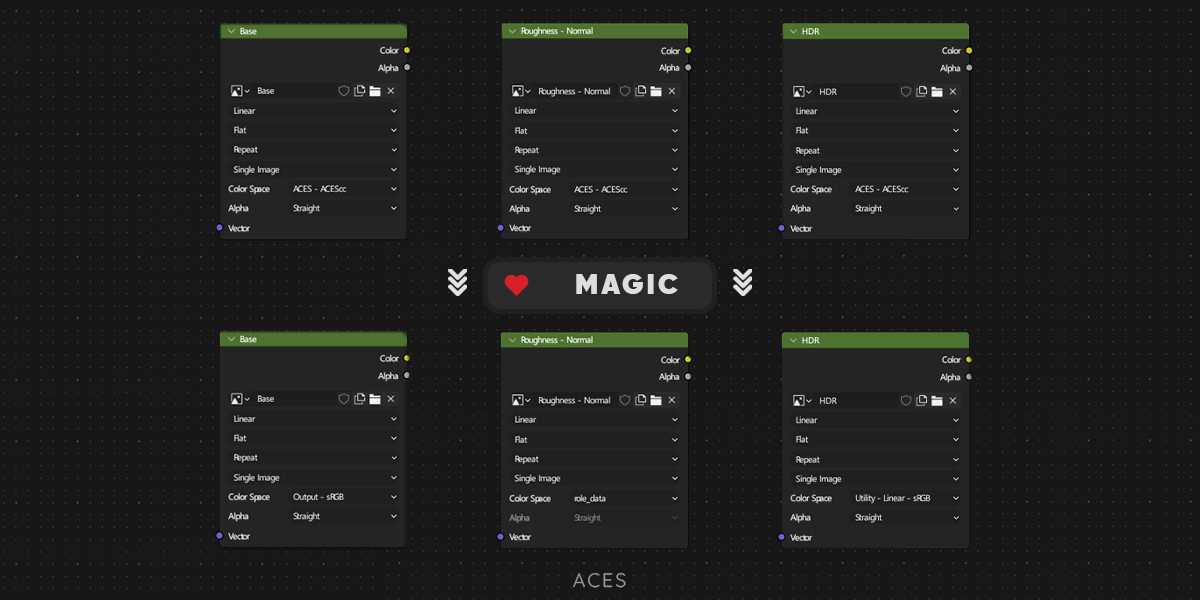
Colorspacer is a Blender add-on from INFINITYCG for assigning color spaces to image textures. It can update image texture color spaces on selected objects or apply that assignment across the scene. ACES, Blender and AGX color spaces are available by default, with a custom menu for other combinations.
Assign color spaces to textures
Colorspacer is intended for Blender artists who need to set texture color spaces across objects without handling every assignment as a separate task. The add-on’s custom menu supports other color-space combinations, and the listing says additional options can be requested.
The product listing names Cycles and Eevee as supported render engines. It describes an intuitive interface and says the add-on retains its settings after you adjust them on first use.
What you need for ACES
Using ACES requires an OCIO configuration that includes ACES. The OpenColorIO-Config-ACES releases are linked from the product listing; it also points to a minimal ACES OCIO option from Alfie Vaughan. Choose and configure an OCIO setup that matches your project.
If Blender reports an Enum error, the listing says most such errors come from a mismatch between Colorspacer and the active OCIO configuration. Check that configuration’s color roles and set them accordingly. The Colorspacer documentation covers usage and the changelog.
Compatibility and limitations
The product listing gives a Blender compatibility range of 3.0 through 4.5. That range describes Blender versions, while the free version is separately described as limited to the 1.0 update. The free version does not include the Node-train engine. Colorspacer is now in maintenance mode, so check the current product listing and documentation for compatibility and availability before installing it with a newer Blender release.
The add-on does not yet support custom node groups. Bug reports and feature suggestions can be sent through product messages or reviews, or through the Colorspacer GitHub page. The listing identifies the license as MIT. It also shows paid marketplace options: Personal commercial use for one user at $9, Indie for 2 to 5 users at $19, Full Team for 6 to 14 users at $50, and Studio for 15 or more users at $105.
Who may find it useful
Colorspacer may suit Blender users who regularly assign ACES, AGX or Blender color spaces to image textures across selected objects or a whole scene. It is a better fit when the project’s OCIO configuration is understood and the workflow does not depend on custom node groups. Its maintenance status is also relevant if you need ongoing feature development or support for future Blender versions.