Complementary Weight / Advanced Gradient is a Blender add-on by Kihoon for editing bone weights around joints and shaping weight gradients. It combines two tools: a modifier that keeps weights for two connected bones complementary, and a gradient tool with controls for shape, offset, and intensity.
Adjust weights on connected bones
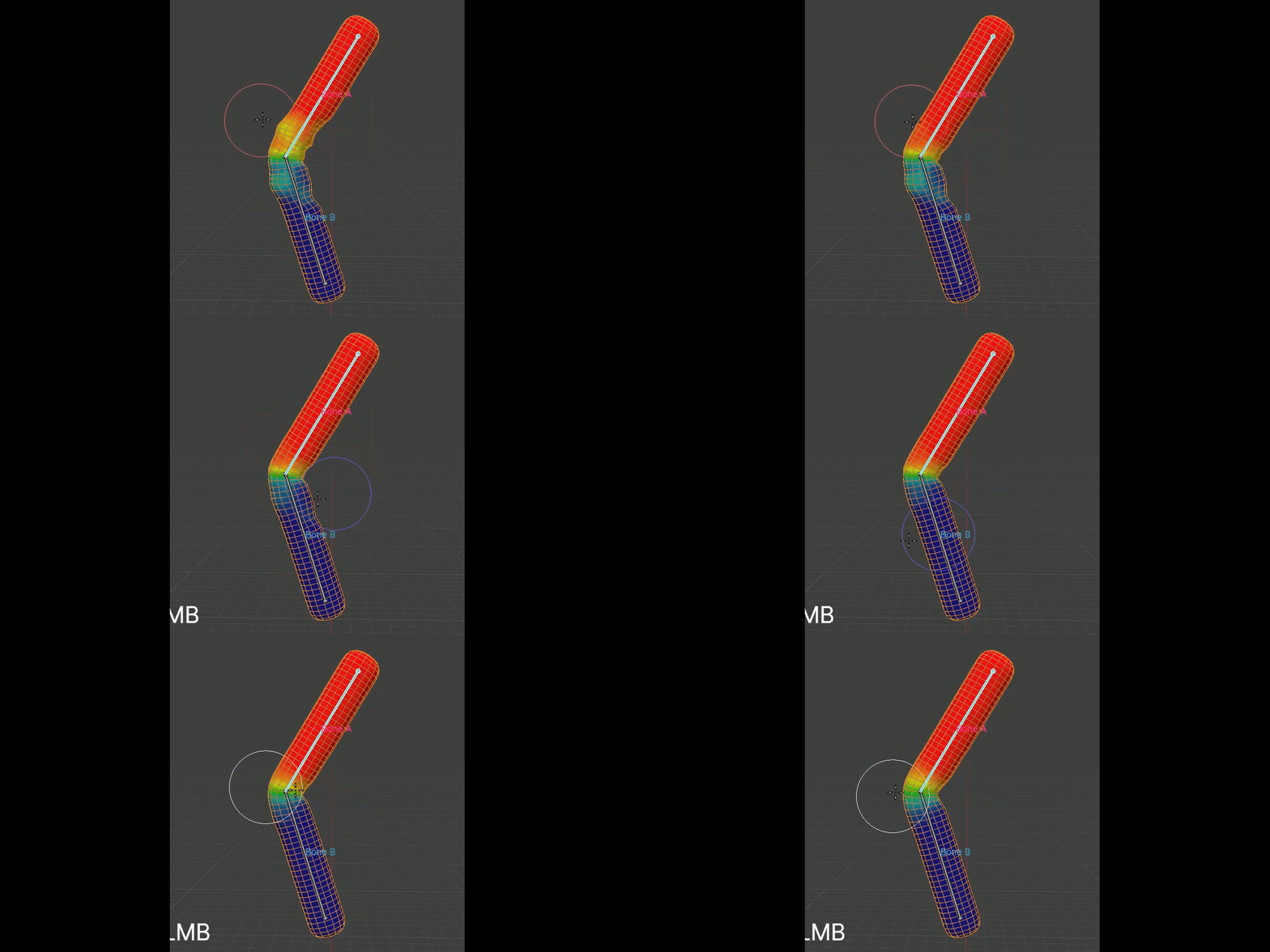
Fine-tuning a joint often involves switching between the two bones that meet there. The Complementary Weight modifier updates both sides together: changing bone A's weight also adjusts bone B's, maintaining the relationship WB = 1 - WA. This lets you work on the paired weights without switching back and forth for each adjustment.
The developer recommends changing Blender's weight brush settings to work on joint areas as if sculpting. The product documentation includes suggested settings. It also provides brush setup instructions for Blender 3.6 users who want settings similar to Blender 4.1.
Shape weight gradients
Advanced Gradient provides controls for the gradient's shape, offset, and intensity. Version 1.1.0 added an edge loop mode.
Installation and Blender compatibility
Install the add-on from disk through Blender's Edit > Preferences > Get Extensions > Install from Disk path.
The marketplace lists Blender 3.6 through 4.5 as the compatibility range. The v1.2.1 changelog entry names Blender 3.6, 4.2, and 4.3 as supported and says Blender 4.0 and 4.1 are not supported. Check Kihoon's Superhive listing for the current details for your Blender version.
Version and license
Version 1.2.3 adds the option to rename sidebar tabs, configured from the Add-ons tab in Preferences. The catalog lists the add-on as free, and the marketplace identifies its license as GPL.