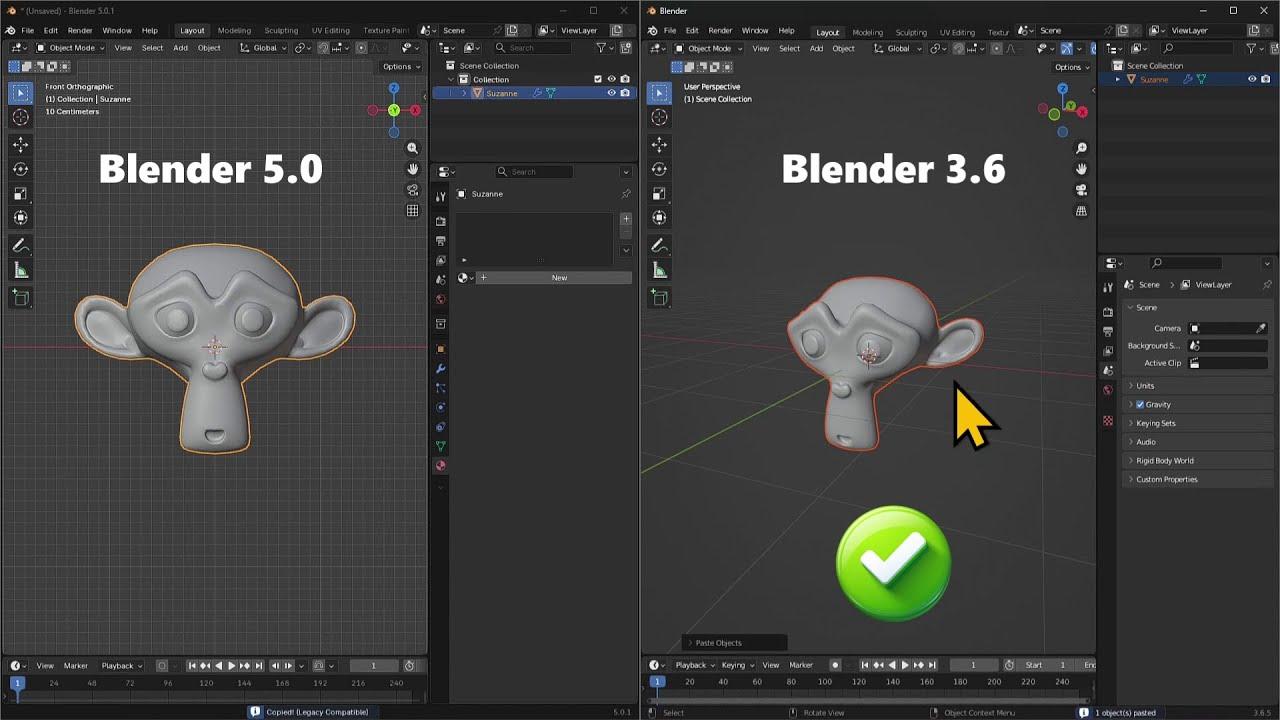
Copy (Legacy) is a Blender add-on for transferring objects and collections from Blender 5.0 or later into older Blender releases. Its product listing specifies Blender 5.0 to 5.2 for the add-on. It converts the copied data through a Blender 4.5 LTS executable, which must be available. The product documentation describes Blender 4.2 and 3.6 as examples of older target versions.
Copy objects or collections
Select objects or collections in Blender 5.0 or later, then press Ctrl+Shift+C. You can also choose Object > Copy Objects (Legacy) in the 3D Viewport or right-click in the Outliner and choose Copy (Legacy). Switch to the older Blender version and paste with Ctrl+V. When you copy a collection from the Outliner, the add-on preserves its hierarchy.
The add-on handles conversion in the background. This replaces the manual route of saving a temporary .blend file, opening it in Blender 4.5, and copying the objects from there.
Install and configure the add-on
- The documentation specifies Blender 5.0 or later for this step; the product listing's Blender version field says 5.0 to 5.2. Open Edit > Preferences > Add-ons.
- Choose Install from the arrow menu and select the
copy_legacy.zipfile. - Search for Copy (Legacy) and enable it.
If Blender 4.5 is not installed, the add-on preferences include an option to download portable Blender 4.5 LTS. The add-on can detect an existing installation or use a custom executable path. Its shortcut can be disabled, changed, or reset in preferences.
Check version compatibility
The product overview and documentation describe Blender 5.0 or later as the source version. The listing's Blender version field says 5.0 to 5.2, so check the current product listing for details about a specific Blender release.