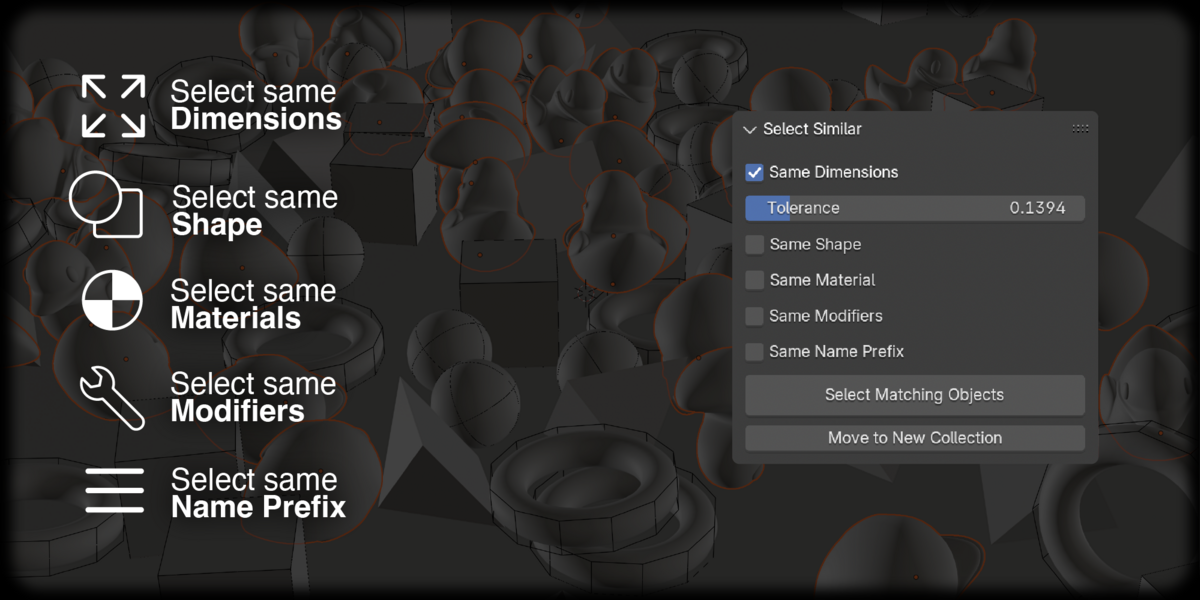
Select Similar Tools is a Blender add-on by Timon K. for selecting scene objects by chosen properties. It can find objects by dimensions, shape, material, modifier type, or name prefix, then group the results in a new collection. The Superhive listing describes the add-on as non-destructive.
Matching options
- Dimensions: Find objects with nearly identical sizes using a tolerance slider.
- Shape: Compare object shape, vertex count, and face count.
- Material: Select objects that share the same material setup.
- Modifiers: Filter objects by modifier type.
- Name prefix: Gather objects with similar names, such as Cube.001 and Cube.002.
- Collection grouping: Put selected matches in a new collection.
These criteria help when repeated objects share a recognizable property. Choose the one that best separates the objects you want; a shared material or similar size may also match objects you did not intend to include. Review the selection before grouping it.
Documented workflow
The linked documentation page describes installing and enabling the add-on, opening the Similar tab in the 3D Viewport sidebar with the N key, selecting an object, choosing matching criteria, and adjusting the tolerance sliders. Use Select Matching Objects to create the selection, then optionally move the results to a new collection. That documentation page is titled Select Similar Pro, so check that its instructions match the package you install.
Fit and compatibility
Select Similar Tools is suited to Blender users who want to gather scene objects by shared properties or naming patterns. The source materials show different version details: the product description says Blender 2.8 and later, marketplace metadata displays Blender Version 5.0, and the linked documentation says it was tested with Blender 4.3. Confirm which package and Blender version range apply before installing. Superhive lists the add-on as extension compatible and under the GPL license.