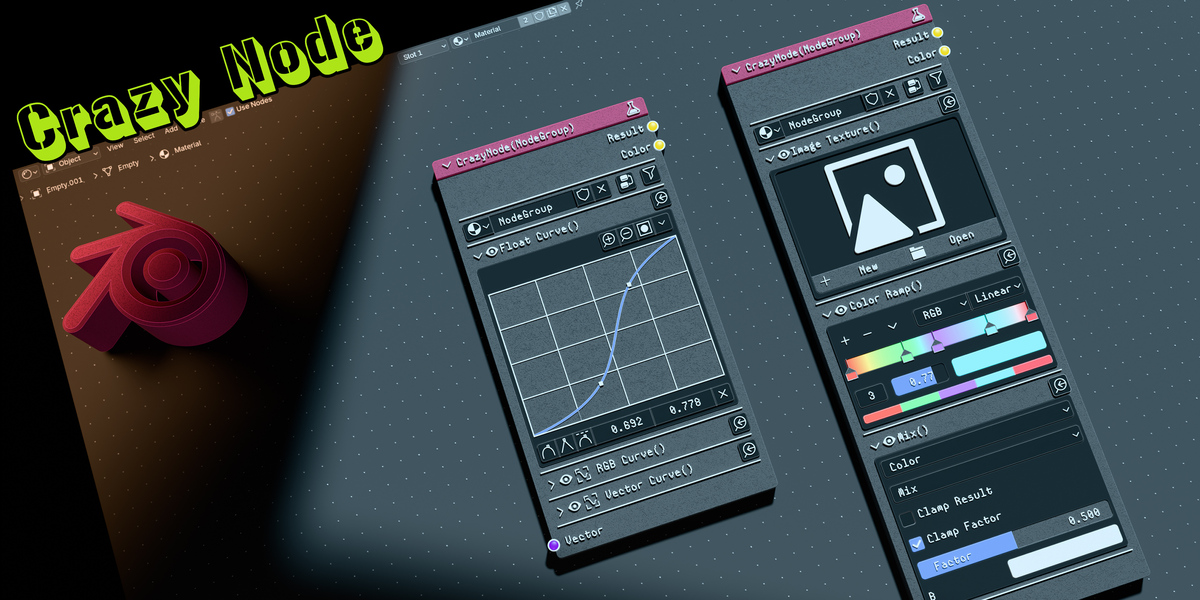
Crazy Node is a Blender add-on for working with node groups. It displays TexNode, RampNode, CurveNode, and MixNode in the node UI so you can edit them without opening the group. The add-on also includes Cp Image Node for commonly used texture-based groups.
Edit exposed node types in the node UI
Crazy Node offers two ways to create its custom node. You can add an empty Crazy Node to the node editor and specify the node tree it should use. Or select an existing node group, right-click and choose Crazy Node, or press F5 to convert it. Once set up, the supported node types appear in the node UI for editing outside the group.
This workflow suits Blender artists who reuse node groups and want to edit those node types in the node UI. Check that those types cover the groups you plan to use.
Use Cp Image Node for texture groups
Cp Image Node packages commonly used texture-based node groups into a single custom node. Version 2.0 added an option to add blurred images in Cp Image Node. Version 1.1 added a button to collapse all node panels and fixed an icon bug in Blender 4.3. The add-on supports English and Chinese.
Blender support and version notes
The Superhive product listing gives a Blender version range of 3.1 through 5.0 and marks Crazy Node as Blender Extension compatible. It notes that Blender 4.1.0 is unsupported because of a known bug in ShaderNodeCustomGroup; Blender 4.1.1 is supported. Version 2.0, dated December 3, 2025, added Blender 5.0 support and blurred images in Cp Image Node. Check the listing against your Blender version before installing.
License and availability
The Superhive listing identifies the add-on's license as GPL. The AnyPlugins catalog lists it as free; check the current product listing for availability and download terms.