Custom Lights is a Blender add-on by Manh Huynh for creating lights and managing scene illumination from the 3D Viewport. It combines quick light creation with a collection-based Manage Lights panel, so you can adjust multiple lights without hunting through the scene.
Create lights and shape their output
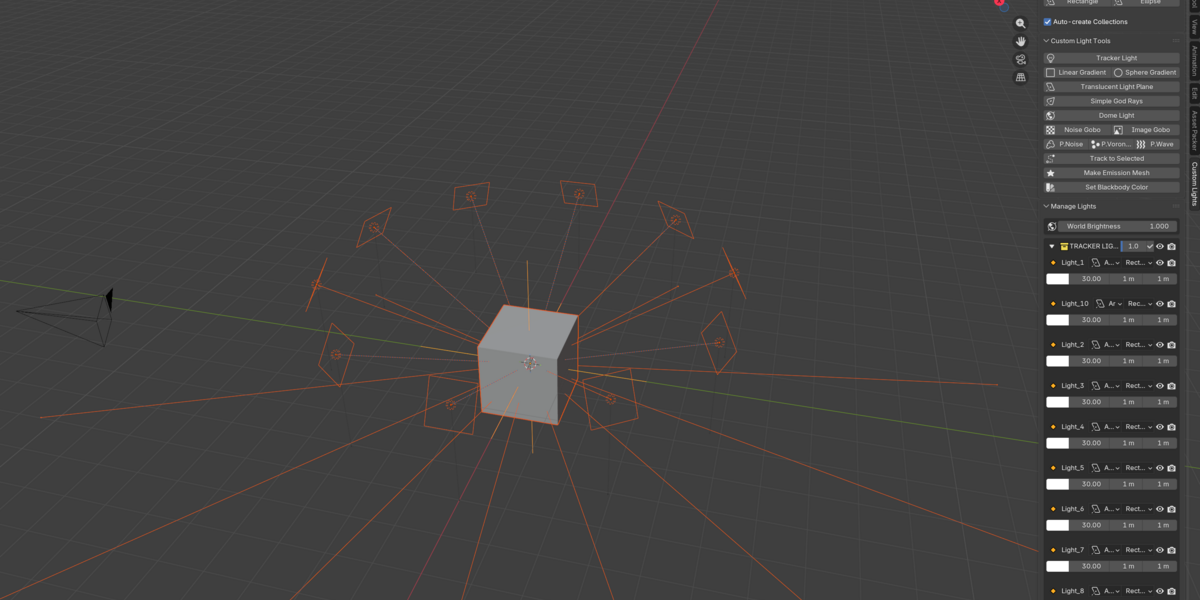
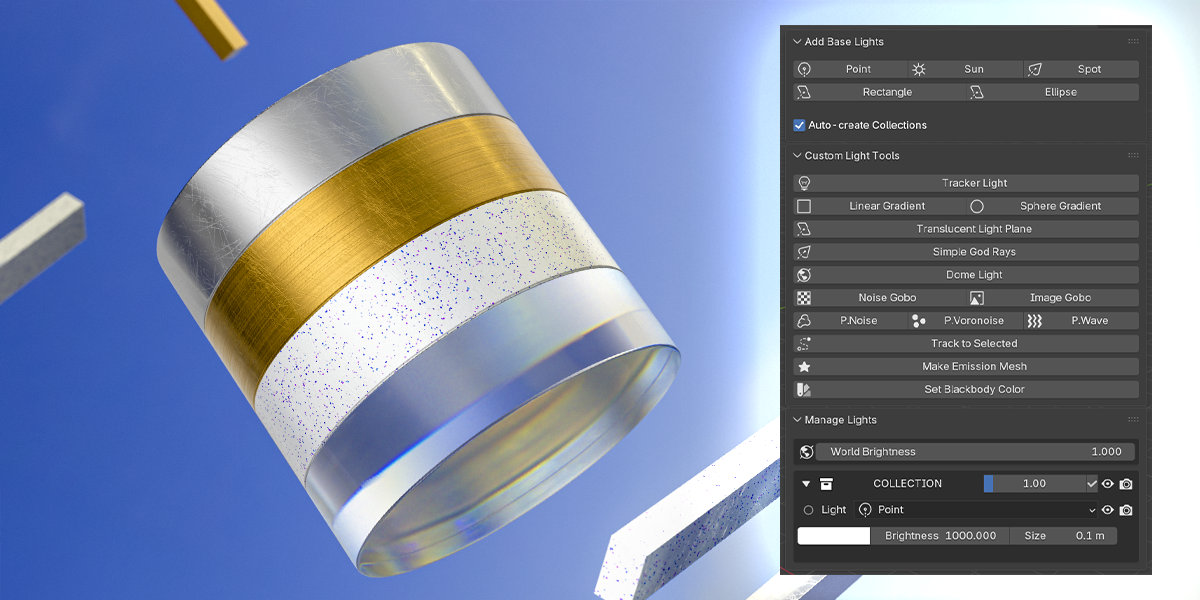
Add Point, Sun, Spot, or Area lights at the 3D cursor. Area lights can use Rectangle or Ellipse shapes, and new lights are grouped into collections automatically. For more involved setups, the add-on includes a Tracker Light that follows a target, gradient emission planes, a translucent light plane, and Simple God Rays for Spot lights.
Custom Lights also provides plane gobos with noise, Voronoi, and wave patterns, plus image-based gobo lighting. You can convert a mesh into an emission source, set light color using Kelvin values, apply Track To constraints to multiple objects, and create a light dome. Version 2.0 adds separate Linear and Sphere Gradient operators with an option to make black parts of the gradient transparent.
Manage scene lighting in one panel
The Manage Lights panel lists lights and emissive meshes by collection. From the list, adjust color, brightness or power, and size or shape; select a light or its whole collection; and toggle viewport, render, or camera visibility. World Brightness controls the environment strength, while the collection brightness slider multiplies the lights in that collection. Press L with a light active to open its parameter popup.
Install the add-on and check Blender compatibility
- Download the
custom_light.zipfile. - In Blender, open Edit > Preferences > Add-ons, choose Install, and select the ZIP file.
- Enable Custom Lights, return to the 3D Viewport, press N to open the Sidebar, and choose the Custom Lights tab.
The supplied product details list Blender 4.1–5.0. The product FAQ and documentation give a wider range, 3.0–5.0+. Since those compatibility ranges differ, check the current product listing or documentation for the Blender release you use. Superhive lists Cycles and Eevee as the render engines used.
Custom Lights suits Blender artists who want quick access to common lights and a single place to adjust collection-based setups. The product details list an MIT license.