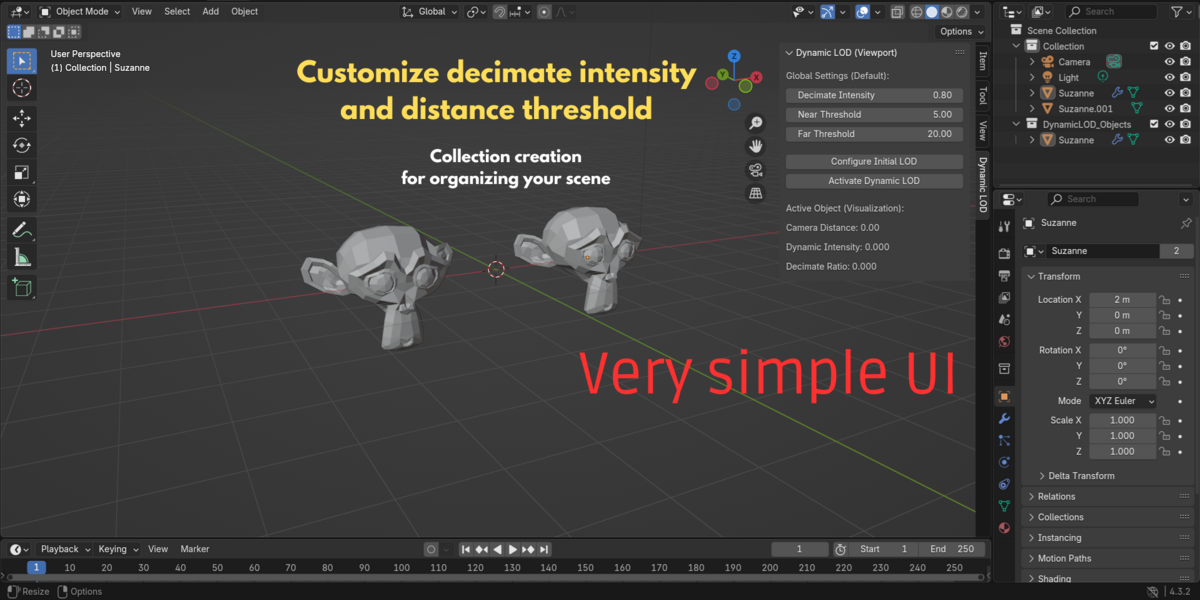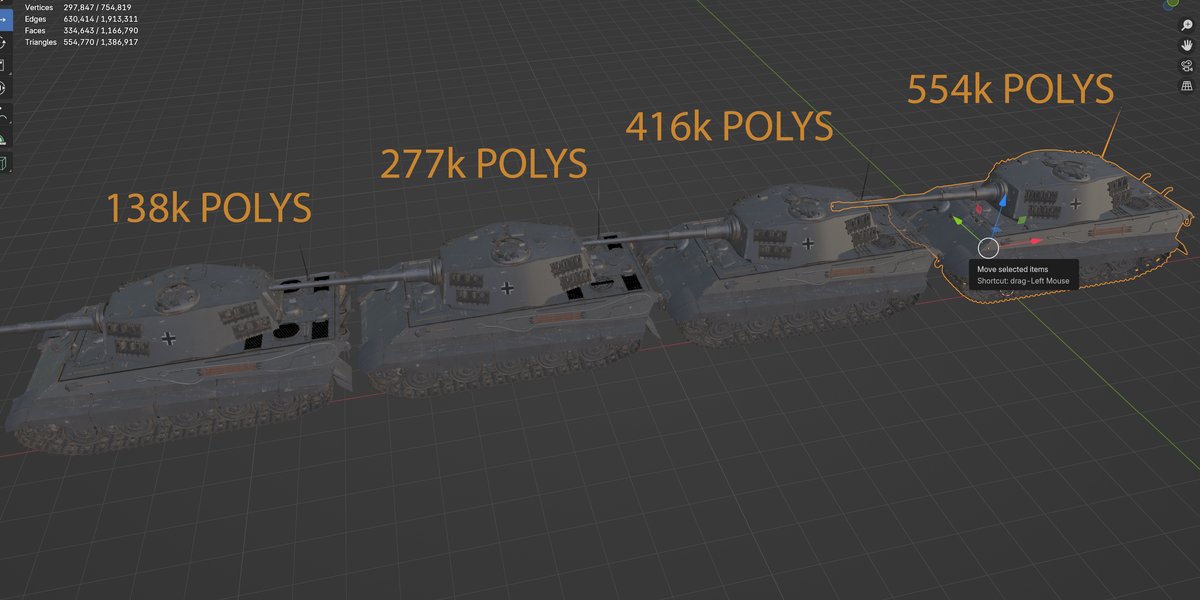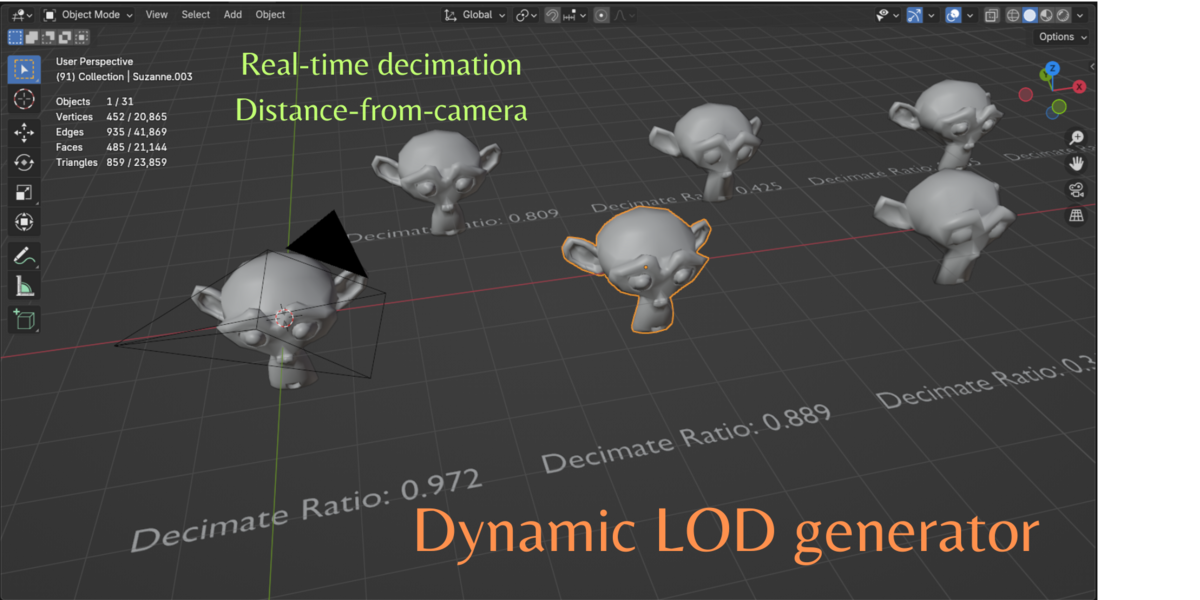
Dynamic LOD Generator is a Blender add-on by Marcelo Villegas that adjusts the Decimate modifier on multiple objects according to their distance from the camera. It reduces polygon counts for distant objects as the camera moves. Decimation intensity and distance thresholds control the change, and batch processing applies LOD settings to several objects at once. The product listing and documentation describe this workflow.
How it manages detail
The add-on updates level of detail dynamically in the viewport. Its documentation also says the effect works in rendered mode, though the main focus is viewport performance. The product FAQ identifies per-object controls for LOD Distance, Decimation Intensity, Near Threshold, and Far Threshold. For complex models, the FAQ recommends fine-tuning distance values. The creator warns that very aggressive decimation can distort a model, so inspect its silhouette at the distances used in your scene.
Set it up in Blender
- For Blender 4.3, open Edit > Preferences > Add-ons, choose Install, select the downloaded add-on file, and enable it. The listing identifies Blender 4.3 support; the documentation specifies Blender 4.3.0 and names the file
dynamic_lod_generator_v1_1.py. - Select the objects to use with LOD, then open the 3D Viewport sidebar and its Dynamic LOD tab. Adjust Global Settings (Default) for the scene.
- Select an object and click
Configurar LOD Inicialto initialize its parameters. Adjust its LOD distance and decimation settings, then click Activate Dynamic LOD. The initializer label appears in Spanish in the supplied documentation.
The documentation header calls the add-on v1.0, while the installation steps name a v1_1 file. Check the current product page and the downloaded filename before installing.
Where it may help
Dynamic LOD Generator may suit complex scenes where distant objects can use fewer polygons during viewport work, or scenes where several objects need camera-distance-based detail changes. The creator also describes animating distance thresholds for detailed-to-low-poly transitions, using aggressive decimation for glitch-style disintegration, and comparing how different LOD levels affect scene performance. Results depend on the model and chosen settings; the supplied sources do not give benchmark figures.